


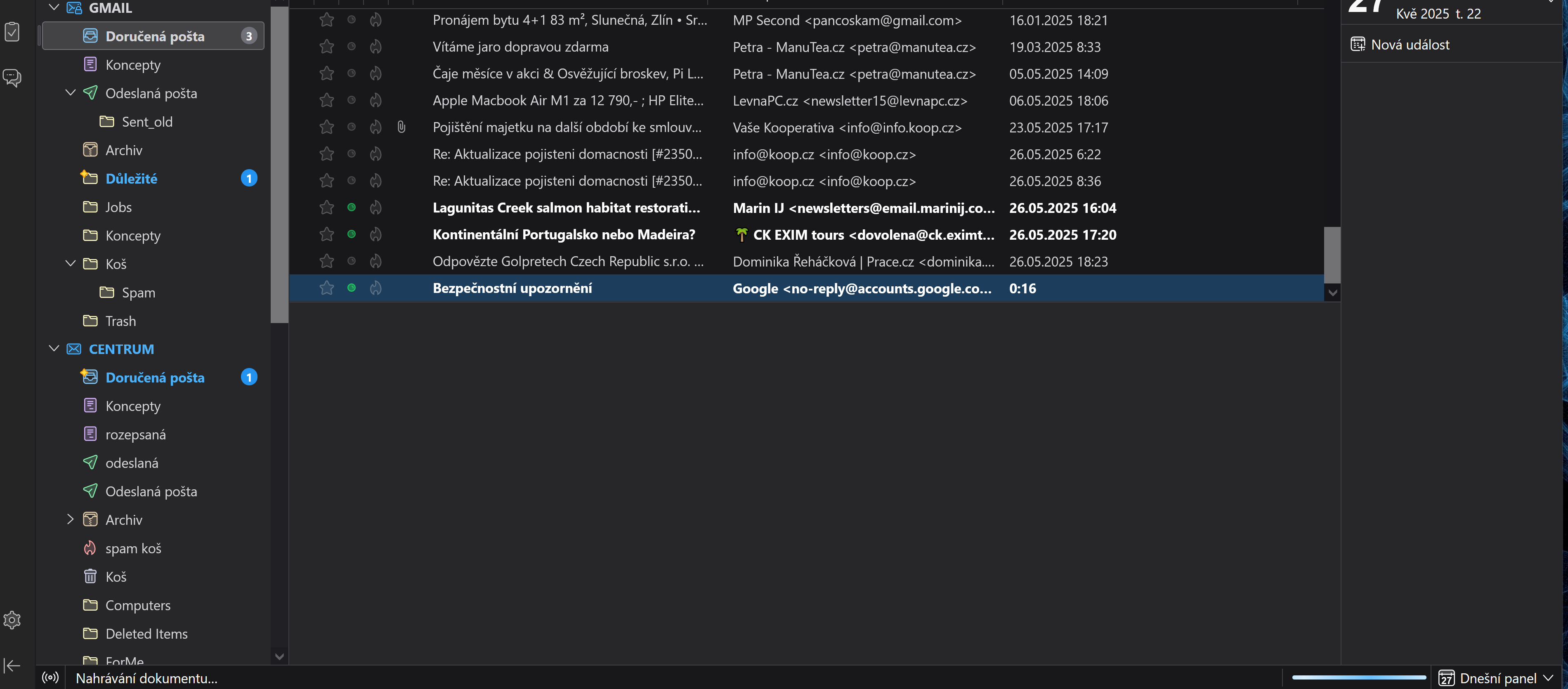
Gmail IMAP receiving and displaying

Hello, I have problem with Gmail receiving and displaying messages from IMAP servers in my Thunderbird client,
version 128.10.2esr (64 bits).
Everything is going very slow. On other email servers (imap.centrum.cz and pop3.tiscali.cz) everything work OK without problems. THANK YOU FOR YOUR HELP!!! Michal
All Replies (2)
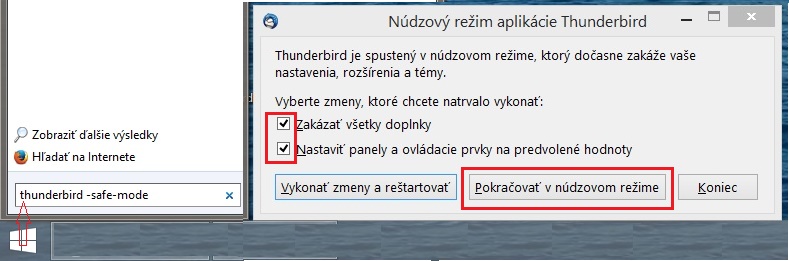
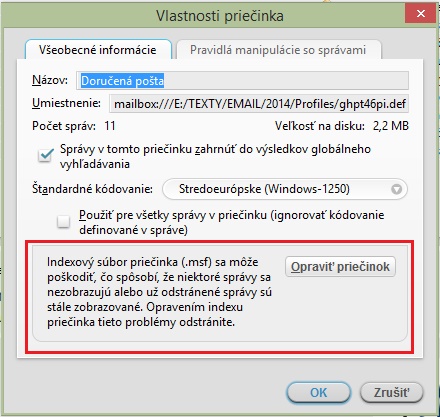
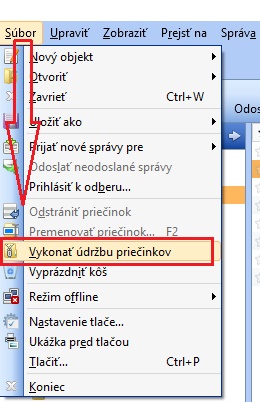
Spustite Thunderbird v "Núdzovom režime" a preverte či chyba pretrváva (držte klávesu SHIFT pri spustení Thunderbirdu). Na spustenie programu do núdzového režimu môžete použiť odkazy v ponuke Štart-Spustiť (alebo Win+R): https://support.mozilla.org/cs/kb/nouzovy-rezim-thunderbirdu http://imgbank.cz/images/2016/06/02/Thunderbird_nudzovy_rezim.jpg = V mnohých prípadoch pomôže opraviť priečinok, - kliknite na priečinok "Doručená pošta" pravým tlačidlom myši a zvoľte "Vlastnosti" a zvoľte "Opraviť priečinok": http://imgbank.cz/images/2014/09/23/Thunderbird_opravit_priecinok.jpg - postupne opravte aj ostatné priečinky Potom je nutné ešte "Vykonať údržbu priečinkov".: - Thunderbird - Súbor - Vykonať údržbu priečinkov: http://imgbank.cz/images/2015/08/19/Thunderbird_udrzba_priecinkov.jpg
Modified by Ansam
Případně si zkontroluj nastavení: Ruční konfigurace poštovního účtu