


LARGER TOOLBAR FONT NEEDED
I've searched & waited past few years for an Extension to make the TOOLBAR FONTS larger, none found. Reason being many of us are using larger monitors and TV's and we're usually sitting or standing further away from the screen. Problem is the font size cannot be changed, they stay small and hard to read comfortably. __YES I've reset my operating systems font size, that does not work in Firefox TOOLBARS. __Changing the "firefox/addon/theme-font-size-changer" has been eliminated by Firefox. __Changing the "layout.css.devPixelsPerPx" to a larger number increases the whole TOOLBAR. I just want the FONT size larger. __(someone suggested) NO, I'm not going to setup 2 monitors.
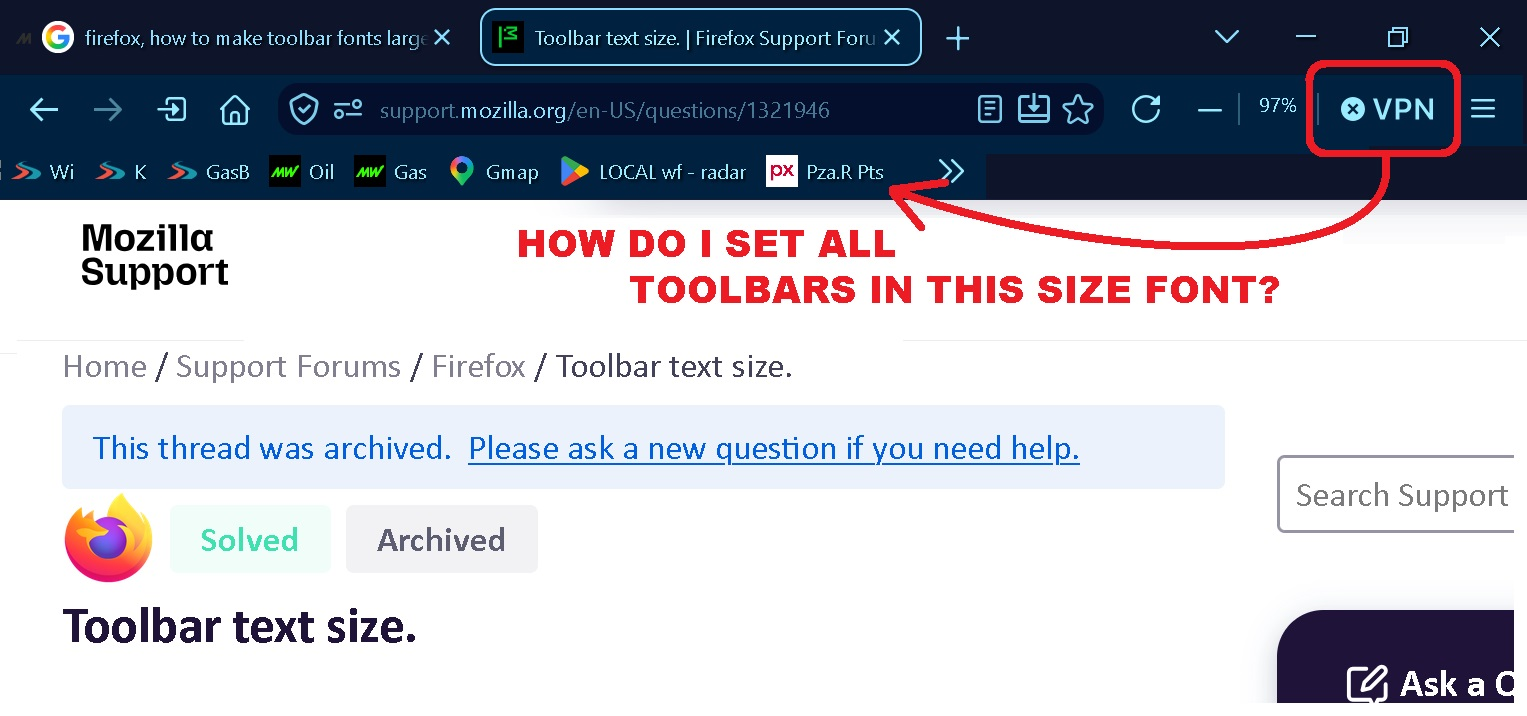
Sure would like this issue fixed. In the pix below, it has been done.
All Replies (5)
Have you a) Tried Accessibility b) Or for exact formatting use [userChrome.css]
Yes, neither work. I'm HIGHLY SURPRISED FF hasn't fixed this with SO MANY complaining for years that the TOOLBAR text size is too small. Some say use Chrome, Opera, etc., I only use FF. Besides, overall they're less useful to my needs.
COME-ON FIREFOX, we know it's an easy fix, look at the screen capture. ' VPN ' .
Modified by FM
Yes, neither work.
What code did you use in [userChrome.css] and did you enable legacy css via about:config
Searched about:config for legacy css or any derivative of, nothing in mine called that. I only change codes that are in about:config, not write new one's. Please understand, for now I'm only interested enlarging the Font in the Toolbars. One step at a time.
I only change codes that are in about:config, not write new one's.
The code for the fonts must be done in a file called [userChrome.css] if you are not up to that alone . . .
The config option is just to allow the code to run.
You can red up on both:
https://support.mozilla.org/en-US/kb/contributors-guide-firefox-advanced-customization