


Search box is broken... again

Since dawn of times I'm using Firefox with a search box in the center of my Home page for new tabs and windows. It is the most important tool in my life as a web content manager. A few years ago my searches suddenly started to jump to the URL bar as soon as I started typing. An URL bar is - as the says - for URL's and it sits way at the top of my 27" and 32" screens, where my focus is not.
Luckily, this forum saved me with the about:config setting browser.newtabpage.activity-stream.improvesearch.handoffToAwesomebar > false to save my life.
A few months ago this was broken by 148.something. After about a month in hell that was repaired with a dot release. And now (151.0.3, Windows 11) it's broken again:
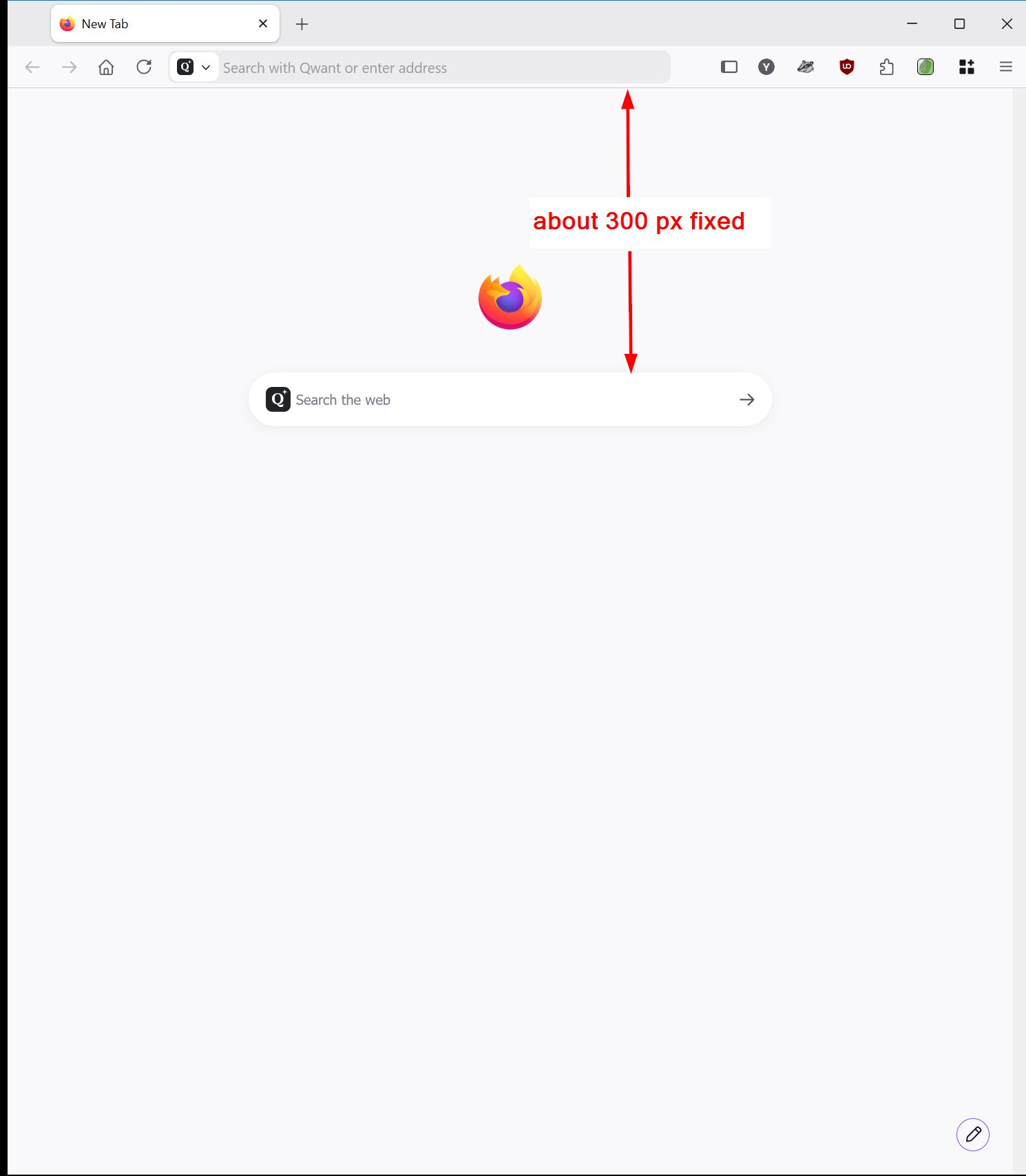
In normal mode it still works as expected, but the search box is not in the center anymore, it has been moved up to about 300 px from the top. Fixed, independent from window size !?! If you make the window small it moves out sight eventually.
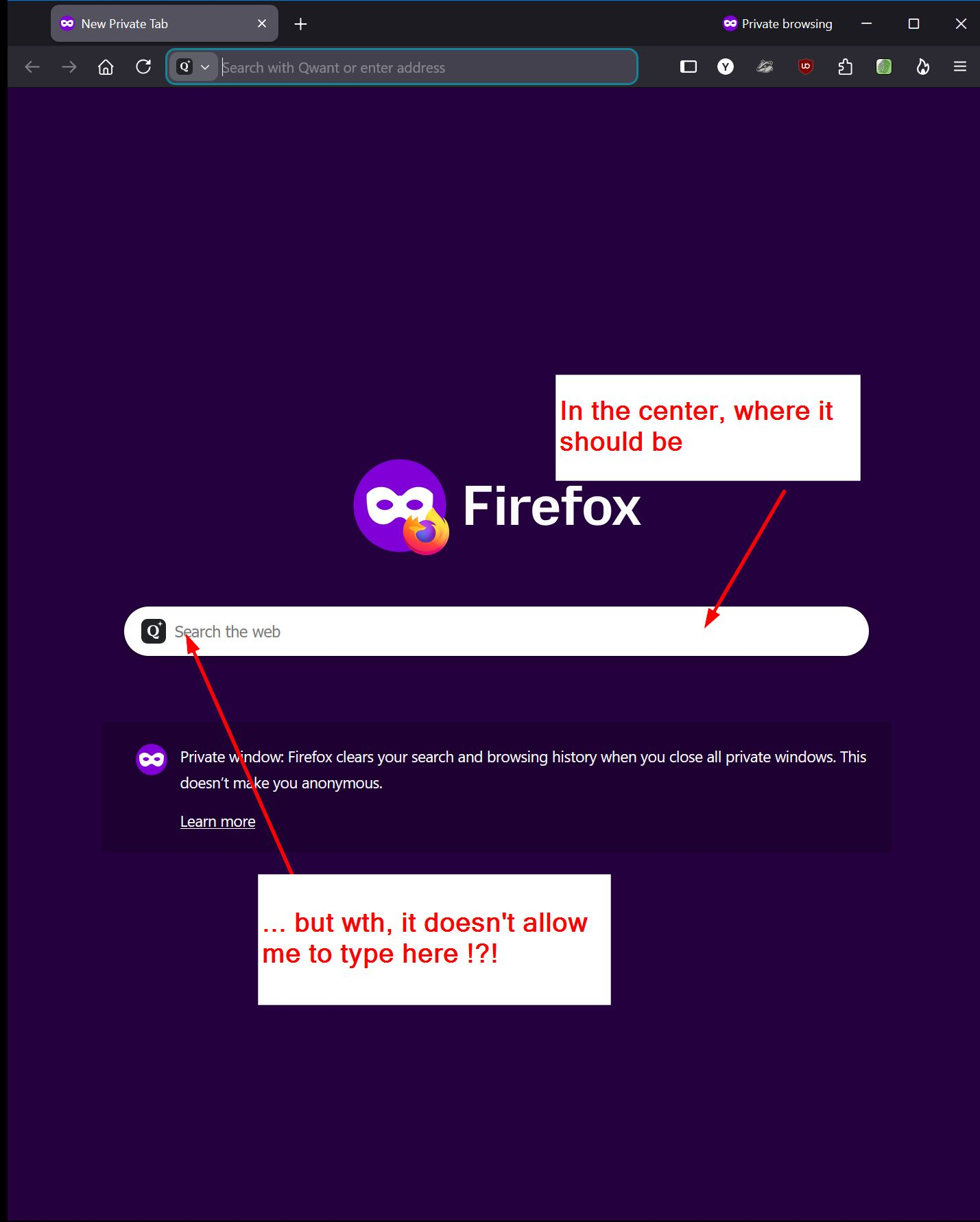
In Private Windows it is still in the center vertically, but browser.newtabpage.activity-stream.improvesearch.handoffToAwesomebar > false does not seem to work there. As soon as I start typing it jumps to the address bar.
All Replies (7)
Hello
A subject, browser.newtabpage.activity-stream.nova.enabled https://support.mozilla.org/en-US/questions/1583851 https://support.mozilla.org/en-US/questions/1584456 https://support.mozilla.org/en-US/questions/1584969
A subject, browser.newtabpage.activity-stream.improvesearch.handoffToAwesomebar https://connect.mozilla.org/t5/firefox-labs/please-bring-back-an-option-to-disable-new-tab-search-handoff/m-p/119731/highlight/true#M5015 *
* About the subject, browser.privatebrowsing.resetPBM.enabled https://support.mozilla.org/en-US/questions/1582636
The name "Agent virtuel", does that mean you are an AI bot? You post a lot of links, but I fail to see the relation with my search box issue.
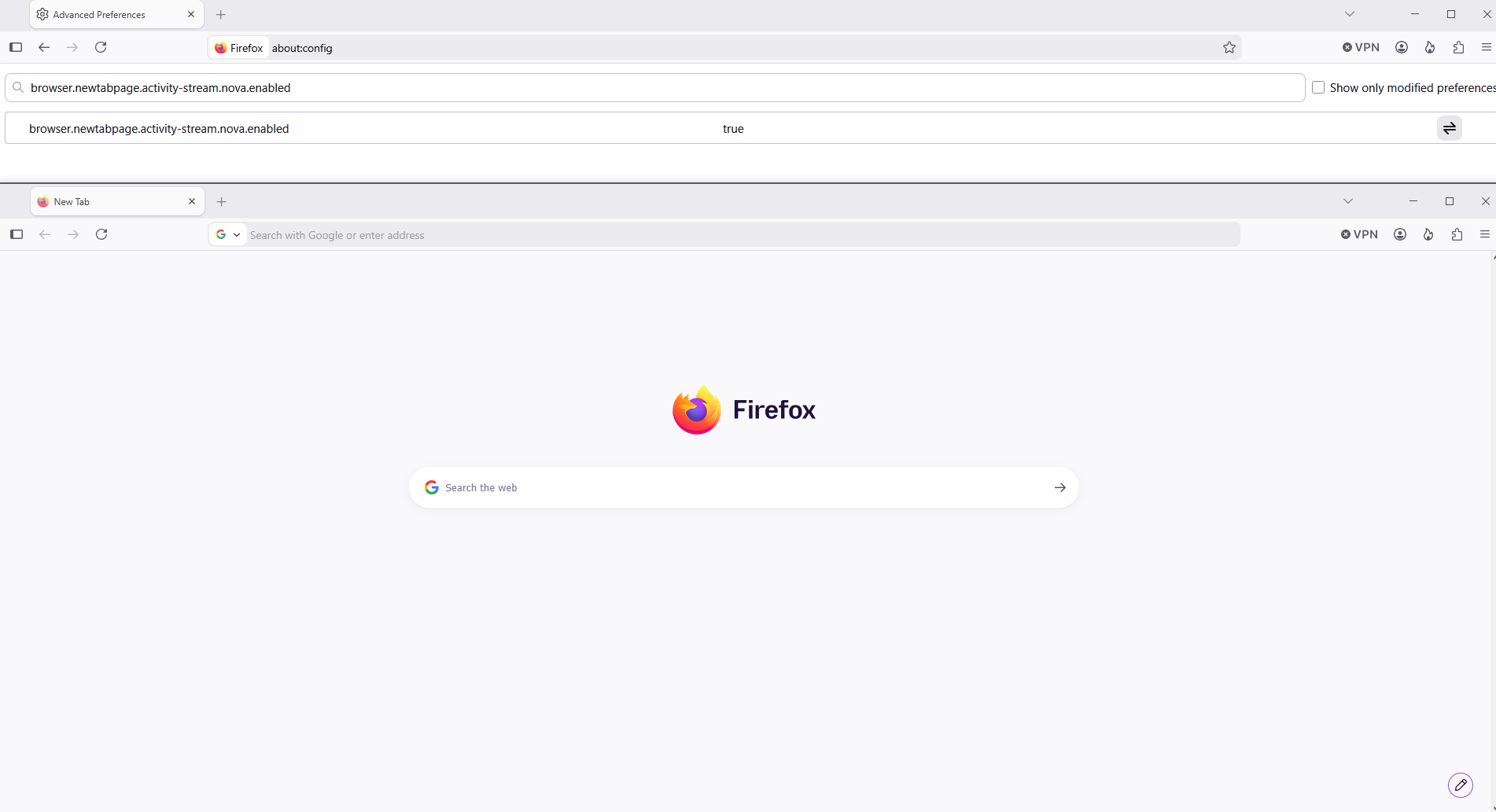
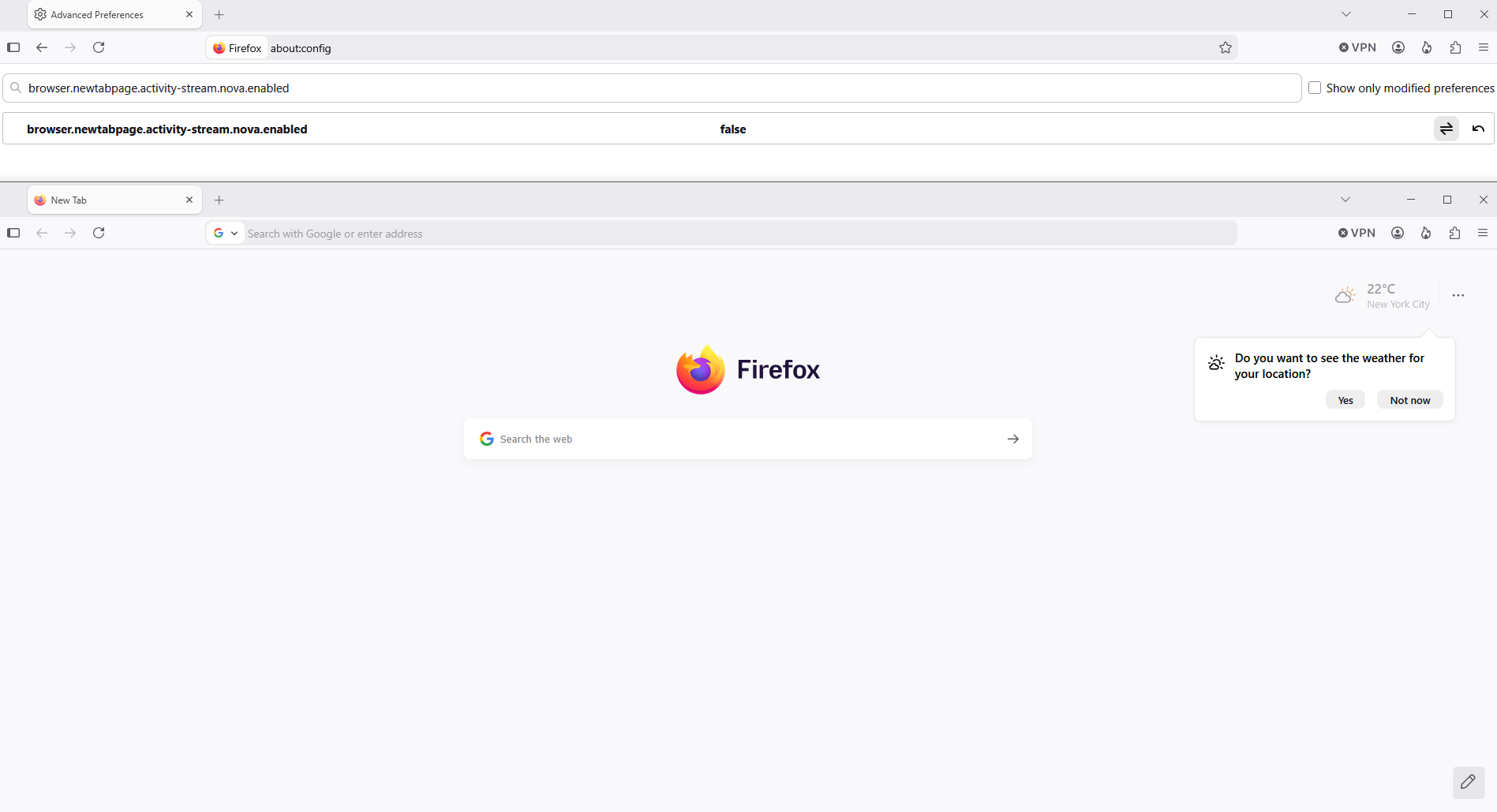
About, browser.newtabpage.activity-stream.nova.enabled Screenshots 1 and 2
about:privatebrowsing For information https://www.firefox.com/en-US/firefox/151.0/releasenotes
Private Browsing Mode now allows you to instantly clear all data from your current session without closing the entire window. When you select the End Private Session button (the fire icon) to the right of the URL bar, Firefox will ask you to confirm to clear your session. Once confirmed, it will wipe all of your private browsing data and open a fresh new Private Browsing Mode session for you.
About, browser.newtabpage.activity-stream.improvesearch.handoffToAwesomebar https://support.mozilla.org/en-US/kb/private-browsing-use-firefox-without-history Under, Always use private browsing mode or to Never remember history, it works Screenshot 3
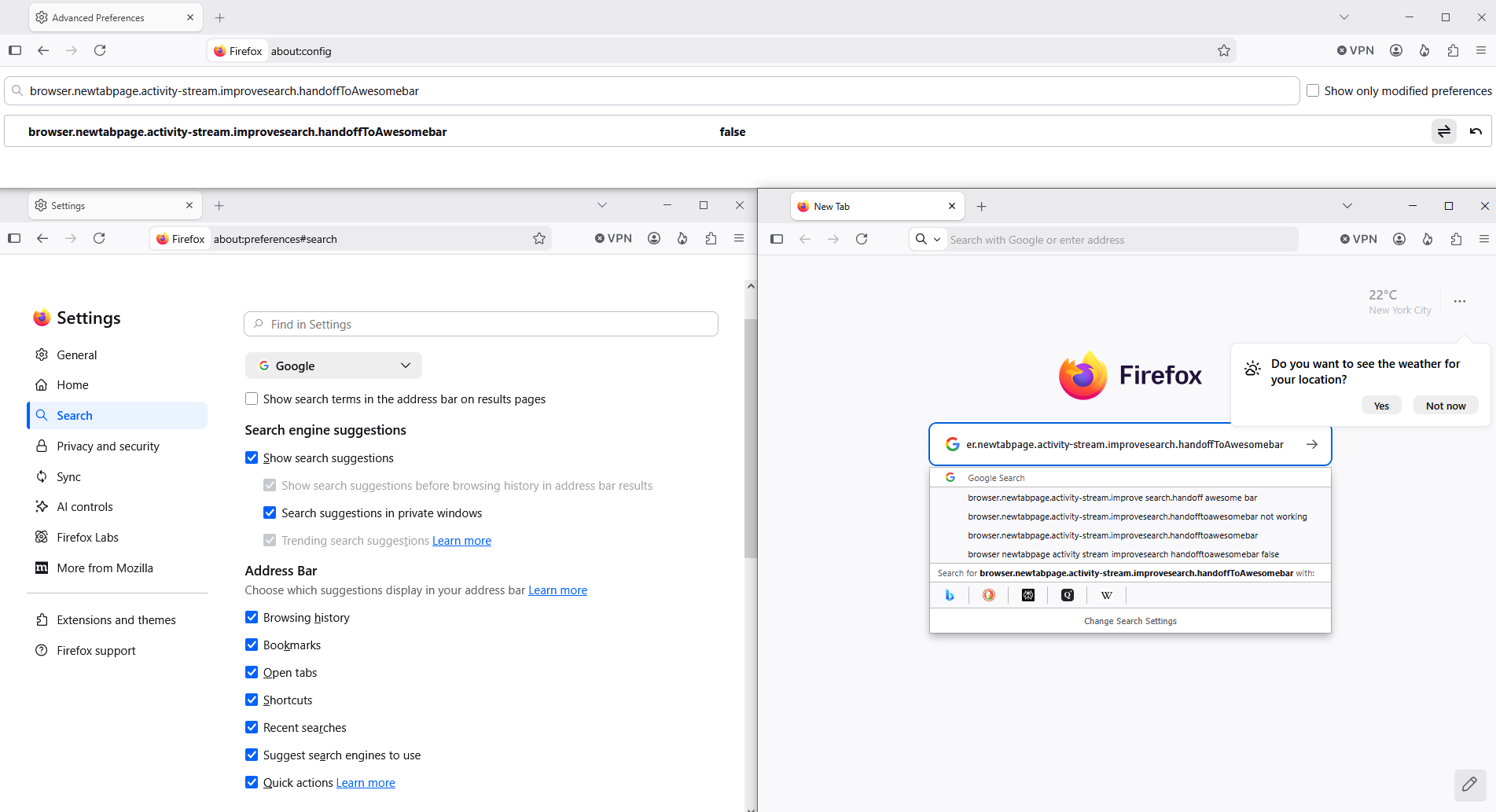
Modified by Agent virtuel
There's a feedback thread for the redesign https://connect.mozilla.org/t5/discussions/firefox-151-introduces-a-fresh-new-look-for-home-amp-new-tab/td-p/125715 where you can interact with the engineers working on it — and point out any bugs or regressions you encounter in your workflow. They might be known already (and you'll be able to track the progress there) or in case they're not yet known you'll help surface anything that's still not tracked — and improve that functionality for fellow users as well.
To complement
Customize Layout https://support.mozilla.org/en-US/questions/1585404
I found an add-on to work around this: TablissNG. It helps creating a custom Home/New tab page with search box in the center and no URL bar hand-off, "Quick links" to favorite websites and many more widgets. Also works in Private Window. Quicklinks are not added automatically, but to me that's just an advantage.
Hello
Unable to hide Firefox logo, this information https://support.mozilla.org/en-US/questions/1582946#answer-1823306