This thread was archived.
Please ask a new question if you need help.

Archived
Received Emails

I inadvertently clicked on "Hide images" on a newly received email. I cannot find how to go back and permit the images to be shown on that email.
I'm using the most recently updated Thunderbird Desktop Version 140.2.0esr | Released August 19, 2025
I inadvertently clicked on "Hide images" on a newly received email.
I cannot find how to go back and permit the images to be shown on that email.
I'm using the most recently updated Thunderbird Desktop
Version 140.2.0esr | Released August 19, 2025
All Replies (2)

You can click on your email and then option
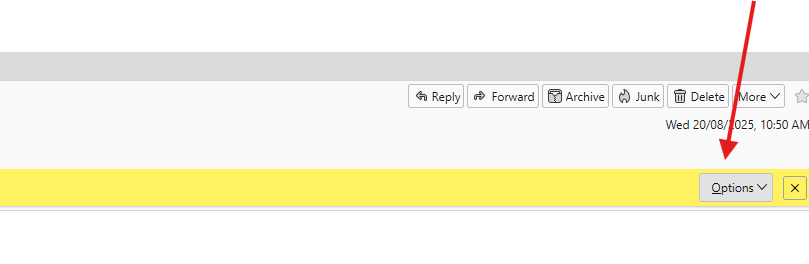
Modified by Michel T
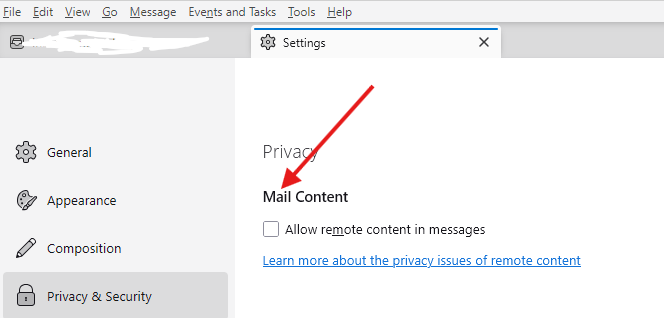
Or you can go to settings \ Privacy & Settings and then Check "Allow remote content image"