


Block pop ups

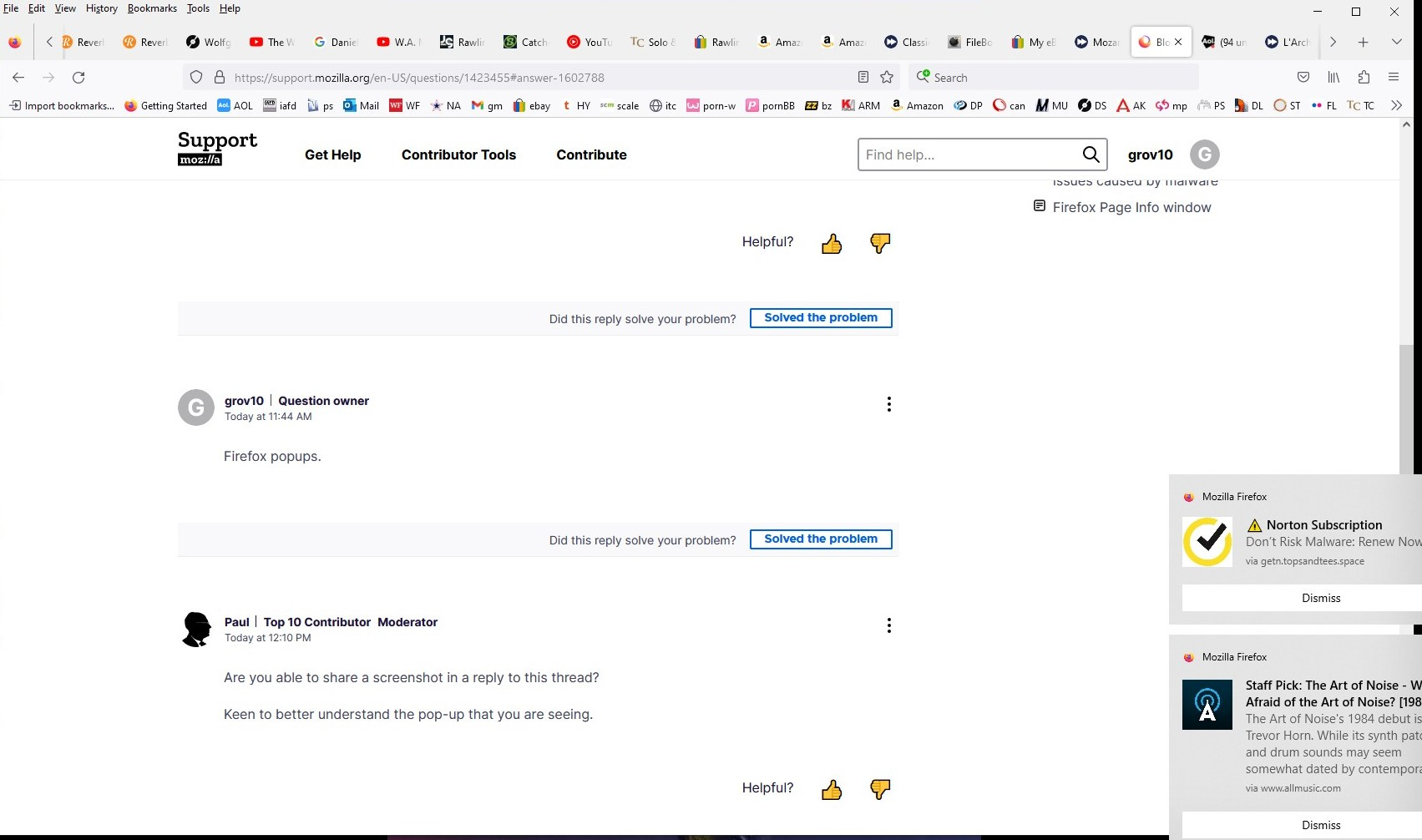
How do I block the annoying pop ups from Mozilla? I went to Settings->Permissions and "Block pop ups" was already checked off! What do I do?
All Replies (8)
Hi
Which pop-ups are you referring to?
Firefox popups.
Are you able to share a screenshot in a reply to this thread?
Keen to better understand the pop-up that you are seeing.
Pop ups in lower right corner.

Look at the last two options in Settings > General > Browsing ( Recommend extensions ... | Recommend features ... ). De-select them if selected.
Modified by Terry
Hi
Thank you for that screenshot, it really helps.
I do think that these are pop-up adverts from Mozilla, they look more like push notifications from websites that you have visited.
This support article should help to manage these:
Thank you, guys! Hope that helps!
Hello,
I am glad to hear that your problem has been resolved. If you haven't already, please select the answer that solves the problem. This will help other users with similar problems find the solution.
Thank you for contacting Mozilla Support.