


Language in options does not reflect for Menus - after updating firefox
Options I selected english and restarted. Menu is still in Norshk. I have tried changing order and restarting browser. Closing and opening browser again. Nothing works. Please see screenshot. This happens every time after new version of firefox is updated. Language preference gets reverted.
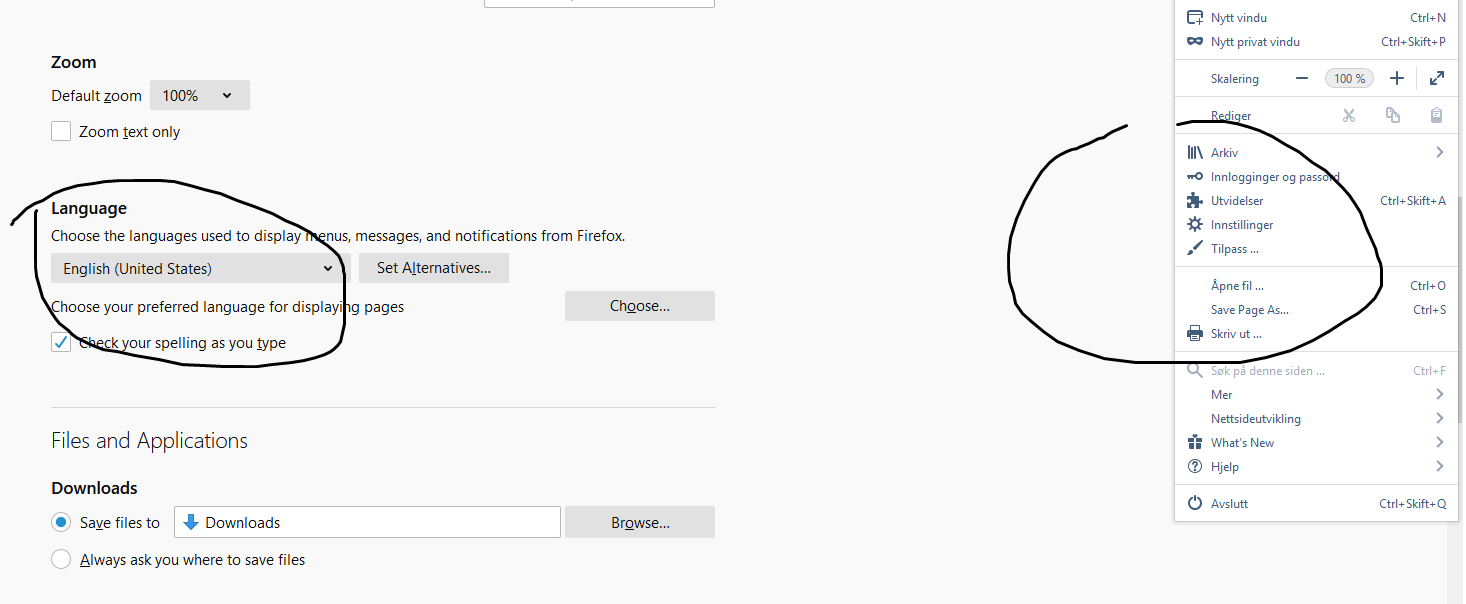
All Replies (7)
Hello,, I'm on macOS and I managed to reproduce this.
To fix this, you'll need to uninstall the Japanese language.
To go Tools > Addons > Languages. Beside Japanese, click Remove. Restart Firefox.
Hello jigar shah, Changing the language display of Mozilla Firefox
- Select Tools > Options.
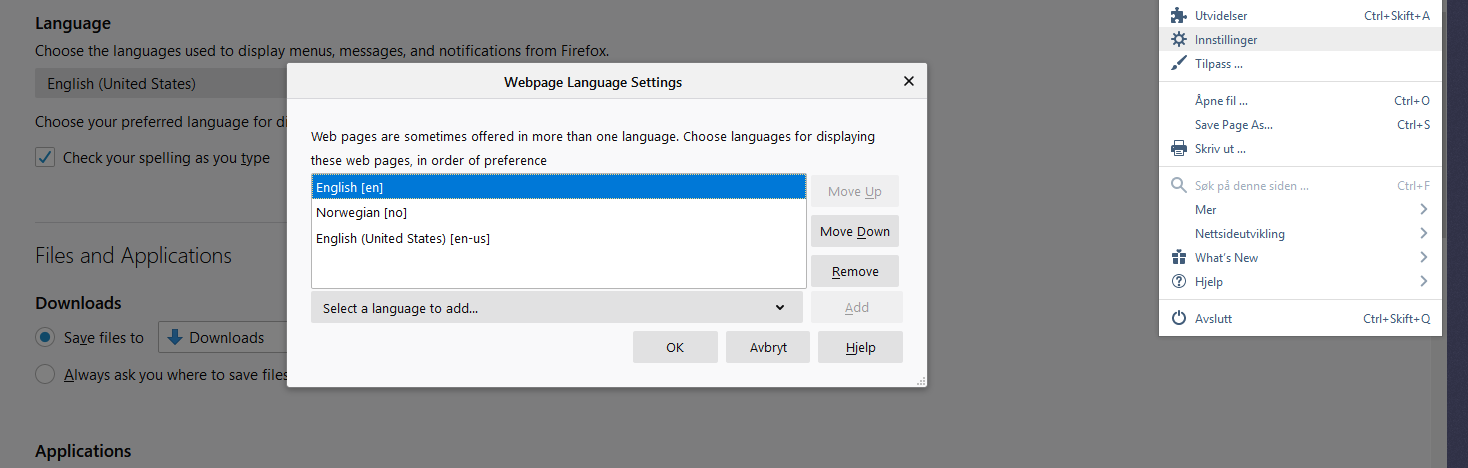
- On the Content tab, under the Languages section click Choose.
- From the Select a language to add menu, select a language. Click Add.
- Set the language preference. Use the buttons to move the preference up or down.
- Click OK.
i hope your problem is resolve
Thank you!

jessica601 is a scammer. Please do not call the number. The account has been deactivated.
yogyta kalwar said
Hello,, I'm on macOS and I managed to reproduce this. To fix this, you'll need to uninstall the Japanese language. To go Tools > Addons > Languages. Beside Japanese, click Remove. Restart Firefox.
I Don't have addon
Modified by Jigar Shah
ARMAN KHAN said
Hello jigar shah, Changing the language display of Mozilla Firefoxi hope your problem is resolve Thank you!
- Select Tools > Options.
- On the Content tab, under the Languages section click Choose.
- From the Select a language to add menu, select a language. Click Add.
- Set the language preference. Use the buttons to move the preference up or down.
- Click OK.
No it didn't
you can switch languages at any time to display Firefox menus
   Click the menu button Fx57Menu and select Options.
   In the Language section of the General panel, choose a language in the drop-down menu.
   Restart Firefox.
To add languages, see the next section. Add languages to the Firefox interface
Follow these steps to add more languages to Firefox.
   Click the menu button Fx57Menu and select Options.
   In the Language section of the General panel, click Search for more languages in the drop-down menu.
   Click Select more languages to add and choose the languages you want to add, then click the Add button.
   Use the Move Up and Move Down buttons to change the order or Remove to remove a language from the list.
   Click OK to save your changes.
Firefox will display the first language as your default and will display alternate languages if necessary in the order they appear. Set an order of preference for languages
If a Firefox feature is not available in your top language, Firefox will display your next preferred language.
   Click the menu button Fx57Menu and select Options.
   In the Language section, click Set Alternatives to open the Firefox Language Settings window.
   Select a language and use the Move Up and Move Down buttons to change the order or Remove to remove a language from the list.
You can try to start Firefox once with the '-purgecaches' command line parameter.