


To clear history requires opening clear history twice to get the clear history button to appear.

To clear history now takes opening clear history twice. The first time the pop up is incomplete as it doesn't show the clear button. Closing the popup and reopening clear history will get you the whole window where you can see the clear button. Anyone else has this issue?
All Replies (6)
I don't see this problem. I have the 'Clean Now' and 'Cancel' buttons. Can you make a screenshot ?
Here's a shot. Notice the lower part of the popup is missing.
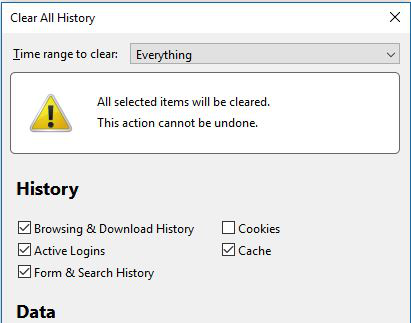
After you open Clear history you get this screen:
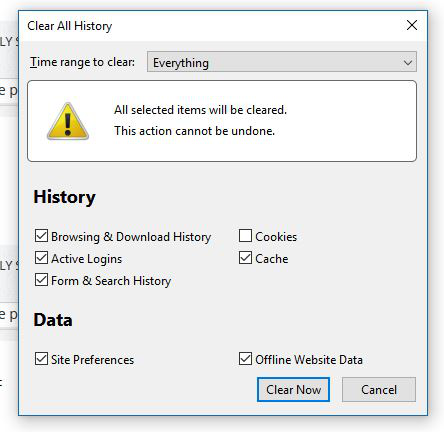
By the way, It happens on all of my computers after the recent update.
Yes. Is strange. This only the Firefox Developers can repair. I found this too, not every time but it hapends.
Modified by AndRo Marian
At least I am not the only one with this issue. Thanks for the response.