


Windows 10 reached EOS (end of support) on October 14, 2025. If you are on Windows 10, see this article.

Search Support

Avoid support scams. We will never ask you to call or text a phone number or share personal information. Please report suspicious activity using the “Report Abuse” option.

Learn More

I dragged and dropped email messages into a windows folder. Now I can't read them.

  • 1 reply
  • 1 has this problem
  • 28 views
  • Last reply by FredMcD
  • Archived

Here's what I did. Hopefully, you can help me reverse this process.

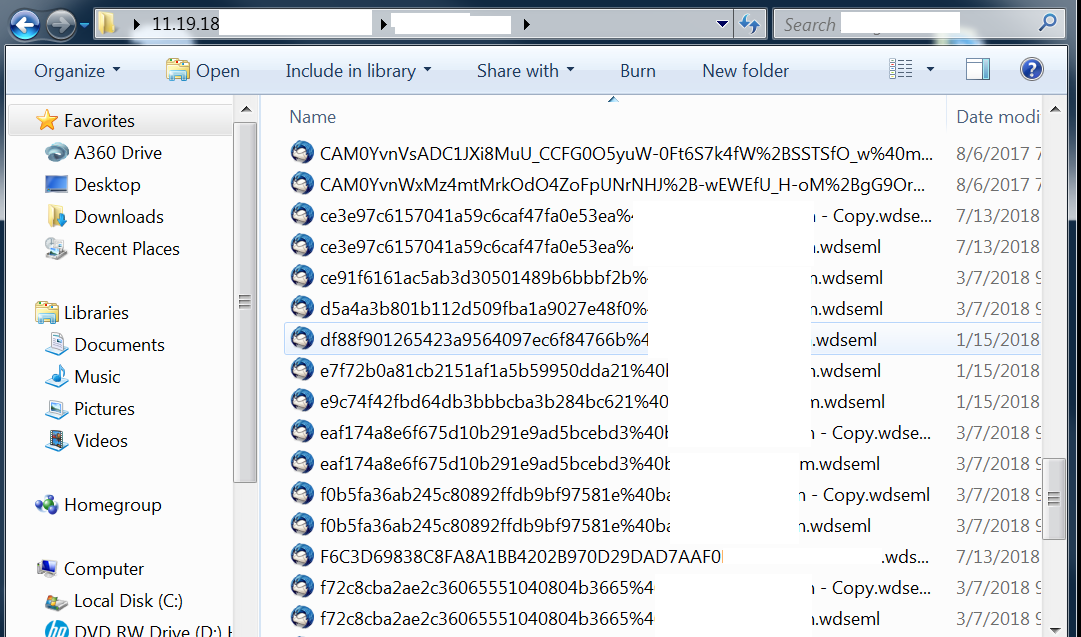
I searched for a project name using the Windows 7 search bar. Email messages and other files appeared from various locations. I selected ALL the files and dragged them to a folder I made on the desktop. Now I can't read the email files. They won't open even if I right click on them and select "open". I tried dragging/dropping them back into Thunderbird, which does not work. I am not sure if these are copies or if I've moved the messages

I've obviously made a mistake. Is there a way to un-do it? Or, is there a way to read these emails? Thanks
Here's what I did. Hopefully, you can help me reverse this process. I searched for a project name using the Windows 7 search bar. Email messages and other files appeared from various locations. I selected ALL the files and dragged them to a folder I made on the desktop. Now I can't read the email files. They won't open even if I right click on them and select "open". I tried dragging/dropping them back into Thunderbird, which does not work. I am not sure if these are copies or if I've moved the messages I've obviously made a mistake. Is there a way to un-do it? Or, is there a way to read these emails? Thanks
Attached screenshots

Modified by blackriver1

All Replies (1)