


Is this from Firefox

Is this a phishing website?
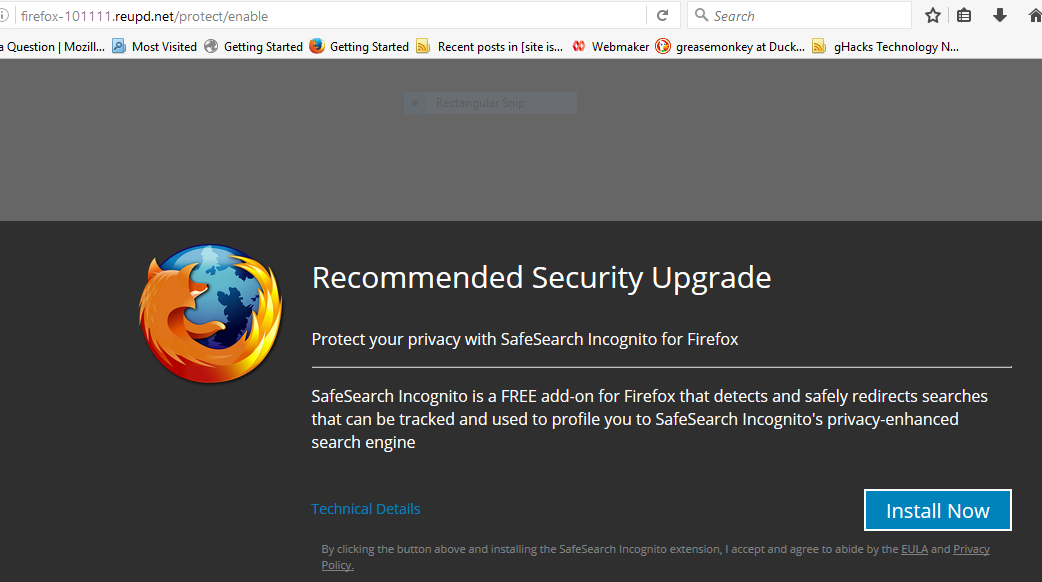
http://firefox-101111.reupd.net/protect/enable
If so, is there a mechanism for passing the information on?
Modified by John99
All Replies (3)
Chosen Solution
Hi !
Good for you not to fall for it; it's a fake !
Firefox will always update from within the browser and not from a random webpage.
The name 'Safe Search incognito' must have rung a bell; see your question /questions/1141917.
It's hard to get rid of these scammers, as they will change their URL on a daily basis.
You could consider an ad-blocking add-on, like:
https://addons.mozilla.org/en-US/addon/ublock-origin
You can report these sites at:
https://www.google.com/safebrowsing/report_phish
https://www.mozilla.org/en-US/about/legal/fraud-report/
Do NOT use. Please report it if you see it
I will attach a screenshot {Thumbnail expands if clicked) and make the links to it not clickable
http://firefox-101111.reupd.net/protect/enable
It says it is a security update It says it is (safe search) safesearch incognito And has the title in the tab as Improve Browser Privacy Protection and has a padlock icon Note you can also report as a deceptive site using the
menu button {3 bar icon) -> Help {(?) icon)
I will also mark Sunny's post as a solution, because solved posts show up better including on external searches.
Modified by John99
The fact that it was not from a *.mozilla.org url or url leads to a mozilla.org url should raise a flag that it is not from Mozilla that makes the Firefox web browser.