


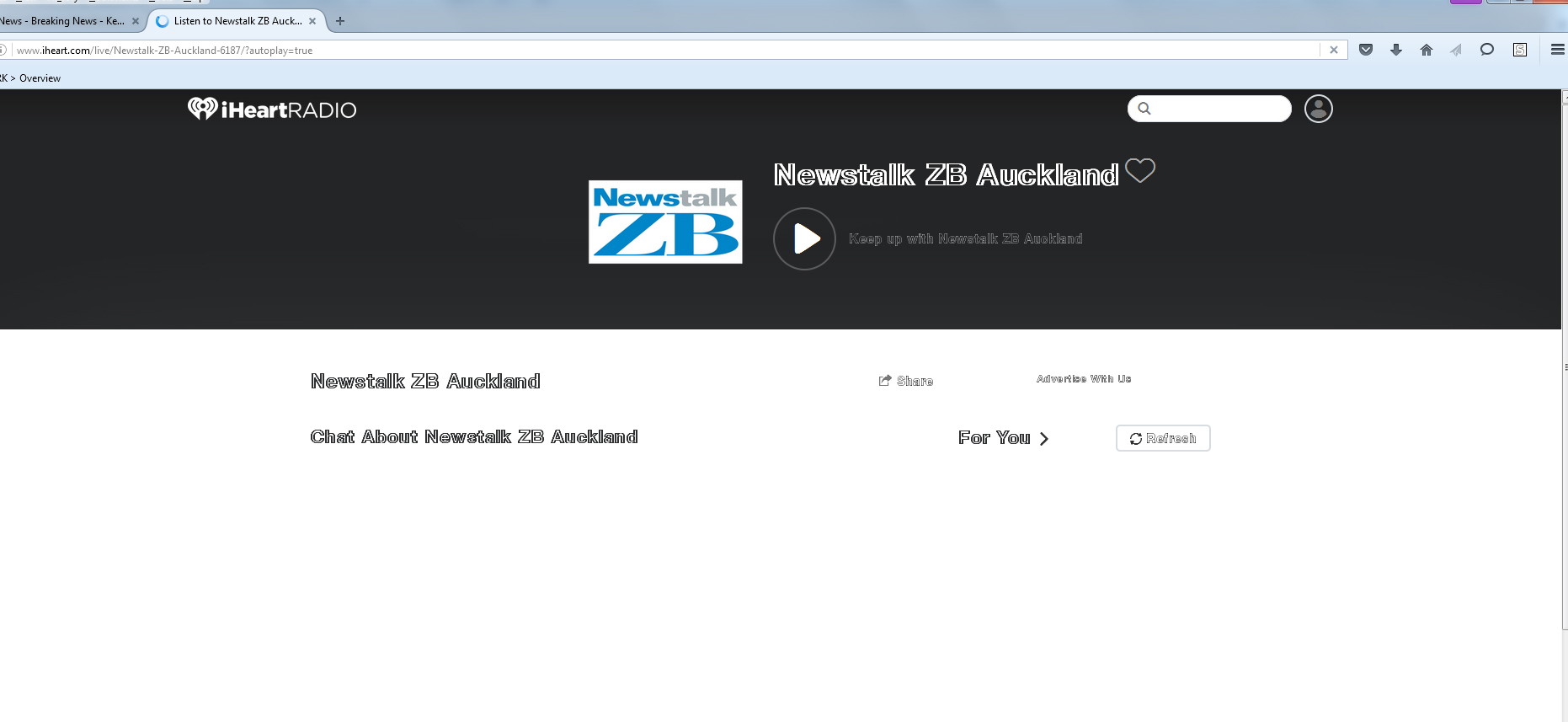
text is showing in outlines only, why is this?

Can you please tell me how I can fix this issue. I have attached a screen shot.
Thanks,
Natalie
Chosen solution
You can try to disable hardware acceleration in Firefox.
- Tools > Options > Advanced > General > Browsing: "Use hardware acceleration when available"
You need to close and restart Firefox after toggling this setting.
You can check if there is an update for your graphics display driver and check for hardware acceleration related issues.
You can right-click and select "Inspect Element" to open the Inspector ("3-bar" menu button or Tools > Web Developer) with this element selected. You can check the font used for selected text in the Font tab in the right pane of the Inspector.
Read this answer in context 👍 1All Replies (3)

Your font is on the wrong setting. 'Font' is how a character is displayed.
Type about:preferences#content<enter> in the address bar. Across from fonts and colors, press the Advanced button. On the bottom, turn on Allow Web Sites To Choose Their Own.
Thank you for the great feed back. However when I followed your instructions I found 'Allow Websites To Choose Their Own' was already ticked...
Chosen Solution
You can try to disable hardware acceleration in Firefox.
- Tools > Options > Advanced > General > Browsing: "Use hardware acceleration when available"
You need to close and restart Firefox after toggling this setting.
You can check if there is an update for your graphics display driver and check for hardware acceleration related issues.
You can right-click and select "Inspect Element" to open the Inspector ("3-bar" menu button or Tools > Web Developer) with this element selected. You can check the font used for selected text in the Font tab in the right pane of the Inspector.