Firefox 32 displays pages with columns differently (wrong) from Firefox 31. Why?

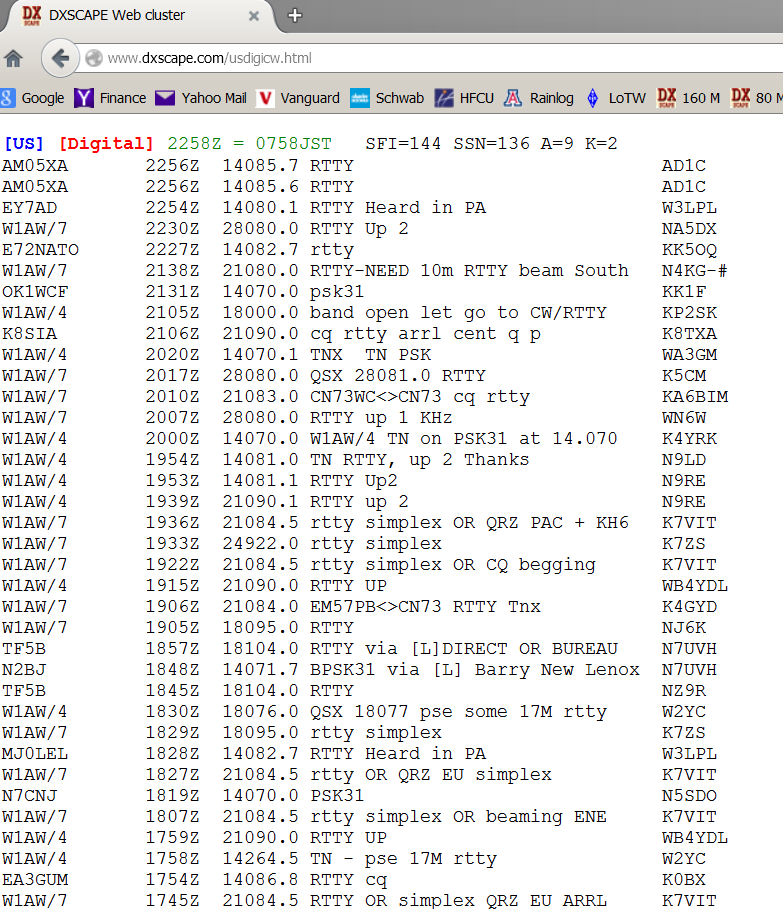
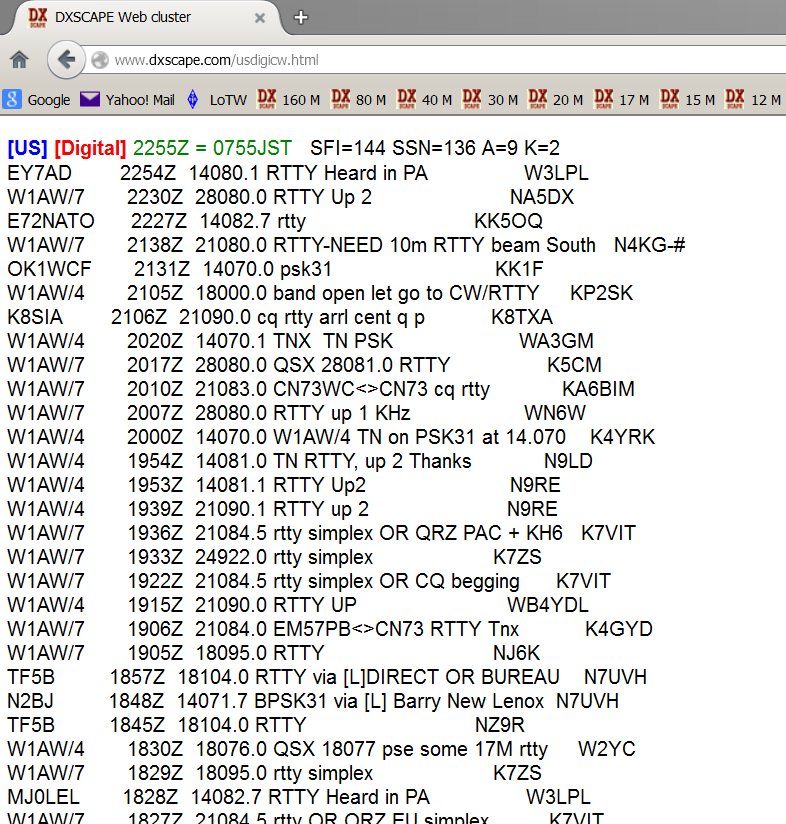
In FF 31, data tables are properly columnated. The same page in FF32 has only a fixed number of character spaces between columns. Therefore, shorter entries display differently from longer ones. Unfortunately, I don't know how to post screen shots here.
All Replies (2)
You can't attach a screenshot to the first post that starts a thread, but you can do that in subsequent replies.
If you have made changes to Advanced font settings like increasing the minimum/default font size then try the default minimum setting "none" and the default font size 16 in case the current setting is causing problems.
- Tools > Options > Content : Fonts & Colors > Advanced > Minimum Font Size (none)
Make sure that you allow pages to choose their own fonts.
- Tools > Options > Content : Fonts & Colors > Advanced: [X] "Allow pages to choose their own fonts, instead of my selections above"
It is better not to increase the minimum font size, but to use an extension to set the default page zoom to prevent issues with text not being displayed properly.
You can try these steps in case of issues with web pages:
You can reload web page(s) and bypass the cache to refresh possibly outdated or corrupted files.
- Hold down the Shift key and left-click the Reload button
- Press "Ctrl + F5" or press "Ctrl + Shift + R" (Windows,Linux)
- Press "Command + Shift + R" (Mac)
Clear the cache and remove cookies only from websites that cause problems.
"Clear the Cache":
- Firefox/Tools > Options > Advanced > Network > Cached Web Content: "Clear Now"
"Remove Cookies" from sites causing problems:
- Firefox/Tools > Options > Privacy > "Use custom settings for history" > Cookies: "Show Cookies"
Start Firefox in Safe Mode to check if one of the extensions (Firefox/Tools > Add-ons > Extensions) or if hardware acceleration is causing the problem.
- Switch to the DEFAULT theme: Firefox/Tools > Add-ons > Appearance
- Do NOT click the Reset button on the Safe Mode start window
Chosen Solution
Thank you very much. One of your tips solved the problem...more on that in a minute. The curious part is that I made no changes whatsoever, other than giving FF permission to upgrade from v31 to v32. I have FF running on two computers, both Win 7 HP-64 and only upgraded one, which then had the problem. The second machine, still with FF v31 operated "normally". Although it may be pointless I've added screen shots from the two machines to show what I was seeing.
That said, I discovered, thanks to your tip, that the box: "Allow pages to choose their own fonts" was unchecked in the upgraded version. How this happened is beyond me, since as I repeat, I did nothing but give permission for the upgrade.
Thanks again.