


gmail icons
Icons on gmail inbox are not displaying. See pic1 from Firefox ver 59.0.3 (with all add-ons disabled) and pic2 from IE ver 11 Browsers on same PC
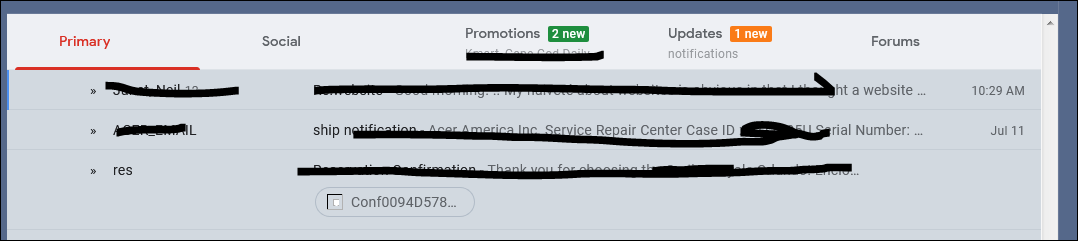
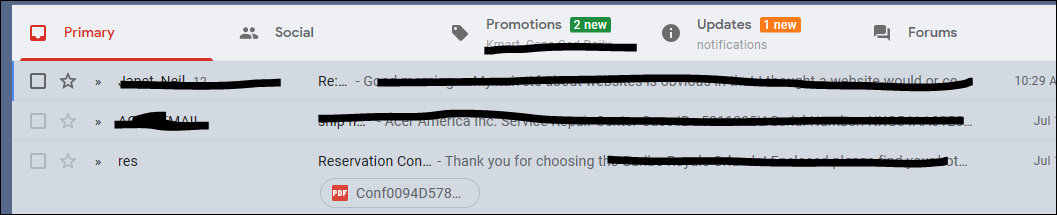
All Replies (2)
Chosen Solution
Hi, please : uninstall Firefox. Then Delete the Mozilla Firefox Folders in C:\Program Files , C:\Program Files(x86) & C:\ProgramData Then restart system. Then run Windows Disk Cleanup. (Note: This should be Pinned and run Weekly, If never done below expect 10's of gig's) Then run it again and click the button that says Cleanup System Files. Note: your Firefox Profile is saved. But you should make a back up before you do :
- https://support.mozilla.org/en-US/kb/back-and-restore-information-firefox-profiles
- https://support.mozilla.org/en-US/kb/export-firefox-bookmarks-to-backup-or-transfer
Reinstall with Current Release Firefox 61.0.1 with a Full Version Installer
Please let us know if this solved your issue or if need further assistance.
Does this only happen on Gmail pages?
Make sure you allow pages to choose their own fonts.
- Options/Preferences -> General: Fonts & Colors -> Advanced
[X] "Allow pages to choose their own fonts, instead of my selections above"