


How do I get frame commands when I right-click?

For some reason I thought there used to be a way to right-click a frame on a website, and from the menu that opens you could choose to view only the frame you right-clicked over, even possibly print only that frame or open it in a new window.
I've looked around for extensions but they don't seem to work, I've googled answers but they're too technical (I'm not comfortable rewriting css commands or whatever), and I haven't found any answers in Mozilla Support about this.
All Replies (5)
Yes, this is still built-in. Has it stopped working for you on all sites, or only on particular pages? Are you getting an entirely different right-click menu, such as one with items created by the site?
It's stopped working on all sites, and didn't work when I opened Firefox in safe mode. I'm getting the same, pretty standard right-click menu everywhere, it just doesn't have anything about frames in it.
Does the iframe on the right side of this demo page load (it shows the w3 schools logo) and if you right-click it, does This Frame appear on the menu?
http://www.w3schools.com/tags/tryit.asp?filename=tryhtml_iframe
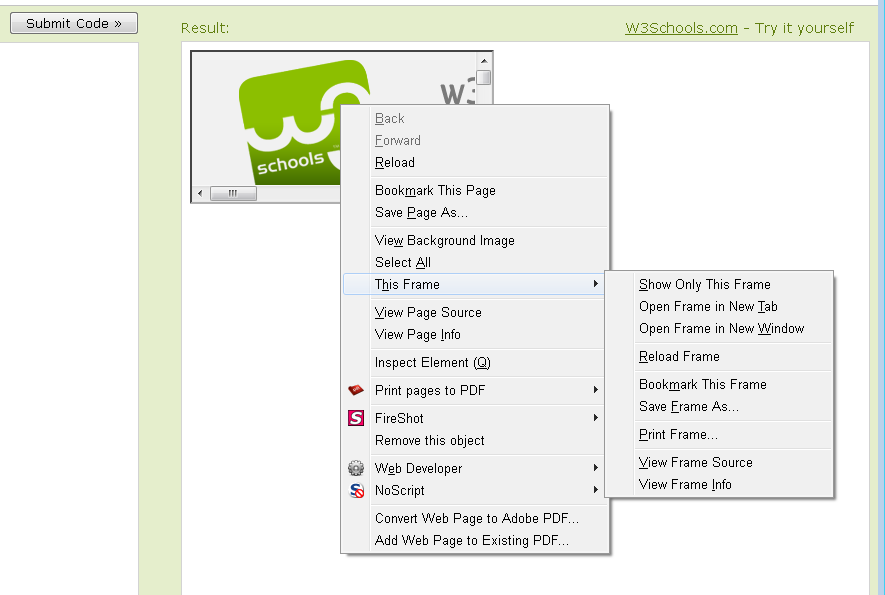
Could you deactivate the Menu Editor extension temporarily? Either:
- Ctrl+Shift+a
- orange Firefox button (or Tools menu) > Add-ons
In the left column, click Extensions. Then you can disable Menu Editor.
yeah it does. weird.