


The bookmark dialoge box stays invisible

Laptop with ATI X300 Ubuntu 10.04-3 Firefox 5.0 Compiz enabled. If disabled it is visible. Works fine on same laptop with Linux Mint 11 Katya and FF 5.0 Also compiz enabled.
All Replies (3)
I found out that the dialogue-box is only visible on the add-on manager tab, not on websites.
Are you referring to the Bookmarks dialog that opens if you click the yellow star on the location bar?
Start Firefox in Use Troubleshoot Mode in Firefox to check if one of the extensions is causing the problem (switch to the DEFAULT theme: Firefox (Tools) > Add-ons > Appearance/Themes).
- Don't make any changes on the Safe mode start window.
- https://support.mozilla.com/kb/Safe+Mode
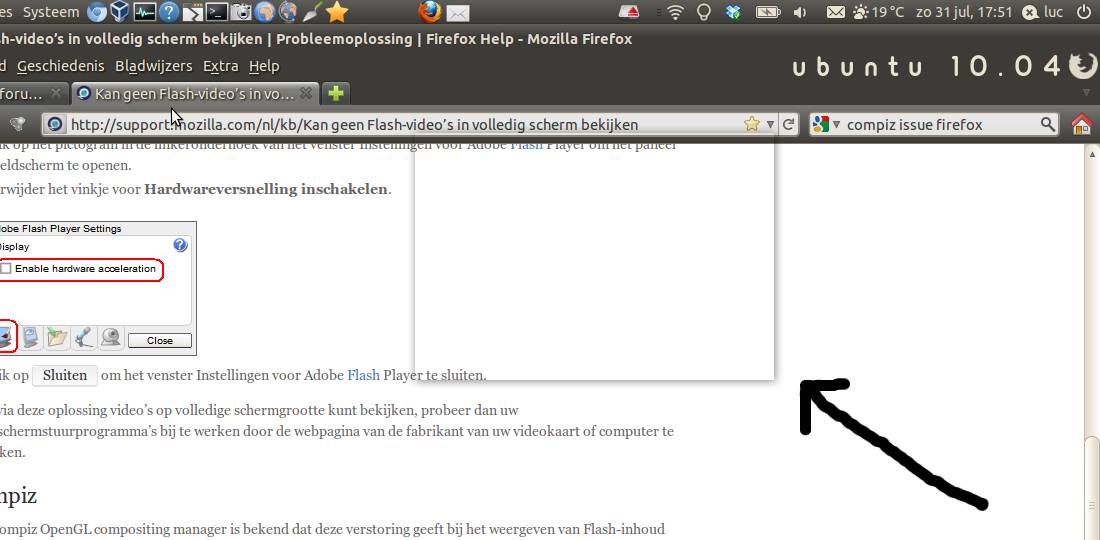
No, unfortunately in safe mode I have the same problem and with the standard theme, I just see a little piece of it (name of chosen bookmark). Turning hardware acceleration off, didn't solve the problem. See screen image below what the problem was in standard mode:
Modified by valvert