Every time I right-click an image in Firefox 3.6.12 to view image size info it says "Unknown (not cached)". Any ideas on why this could be happening and how I can stop it? My OS is Ubuntu 10.10. If you need any more info let me know.

Every time I right-click an image in Firefox 3.6.12 to view image size info it says "Unknown (not cached)". Any ideas on why this could be happening and how I can stop it? My OS is Ubuntu 10.10. If you need any more info let me know.
All Replies (4)
Is the disk cache and the memory cache enabled?
You can check these prefs on the about:config page.
- http://kb.mozillazine.org/browser.cache.disk.enable
- http://kb.mozillazine.org/browser.cache.memory.enable
To open the about:config page, type about:config in the location (address) bar and press the "Enter" key, just like you type the url of a website to open a website.
If you see a warning then you can confirm that you want to access that page.
Your More system details list shows two outdated Flash plugins that you should remove and update to Flash 10.1 r102 or at least remove 10.0 r45 and wait until your distribution offers a 10.1 r102 update.
- Shockwave Flash 10.0 r45
- Shockwave Flash 10.1 r85
Update the Flash plugin to the latest version.
Hey thanks for your comment. I have just checked and can confirm that disk cache and memory cache is enabled. Any other suggestions?
I'd also like to thank you for your suggestion on flash. I removed the two outdated ones and downloaded the latest version available for my architecture.
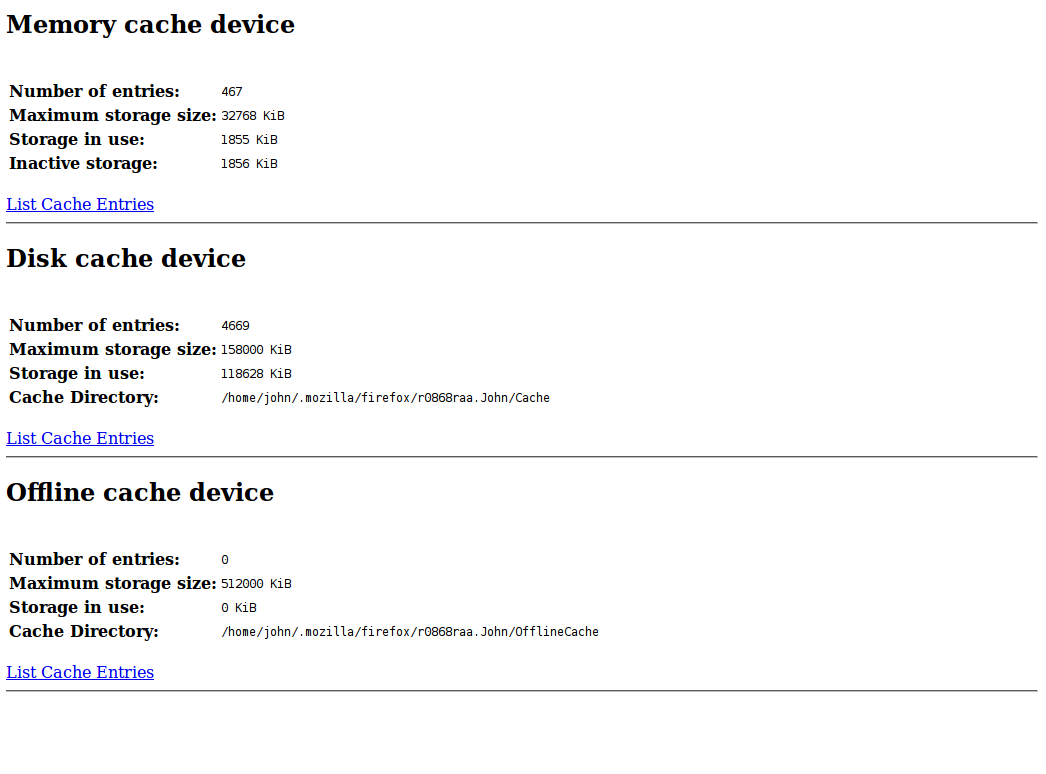
What is the current cache usage as listed on the about:cache page?
Are you in a Private Browsing - Use Firefox without saving history mode session?
You can try to clear the cache to see if that helps.
See also Delete browsing, search and download history on Firefox
Your suggestion of clearing the cache did the trick! Do you know why that worked and/or how often I should be clearing it? I am not in private browsing mode and have included a screenshot of my about:cache page for your reference. Thanks for your help, I never would've guessed such a simple solution would solve my problem.