


I have 4 rows for shorcuts but missing 3 at the end and have no way to add those last 3 shortcuts, how can I do that?

I have selected the 4 rows for shortcuts on my tab and have installed all but the last 3 spaces in the end of the 4th row. There's no option whatsoever to continue to add those remaining 3 spaces. Any suggestions?
Chosen Solution
Where's the solution? How about getting the developers in to fix it and let us all know how to move forward and gain all of our shortcut space to be usable. Why not give us the ability to have not just 4 rows, but 6 or 8 too?
Still waiting for help here.....from a human?
All Replies (5)
Hello
Maybe
Try, disable the sponsored shortcuts https://support.mozilla.org/en-US/kb/sponsor-privacy#w_how-to-disable-the-sponsored-shortcuts-feature
Or
If you wish to test, the preference, browser.newtabpage.activity-stream.topSitesRows
1 - Go to configuration editor https://support.mozilla.org/en-US/kb/about-config-editor-firefox 2 - Enter a search term browser.newtabpage.activity-stream.topSitesRows You can double-click on the preference, alternatively, you can click the Edit button. Enter a new value (e.g) the value 6, and click the Save button to save the change. Close configuration editor, and test.
I have unselected all selections under the Fox Home Content page with the exception of "Shortcuts" of which 4 rows is also choosen. When I open a new tab, The only items showing below the task bar are my 3.7 rows of shortcuts. I have no option's to complete/add shortcuts to the remaining 3 blank spaces of the bottom 4th row for shortcuts (yet to be added). I have no editing option on this page regarding the 4 rows. I only can edit each existing shortcut thumbnail that I have added already. With 8 shortcuts per row, I currently have 29 showing and cannot add the remaining 3.
Hello
A test, browser.newtabpage.activity-stream.topSitesRows
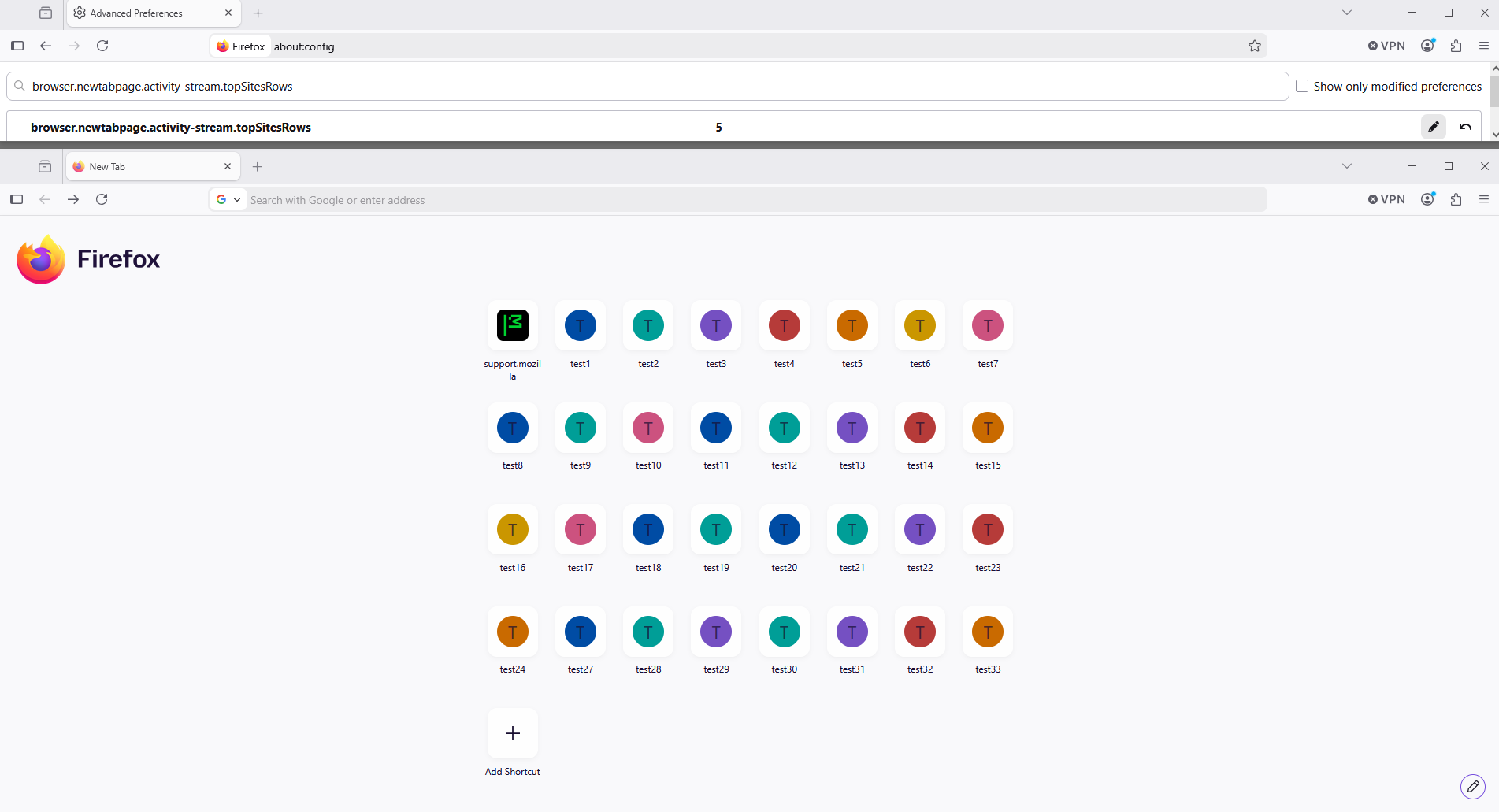
Chosen Solution
Where's the solution? How about getting the developers in to fix it and let us all know how to move forward and gain all of our shortcut space to be usable. Why not give us the ability to have not just 4 rows, but 6 or 8 too?
Still waiting for help here.....from a human?
Adding more shortcuts per line to home page https://support.mozilla.org/en-US/questions/1582894
A space for users to give product feedback https://support.mozilla.org/en-US/kb/what-mozilla-connect
Firefox Home Screen Shortcuts - more rows please! https://connect.mozilla.org/t5/ideas/firefox-home-screen-shortcuts-more-rows-please/idi-p/14410