


SMTP authentication error
Hi everyone!
I'm trying to log into my email account on the domain example.com via SMTP. The email account is with yandex.ru. When I try to authenticate, it says the SMTP password is incorrect. I decided to try through Outlook, and it worked. What could be the issue?
All Replies (11)
Hello there Амирхан (KhisamievAI)Donald.
You need a new application password.(yandex) Please generate a new password (yandex)and enter it into Thunderbird or/and at the place of having trouble . Yandex is blocking most email providers.
Modified by Googlethunderbird.
Hello there
1. Enable IMAP in Yandex Mail Web Interface / imap and generated password. 2. Manually Configure Thunderbird / add mail account. 3. Troubleshooting Google Redirects / If a Google login window still pops up, a residual OAuth2 rule is interfering .

Добрый день!
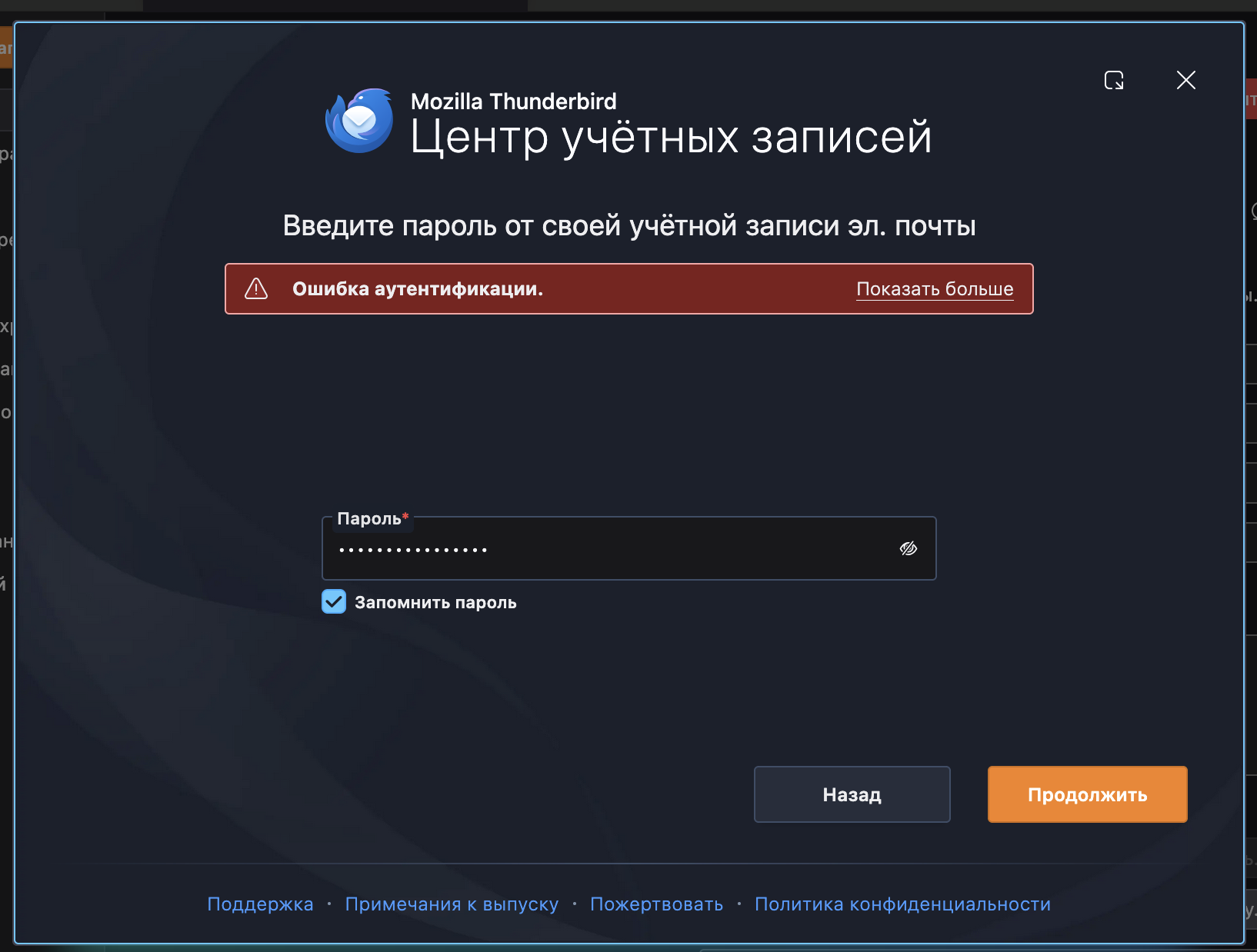
IMAP на Яндексе активен. Ранее я уже переносила почту с помощью Thunderbird, и всё работало корректно: при подключении аккаунта авторизация проходила через Яндекс, письма подтягивались и переносились без проблем.
Сейчас проблема возникает именно с этими почтовыми ящиками: при попытке добавить их в Thunderbird программа почему-то перебрасывает меня на авторизацию через Google, а не через Яндекс. Из-за этого я не могу подключить ящик и выкачать письма через IMAP.
Подскажите, пожалуйста, с чем это может быть связано и какие есть способы открыть/подключить эти почты именно через Яндекс IMAP? Можно ли как-то принудительно выбрать авторизацию через Яндекс или подключить ящик вручную без переадресации на Google?
Я приложу видео с процессом подключения, чтобы было понятно, на каком этапе происходит переадресация. Посмотрите, пожалуйста, что можно сделать в такой ситуации.
https://youtu.be/Nq6cZ3BGoUw - видео процесса
Google Thunderbird. said
Здравствуйте! 1. Включите IMAP в веб-интерфейсе Яндекс Почты / imap и сгенерированный пароль. 2. Настройте Thunderbird вручную / добавьте почтовый аккаунт. 3. Устранение неполадок с перенаправлениями Google / Если окно входа в Google по-прежнему появляется, значит, мешает остаточное правило OAuth2.
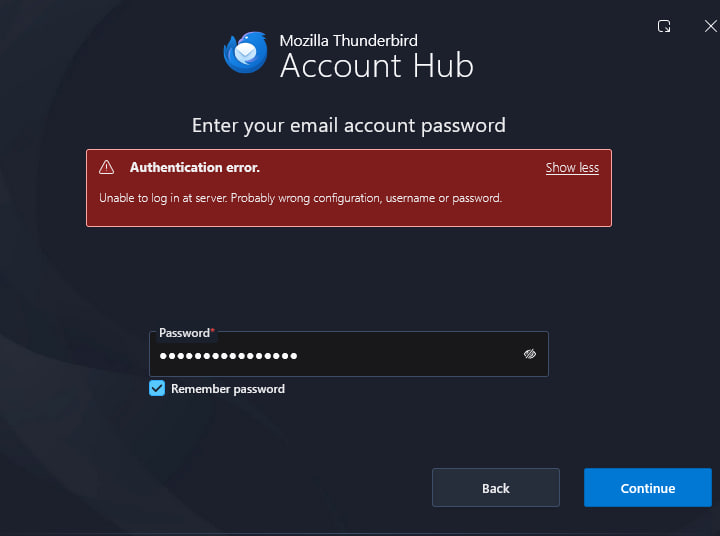
Good afternoon! Thank you for responding to my request. Below I have attached screenshots of the attempt to log into the account via SMTP. I tried entering the same password in Outlook, and it worked on the first try.
I didn't quite understand point 3 – could you please explain it in more detail?
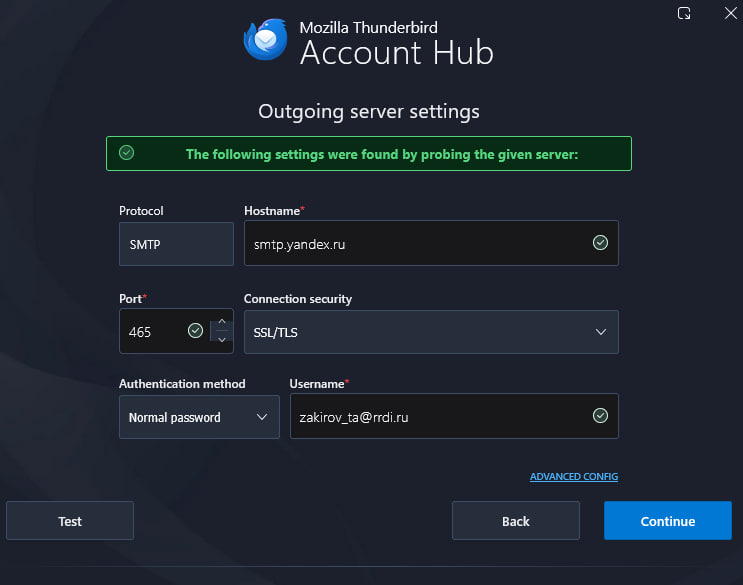
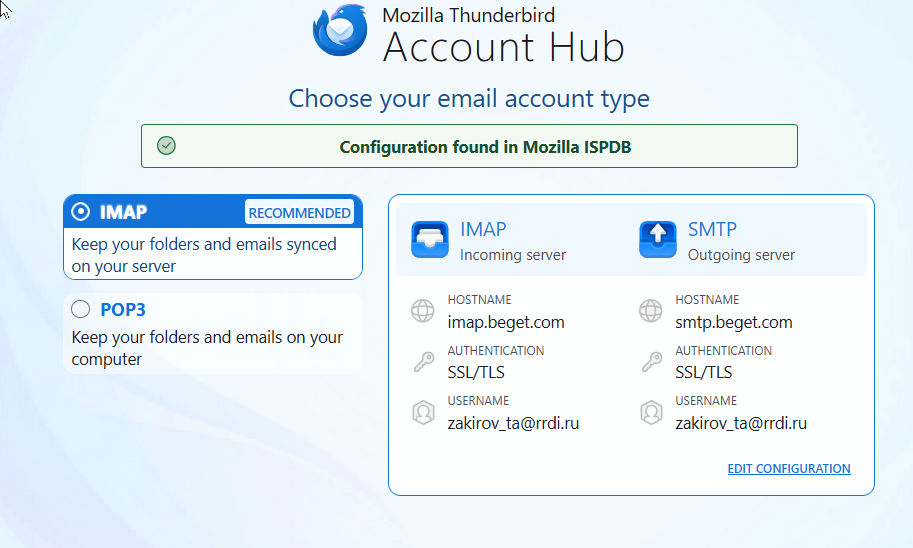
Just to make a comment here: i did the initial setup by entering name and your email address and it came up with a different server. See screenshot.
Hello there
Yes , i did read that answer.
1. Enable IMAP in Yandex Mail Web Interface / imap and generated password. 2. Manually Configure Thunderbird / add mail account.
🍅 3. Troubleshooting Google Redirects / If a Google login window still pops up, a residual OAuth2 rule is interfering.
Googlethunderbird. said
Hello there Yes , i did read that answer. 1. Enable IMAP in Yandex Mail Web Interface / imap and generated password. 2. Manually Configure Thunderbird / add mail account. 🍅 3. Troubleshooting Google Redirects / If a Google login window still pops up, a residual OAuth2 rule is interfering.
I don't use Google, or am I missing something?
Hello there
Yes, 3. Troubleshooting Google Redirects / If a Google login window still pops up, a residual OAuth2 rule is interfering.
You did not receive error messages or pop-ups from Google, okay? You might have fixed the SMTP settings. Then after that, if you have a problem logging in again, it could be that the settings had to be OAuth 2.0. There might have had to be a pop-up window from Google that would give you messages. But okay, it isn't [happening].
Can I ask, did the generated password you created in Yandex work? What other software do you guys use with Thunderbird, not Google Suites or other?okay good.
Hello there
Hi everyone!
I'm trying to log into my email account on the domain example.com via SMTP. The email account is with yandex.ru. When I try to authenticate, it says the SMTP password is incorrect. I decided to try through Outlook, and it worked. What could be the issue?
The Problem:The email client is failing to authenticate or connect with the server.
It appears that Thunderbird is confused by cached credentials from a previously used Google environment instead of connecting to Yandex.2.
Proposed Solution (Step-by-Step):Clear Cached Passwords: Open Thunderbird, go to your saved passwords menu (Settings > Privacy & Security > Saved Passwords), and clear all old Yandex and Google data.(refresh).
Remove Old Data & Cache: Clear Thunderbird's cache to ensure absolutely no legacy Google or Yandex credentials are being referenced.Set Up OAuth 2.0: Re-add your Yandex account to Thunderbird. Ensure your incoming and outgoing (SMTP) servers are configured to use OAuth2 as the authentication method.
Generate App Password (If needed): If OAuth2 fails or gives an error, log into your Yandex webmail, generate an "App Password" (or Token), and use "Normal Password" as the authentication method in Thunderbird with that token.
Look at the domain names that they are not directed to earlier google data.
Check the domain names that were not redirected to the earlier Google data. After encountering either an OAuth 2.0 protocol issue or a lack of security, attempting to configure OAuth 2.0 resulted in a denial and redirection to Google. Change this behaviour to perform a complete refresh.(deleting all caches , that likely contains this earlier data sets)
Tip Profile Sanitization: Inspect and clean the configuration registry (prefs.js) to ensure no residual SMTP/IMAP server mappings from the previous environment are active.
Tip2
Cache Purge: Clear Thunderbird’s internal password manager, cookies, and network cache to remove all legacy OAuth2 artifacts.
Profile Sanitization: Inspect and clean the configuration registry (prefs.js) to ensure no residual SMTP/IMAP server mappings from the previous environment are active.
Protocol Standardization: Re-configure the Yandex account using strict OAuth2 parameters (or Yandex App Passwords, depending on current server-side policy) on a clean authentication pipeline.
Modified by Googlethunderbird.
Амирхан. have you solved your issue?