


How to bypass SEC_ERROR_REUSED_ISSUER_AND_SERIAL error for local devices
I'm reposting a question already opened here because a moderator suggested to do so. Actually I though I was posting to the international forum from the URL...
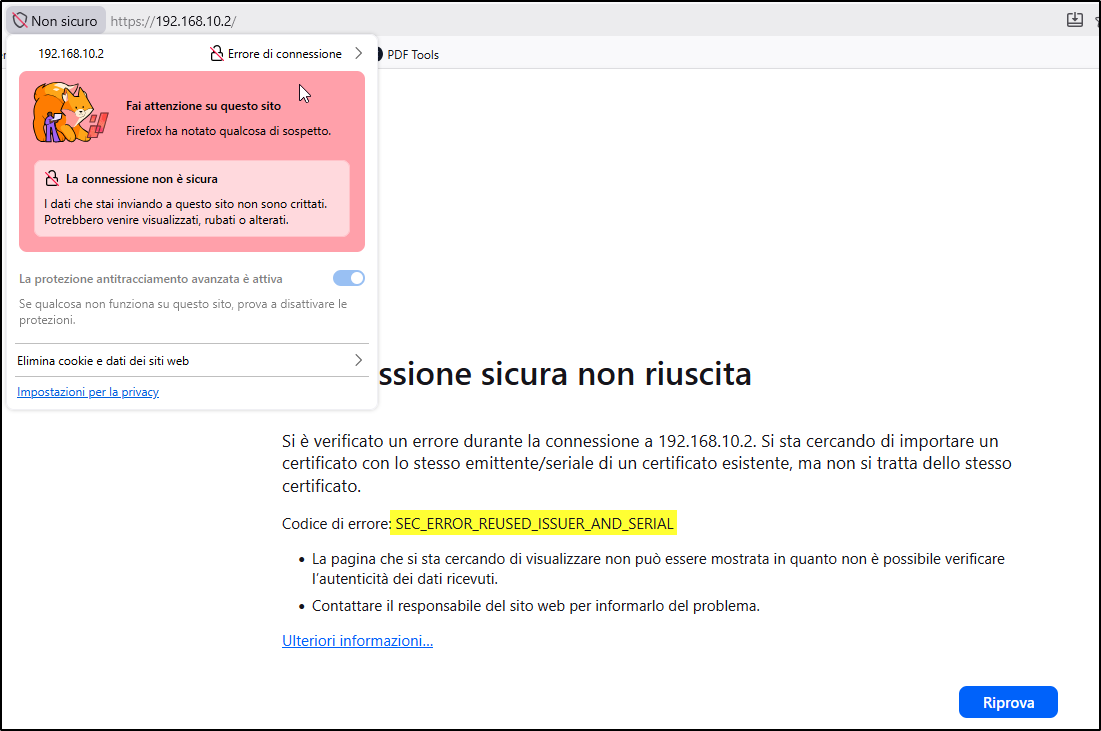
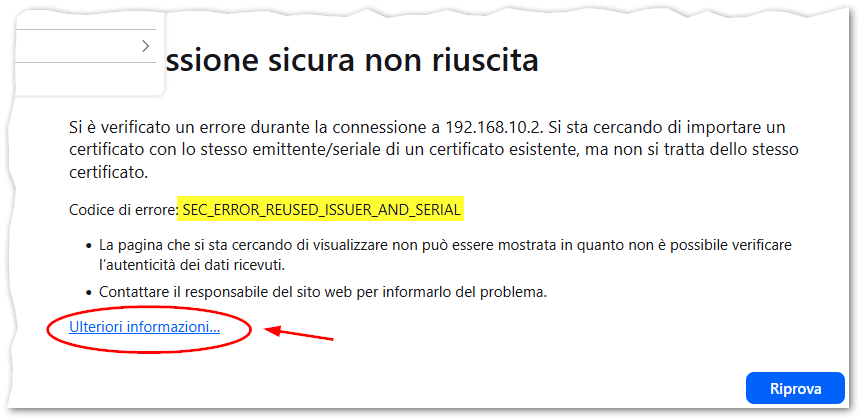
I was trying to access a local HTTPS website of an embedded device (a Siemens S7-1500 PLC) that is using a self-signed certificate, but was unable to go on (attached image #1, in Italian language) due to the the SEC_ERROR_REUSED_ISSUER_AND_SERIAL error. I've browsed a similar PLC webserver in the past, so the fact that the device exposes a similar certificate serial number is not so strange for me, considering also it's self-signed.
The problem is that I cannot follow the instructions of the Mozilla knowledgebase here because I'm not able to identify the correct certificate of the website!
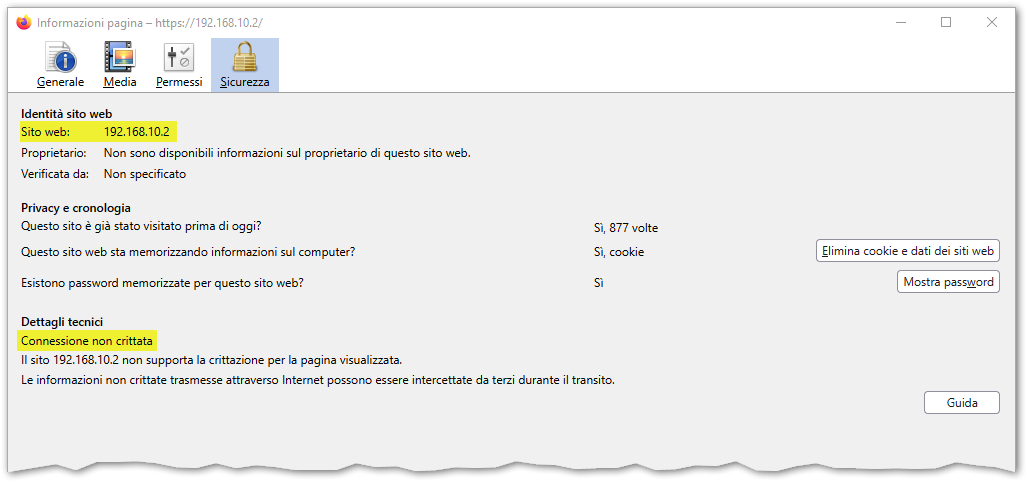
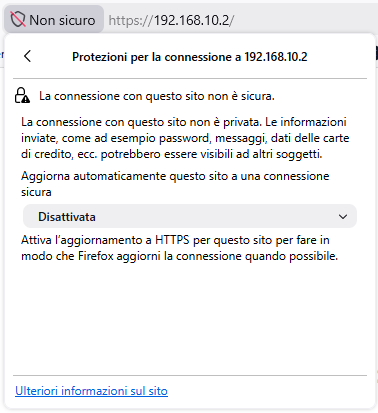
In the attached image #2 you can see that the connection is detected as not encrypted, I suppose because only the form part of the HTML that is posting the data using HTTPS while the rest is using HTTP, but I'm not sure. If I click on the padlock icon (attached image #3) the info about the current certificate is not displayed.
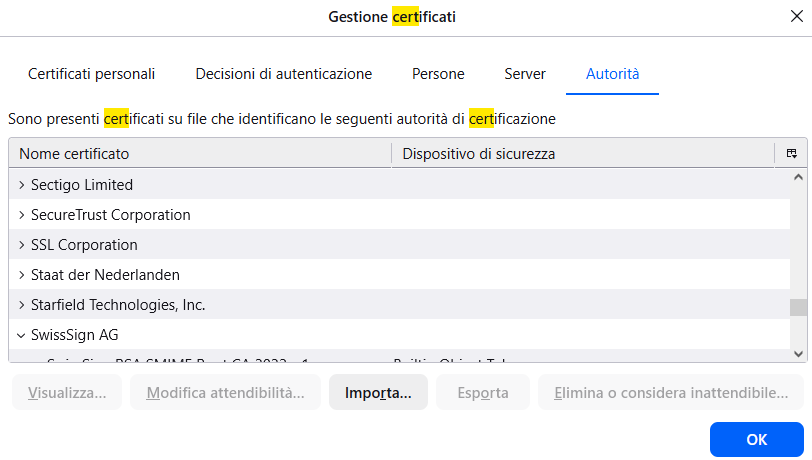
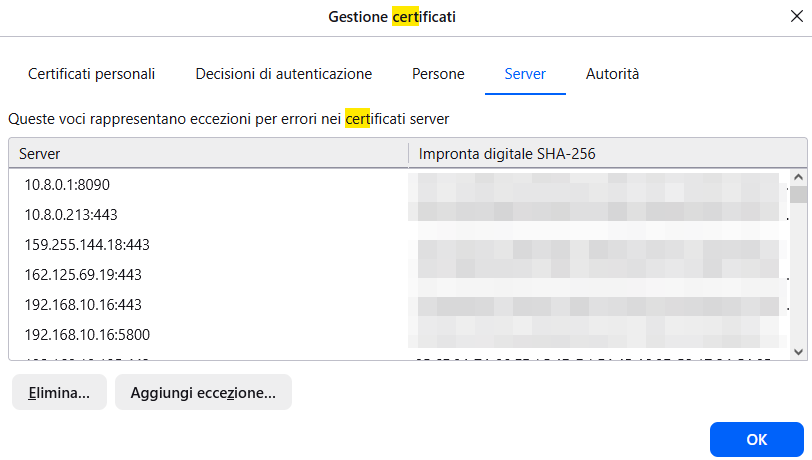
Then I went into Tools > Options and searched for "certificates"; as you can see in the attached images #4 and #5, neither in the Servers tab nor in the Authorities tab I can find any item that is related to 192.168.10.2 (the webserver IP address) or Siemens (the embedded device manufacturer). But unfortunately the error persist! Initially there was a 192.168.10.2:443 line in the Servers tab and I removed it and restarted Firefox, but it didn't solve, so at the moment the situation is the one depicted by the attachments.
I had to use Microsoft Edge to access the website, but I would like to solve this issue and use Firefox instead. Is there anything else I can do to bypass the error? Why doesn't the error page provide a way to correctly identify the wrong certificate using its fingerprint and/or name? Or, maybe, is there a way to disable this check for local IP addresses or for items in a whitelist?
Thanks for your help.
All Replies (5)
jbr said
Isn't more of that certificate info under the "More information…" disclosure on the error page?
Do you mean the link below the error in the Firefox page (image attached)?
No, unfortunately that link only opens the Mozilla FAQ/knowledgebase about the error that I've linked above, the same that suggests to remove the certificate. But I cannot spot the offending certificate...
Yes, I'm wondering where this exact error state renders the option to "View the site's certificate" so you'd at least be able to see the duplicate serial to know what to look for. Well, if you can connect in other browser, you can view the serial there to at least have that at hand.
Finding the conflicting one will be similarly cumbersome. Since the UI doesn't really offer reverse lookups by hashes or serials, you can either inspect one by one (it will be from similar PLCs so I'd look into the other 192.168.*.* network appliances in the same range), or turn to more low-level tool as https://nss-crypto.org/reference/security/nss/legacy/tools/nss_tools_certutil/
Or perhaps if you locate cert_override.txt in your profile folder, the last item of each record is a Base64 of the serial & issuer. (So you can e.g. create a new separate profile, allow the newest exception there, get its serial+issuer hash from that file… and look for a matching hash in your main profile that would point at the host on that line.)
Other option would be to start removing the exceptions for the other local/internal hosts (that you'd need to allow back once you access that next time), and see when the conflict disappears.
jbr said
Yes, I'm wondering where this exact error state renders the option to "View the site's certificate" so you'd at least be able to see the duplicate serial to know what to look for.
I was wondering the same, but it does not! I posted the screenshots exactly to show that the certificate details are not shown in any location.
Well, if you can connect in other browser, you can view the serial there to at least have that at hand.
Probably, I didn't try this method.
Since the UI doesn't really offer reverse lookups by hashes or serials, you can either inspect one by one (it will be from similar PLCs so I'd look into the other 192.168.*.* network appliances in the same range)
That's why I posted here, since there's no other known way to contact Mozilla. Can't an easier way be provided for this operation? I'm sure this block has been created to warn the user that's browsing "malformed" websites, but at least for local addresses a Skip button would be easier to handle.
Or perhaps if you locate cert_override.txt in your profile folder, the last item of each record is a Base64 of the serial & issuer. (So you can e.g. create a new separate profile, allow the newest exception there, get its serial+issuer hash from that file… and look for a matching hash in your main profile that would point at the host on that line.)
I didn't know about cert_override.txt, thanks!
Is there a way to submit this "edge case" to the Mozilla devs? Or do you think this is definitely out of the question?
The issue is you already added one override already. And now that override can't also be trusted, so you're asking for a functionality to override the trust of the override… and the certificate management was probably not designed to go that far.
However I believe both 1.) allowing to identify the offending cert right on SEC_ERROR_REUSED_ISSUER_AND_SERIAL page in advanced section like in many other TLS errors (ideally mentioning the conflicting one by name or host, or 1-click pointing to the cart settings pane to the details of the existing one to compare) — and 2.) allowing to search inside the certs in settings, by things like hashes and other details that are otherwise only accessible by opening all the records one by one, are a reasonable expectation — lacking these apparently makes it especially hard to resolve the situation for the affected user, so filing both makes sense: see Contributors guide for writing a good bug …