


How do I correct a wrong entry in my Thunderbird spelling dictionary?

I screwed up and entered an incorrect spelling of "tchotchke" in my T-bird spell-check dictionary. How do I correct this?
Chosen solution
Between the two suggestions above, I was able to work out this answer: C:\Users\jmrhi\AppData\Roaming\Thunderbird\Profiles\l3s7y169.default-release\persdict.dat where jmrhi is my username.
When asked, I selected Notepad as the app in which to view that file.
Thanks!
Read this answer in context 👍 0All Replies (5)

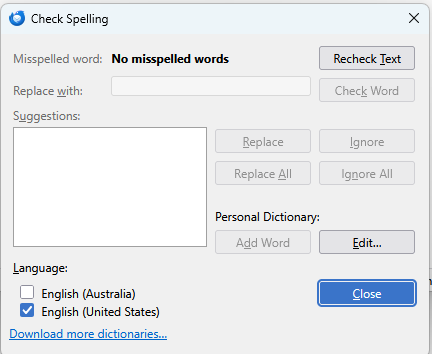
Find a file called " persdict.dat" in your Profile folder. This is a list of words you have added to your personal dictionary. It's a simple text file list of words you have added, one word per line. It can be viewed and edited with any plain text editor (NOT a word processor.) Be sure to close down Thunderbird first.
Chosen Solution
Between the two suggestions above, I was able to work out this answer: C:\Users\jmrhi\AppData\Roaming\Thunderbird\Profiles\l3s7y169.default-release\persdict.dat where jmrhi is my username.
When asked, I selected Notepad as the app in which to view that file.
Thanks!
Could somebody escalate this to the developers so a more user-friendly solution could emerge?
I don't think you could get much more user friendly than Matt's answer above. That said, you can submit and vote on product ideas and suggestions at the Ideas section of Mozilla Connect: