


Convert to task

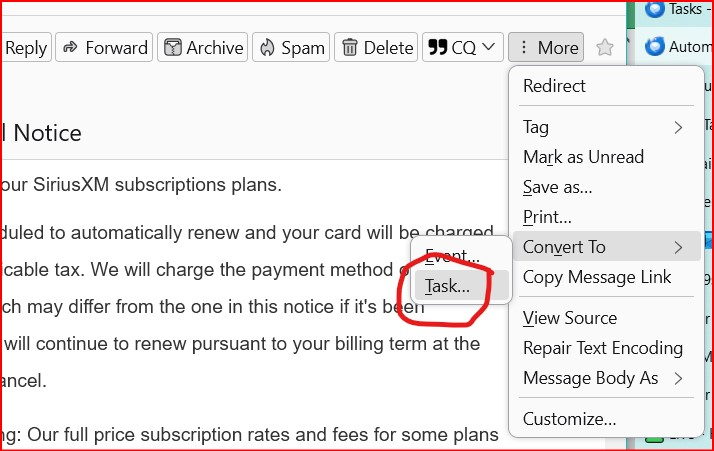
How does the 'Covert to Task ...' function work on an email? When I click the Convert to task, nothing happens. I was expecting to see a task in my task list. Where does it go? I have a 'Task calendar' and a Google calendar in my list.
All Replies (3)
When you convert to a task, the task editor should appear where the target calendar and other details can be entered. Upon saving, the task appears in the Today Pane. Note that the built-in CalDAV calendars don't support tasks. Google tasks require the Provider add-on. How was your 'Task calendar' created?
I think the Task calendar was created when I created my first task. I have two calendars listed, one is using my google account and is named as my for my gmail email. The other is just called Task Calendar. So when I click Convert to Task, nothing happens. I don't know what Caldav calendar is? Is it an addon?
Modified by Haigster
CalDAV is the method for syncing an online calendar in TB. State whether you added Google with the Provider add-on or something else. If you have the standard local calendar, Home, tasks can be added to it as mentioned above, but there is no 'Tasks calendar' as such (tasks appear in the Today Pane).