


Fire fox will not fully load, nor operate after update

Greetings Ya'll,
I have to apologize if this is a double post, but I came back to the forum, & wanted to see if there were any responses, but i could only find my post listed under "My Profile"/"My Questions".
My original post was made Dec. 19-2025
=======================================
Early this morning as I went to use the Firefox browser, on My Desktop, I got an update, & then firefox opened, somewhat.
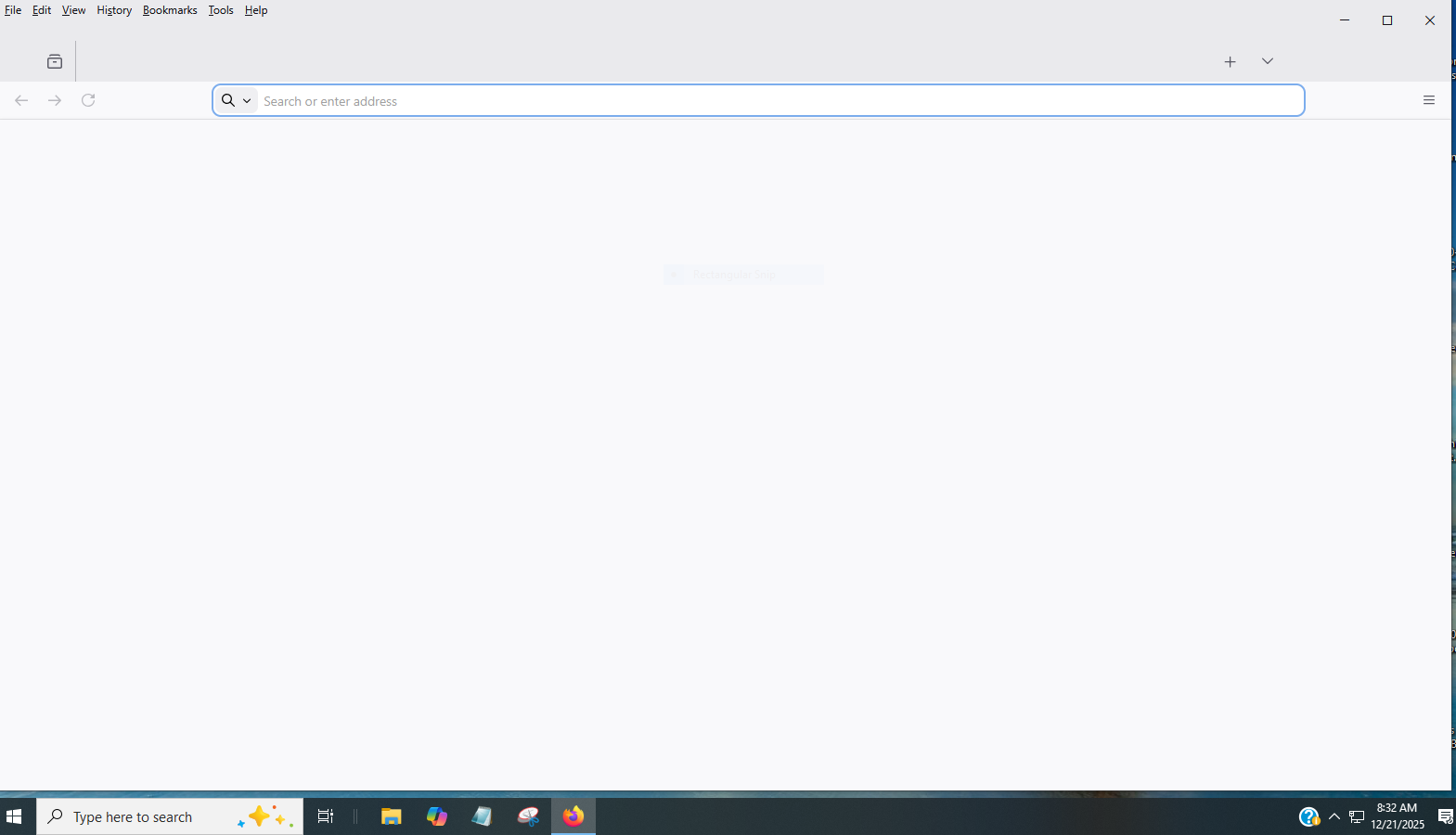
The homepage did not fill in with favorites, suggestions, etc, and in fact all that did load was the Search bar, but not one of my usual website buttons. The "edit", "help", etc. buttons at the upper left hand corner did load, but that is all. Not one of the buttons work, nor can I close out the Firefox page, by tapping the "X" in the upper right hand corner.
The only way that I could close out the "Firefox Page" was by going through the "Control/Alt/Delete" & then "Signing Out", which would initiate a "Re-start". Once I signed in, I could return to the Desktop, where everything works.
I use Firefox as my Browser on my Android phone, & at this moment, I've not had any problems using Firefox on my Cell Phone.
The only way that I could get to the Mozilla Website was by using the Microsoft Edge Browser, which is not giving me any problems as far as accessing the Internet!
How can I correct this problem, & go back to the Firefox Browser?
All Replies (7)
I've just checked my Firefox "properties". Under the "Details" Tab, it states that it was "Modified" 9-17-2024.
Correct me if I'm wrong but shouldn't the update 0f Dec. 19-2025 be listed there?
The attached image is all that I see, when I open Firefox.
The "Buttons" up at the upper Left-hand corner, will open to their sub articles, but clicking them does nothing. And I cannot close out Firefox by clicking the "X" in the upper right hand corner.
I finally learned that I could close Firefox, via the icon in the lower tool bar.
The Firefox Browser, flat out, is not Working!
Again, the only way that I can get here, in the Firefox Forum is via Micosoft Edge
Over the past 72 hours, I had a DIRE NEED to have access to My Documents/Folders that were created, and somehow the Firefox Browser was/is involved in their creation, as well as having access to them.
Out of desperation, I clicked "Open with", & saw the backup browser that I'm now using listed, so,... Not being able to access very important data, has now been taken care of.
I sent an email, to a Representative of Firefox, over the weekend, that had wanted me to volunteer with helping members solve issues, and I did get a reply email that he would not be back in his office until Monday, but even there,.... I've not had any reply from him.
I can't help feeling this, but,.... It's almost like Mozilla/Firefox is wanting me to stop using the Firefox Browser.
Hi David
The Mozilla Reps program was closed a few years ago, so I do not know who you would have been dealing with.
If you type about:support into the address bar, what is the version number listed there? (Please do not copy all the info shown there.)
Greetings Paul,
The Mozilla Rep, that I was in contact with is:
Rizki Dwi Kelimutu / Senior Community Manager/ [edited email address from public community support forum]
Typing " about:support " in to the Firefox address bar accomplishes nothing. The Firefox app is "Dead in the Water".
Or are you wanting me to do that with the Browser that I am using as a means to be able to use the Internet?
Modified by James
Greeting Paul,
Hopefully You are Extremely Busy, and not upset with me , or worse yet having been ordered to have no Contact with me.
I tried just now, 4 times to open up a "Private message" on your page, so as to contact You, & the box would show up for only a brief instant, & then disappear.
Have You Blocked me, or,.... Is this problem that I'm having with Firefox even more Complex?