LOCAL/SUBFOLDERS...IN A CRAZY .mst unreadable computer language

The tree I made for LOCAL/SUBFOLDERS...is now IN A CRAZY .mst unreadable computer language. I need all the files contained in this tree to go back to readable. Gerry
All Replies (25)

Hi Gerry,
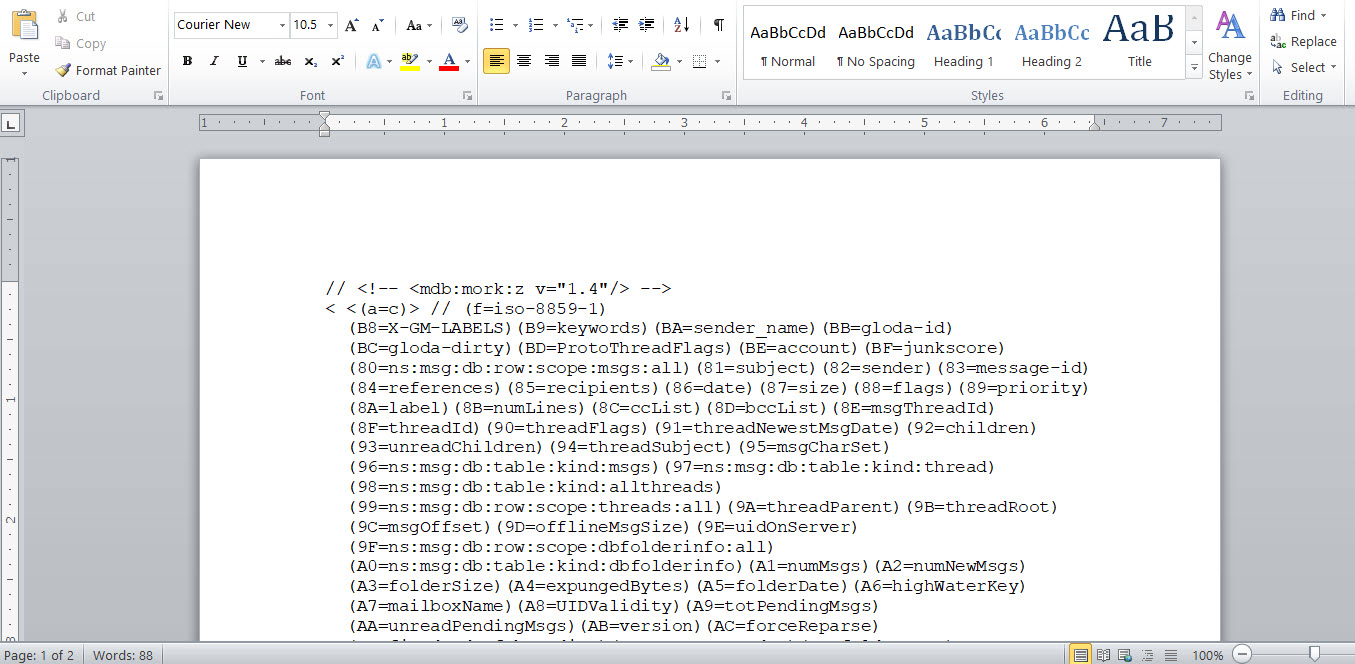
.msf (not .mst) files are index files that are not meant to read. They do not contain your messages. Why are you trying to read your messages in the file system? Can you not read them in Thunderbird?
Thanks RICK... MISS TYPED...(.msf)...back to your question...I'm hoping I did not have to read them in a Thunderbird file system however...all the dta in my local/subfolders disappeared? Have not a clue. Geek squad located them in the profiles and copied them to a folder for me but some are unreadable in computer lanaguage. Did I attach what I could see? Since they disappeared in THUNDERBIRD, I can not read them. When I try to send you a file pix all I get is ERROR UPLOADING FILE.
There are pairs of documents, one with the .msf filename extension and one without a filename extension. The files without a filename extension hold your messages. You can see the contents in any file editor, but please don't mess with a file editor because you could make the problem worse and it is not a good way to read e-mail messages.
Let's work on your problem in Thunderbird.
Why were you hoping that you didn't have to read your messages in Thunderbird? Don't you want Thunderbird to work? Are you planning on switching to a different mail system?
Please tell me more about the disappearance of your messages. What exactly are the symptoms of the problem? Your folders appear but show no messages? Only your local folders? All your local folders? No messages at all? When did this happen? Any idea why? Had you installed a new release of Thunderbird? Did you do something else? Which version of Thunderbird are you using? Which operating system?
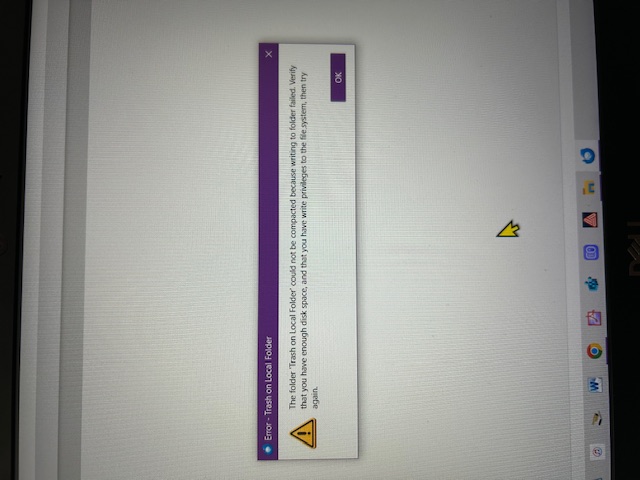
Rick...I see the pairs of files...I may have deleted a file in profile called .msf MAIL. Yes...I'd like to stay w/THUNDERBIRD..been with you for years, however, all the LOCAL FOLDERS with my data disappeared, around Dec15th 2025 when I clicked on the upgrade around DEC15. I uninstalled & reinstalled with latest upgrade. These folders all were there before I Started to troubleshoot w/ all my data in the structure. I probably did something to have them disappear. Also noticed that an error code "Trash on Local Folder could not be compacted because writing to the folder failed. Verify if I have write privileges to the file system.
I am using WINDOWS 10.
The rest of the incoming/outgoing mail seems fine. They disappeared for awhile but I brought them back. All of the issues happened after I did one of your latest updates. Then I started troubleshooting.
GERRY
On 1/3/2026 2:15 PM, Mozilla Support Forum wrote:
Thanks for the information.
What version of Thunderbird is running now? Do you know which version you had before? You'll be able to see the history of versions and updates in Thunderbird settings > general > Updates > Show update history.
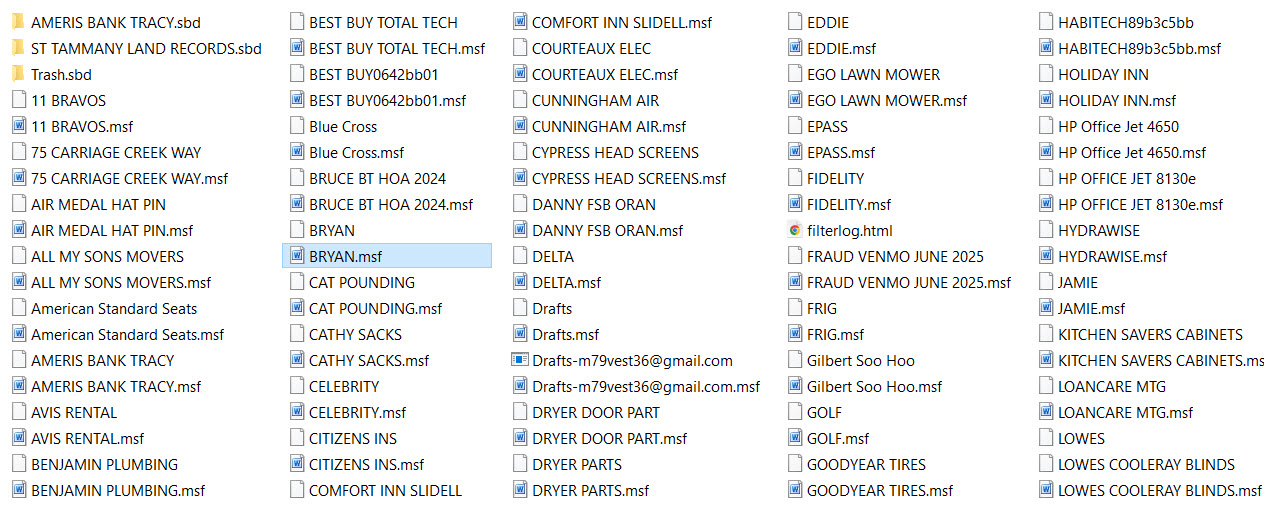
Let's confirm that your mail is still in those files. Please go to the folder where you took the second screen image in your first message. Show file sizes. Are the sizes of the files without file name extensions significant, i.e., measured in megabytes for folders with many messages?
Let's see if the upgrade did something with your profiles. When you open Thunderbird now, are your accounts other than local folders still there? Can you send and receive messages?
Puzzling. You did a screenshot of the folders. Are they in mail\Local Folders? If not, I suggest copying them there to assess whatever the problem is: - click help>troubleshootinginformation - scroll to 'profile folder' and click 'open folder - exit thunderbird - click the mail folder and then the Local Folder - paste the contents of your screenshot here and then restart thunderbird and report status.
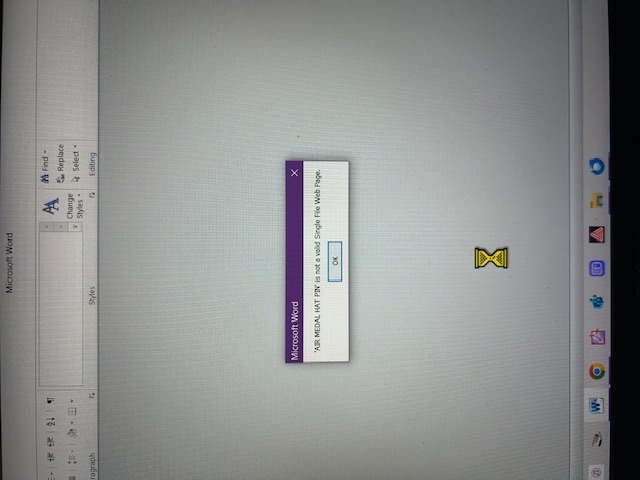
Also...Ill try again to send you how I am seeing the data in the LOCAL FOLDERS copied out Thunderbirds profile. The pix below shows how the data is displayed when I try to open a file to read it. The tree structure on LOCAL FOLDERS w/data as they used to be... The tree structure now after LOCAL FOLDERS lost there data
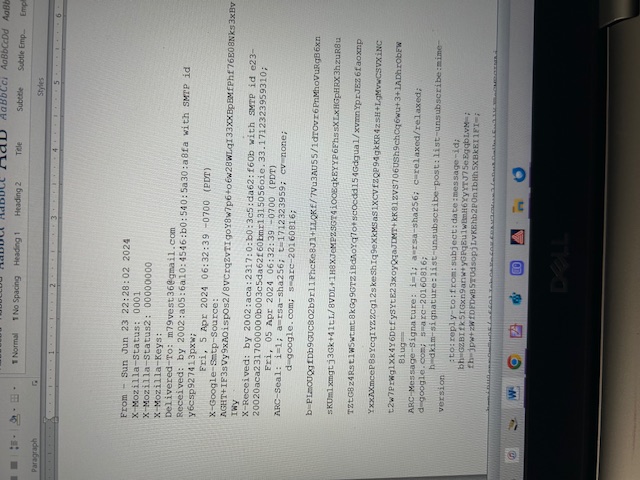
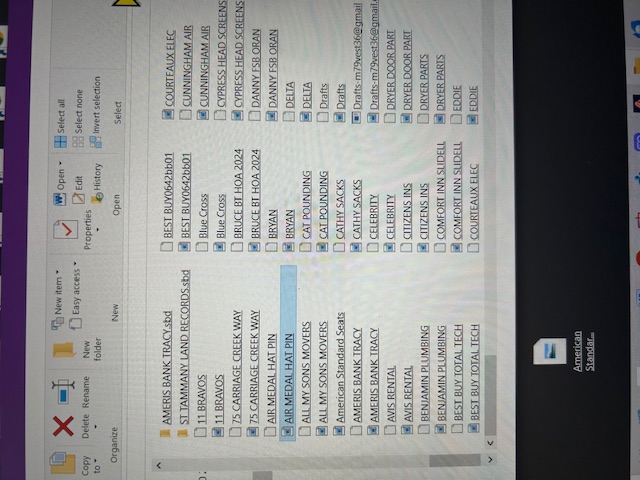
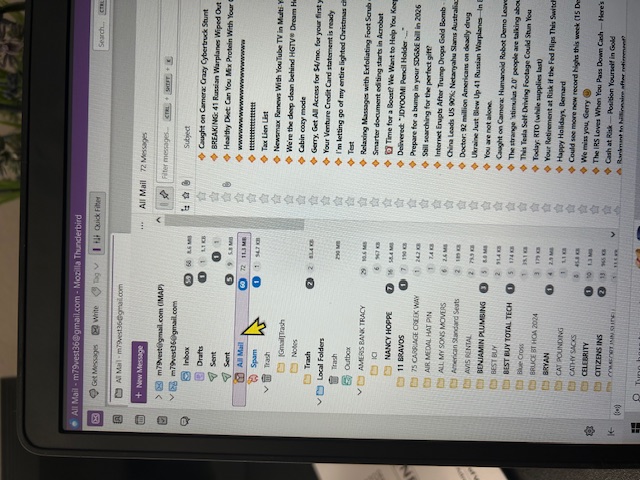
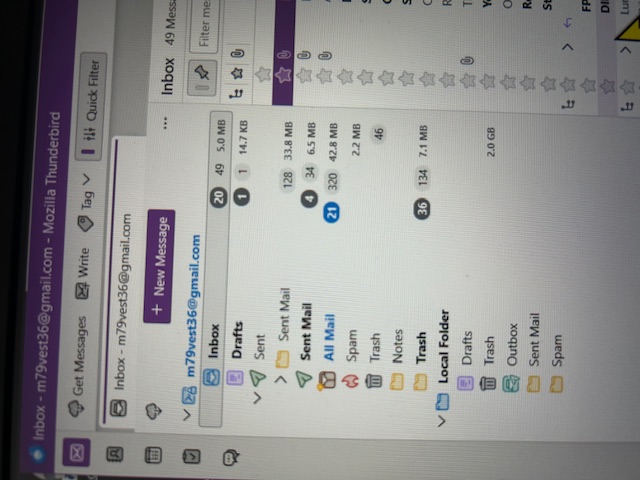
The trash folder in your local folders is much larger than it used to be. How long ago was the "before" image taken? Are messages from your local folders in the trash?
Your images suggest that they are not, but maybe it's worth asking.
When you get time, would you please answer my questions too?
Rick...I dont know what version I had before...never looked because I never had any problems... Here's the current version of Thunderbird as I found in settings...146.0.1 As you can see from my attachments...I copied the data within the LOCAL FOLDERS...I know the data is intack but cant get them displayed correctly in the Thunderbird mail tree structure when I call up the email...
GERRY
What do you mean that you copied the data within local folders? What exactly did you do?
Please go to the folder where you took the second screen image in your first message. Show file sizes. Are the sizes of the files without file name extensions significant, i.e., measured in megabytes for folders with many messages?
What is the enclosing folder for those files in the second screen image in your first message?
DAVID...WAIT ONE...i'MTRYING TO GET ANSWERS TOMYOUR QUESTION...and thankyou for helping
gerry
Here's the screenshot of the results after closing Thunderbird...
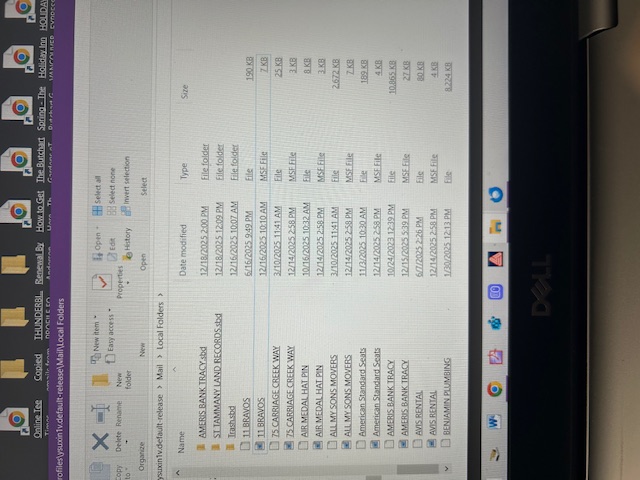
Modified by Gerry
Rick...the "Before" image was Dec16 2025 Heres's the screenshot of the FILE SIZES on the second image I sent you...
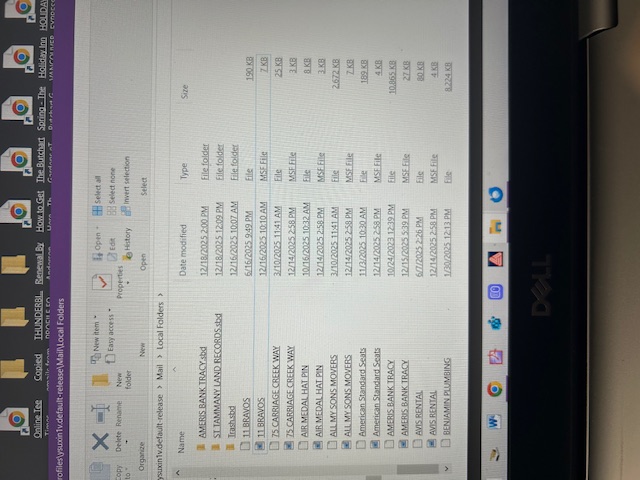
Rick...your question..."What do you mean that you copied the data within local folders? What exactly did you do?" This is how I did it... Thunderbird>Profiles>ysuxin1v.default-release>Mail>Local Folders
I hope you have a backup of the original state. Why was geeksquad involved in the first place?
Gerry said
Rick...your question..."What do you mean that you copied the data within local folders? What exactly did you do?" This is how I did it... Thunderbird>Profiles>ysuxin1v.default-release>Mail>Local Folders
That does not tell me what you did.
Rick...sorry, not sure as to what you meant then...
Wayne Mery said
I hope you have a backup of the original state. Why was geeksquad involved in the first place?
Wayne, the messages seem to be in the profile but not showing in Thunderbird. Any idea how that could be? Caused by 146?
I am still trying to understand the situation better.
Gerry said
Rick...sorry, not sure as to what you meant then...
You gave me a directory path. We need some verbs. You did X, then you did Y, then you did Z. What were the X, Y, and Z actions?
> Wayne, the messages seem to be in the profile but not showing in Thunderbird. Any idea how that could be? Caused by 146?
I doubt anything was caused by 146. I suspect files/folders were moved outside of Thunderbird, and so self-inflicted, until we learn otherwise.
Rick...and, I am not sure why there are 2 TRASH FOLDERS in my Thunderbird mail tree...or why I have this statement appearing...attachment below