


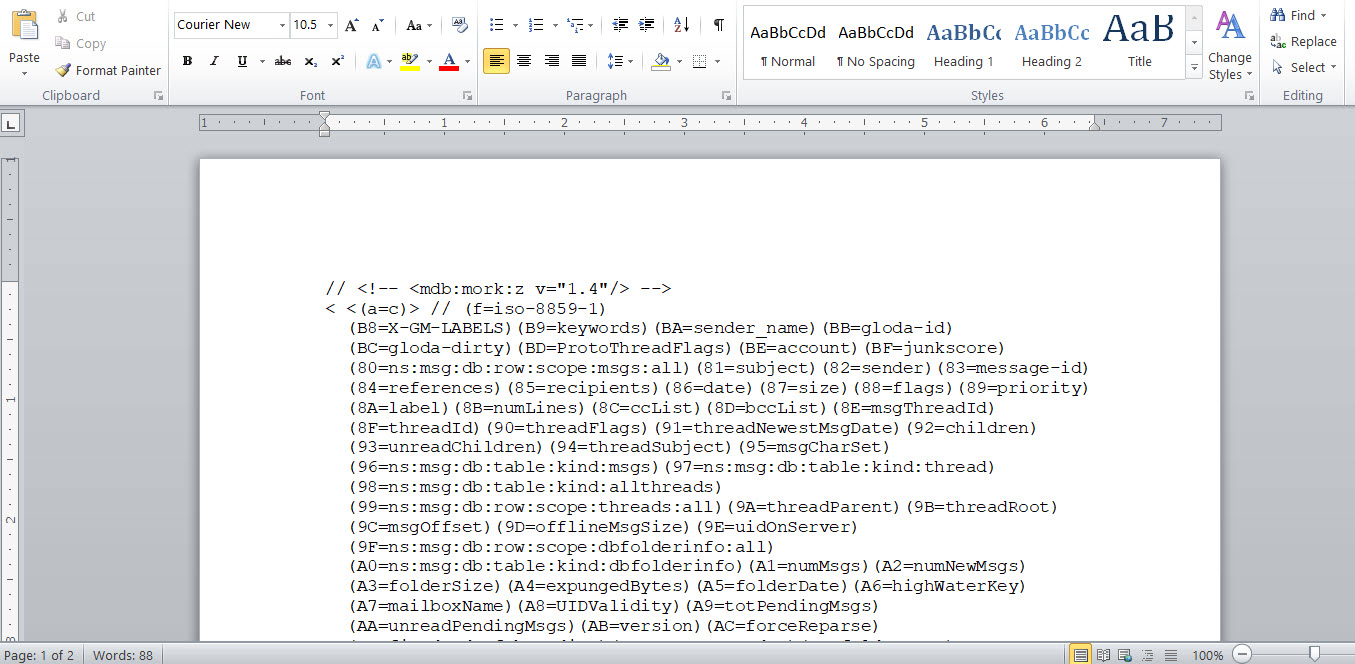
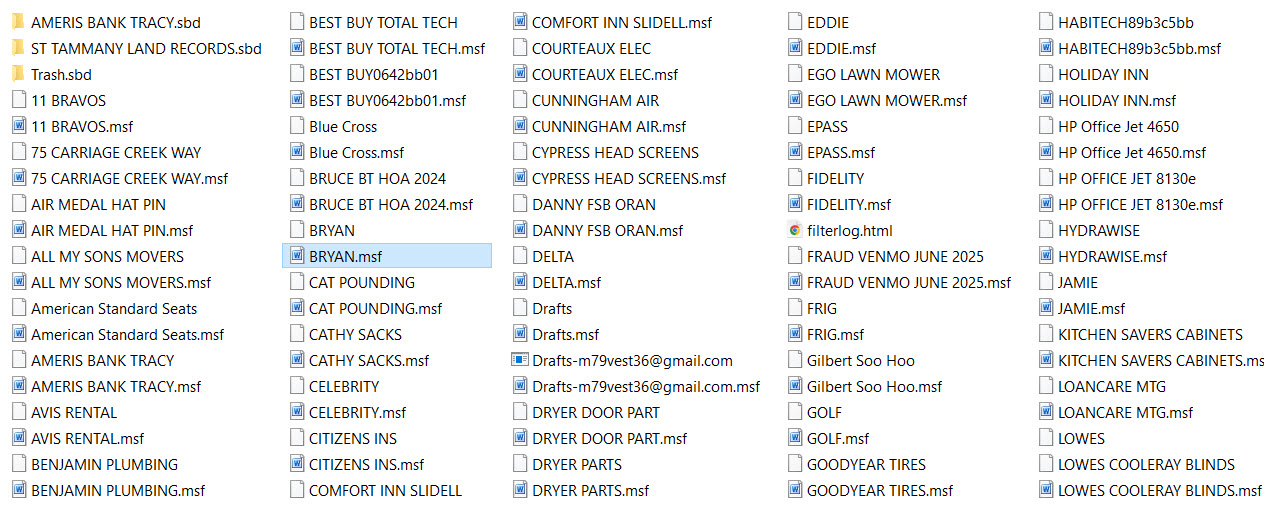
LOCAL/SUBFOLDERS...IN A CRAZY .mst unreadable computer language

The tree I made for LOCAL/SUBFOLDERS...is now IN A CRAZY .mst unreadable computer language. I need all the files contained in this tree to go back to readable. Gerry
All Replies (5)
Rick...all I did was click on the PROFILE then opened the next file which was the default-release file then went to MAIL then LOCAL FOLDERS...and then pic is the 3rd screenshot
The geek squad was involved on another photo copy to scan disk issue...nothing to do with THUNDERBIRD, however I mentioned by the way...can u take a look at what happened to my THUNDERBIRD MAIL? They could not resolve. But they did manage to locate all the data that was in my LOCAL/SUBLOCAL folders.
gerry
Rick...does this help.."how I did it"...I went into your community help and did what they said...
close Thunderbird locate the PROFILE FOLDER(e.g. %APPDATA%Thunderbird\Profiles\... then..go into MAIL FOLDER delete the ..msf file for the folder (e.g. Inbox .msf restart Thunderbird and it will rebuild the index...
IT DID NOT REBUILD WHAT WAS THERE BEFORE
GERRY
Modified by Gerry

My question was: "What do you mean that you copied the data within local folders? What exactly did you do?"
You answered that you went to a directory. That does not make a copy. What did you copy? From where to where? How?
Are you running anti-virus software?
The rest of the incoming/outgoing mail seems fine. They disappeared for awhile but I brought them back. All of the issues happened after I did one of your latest updates. Then I started troubleshooting.
It's hard to understand what happened because you have not made the chronology clear or precise. One possible interpretation is: After the ugprade to 146, you did not see local folders in Thunderbird and incoming/outgoing mail did not work, but you "brought back" incoming/outgoing mail by setting up one of your accounts again. (Your "before" screen image shows two accounts. Your "after" screen image shows only one.) That, however, did nothing about the mail in local folders, which still did not appear in Thunderbird. So you took some action to get your local folders showing again, but it's not clear what you did. Maybe you made a copy of something. Some messages from local folders may have ended up in a trash folder because your local folders trash folder is much larger than it used to be.
How accurate is that interpretation or how probable is that course of events?
Please go to the Help menu > Troubleshooting information > about:profiles, make a screen image of what appears next on your screen (information about one or more profiles) and post it here.
Then, if you have more than one profile, note which one is the default. For each other profile, click on "Show in [...]" in the root directory row of each table. Drill down to the Mail/Local Folders directory. Open the Local Folders directory. What do you see?