Bookmarks are not readable in bookmarks bar
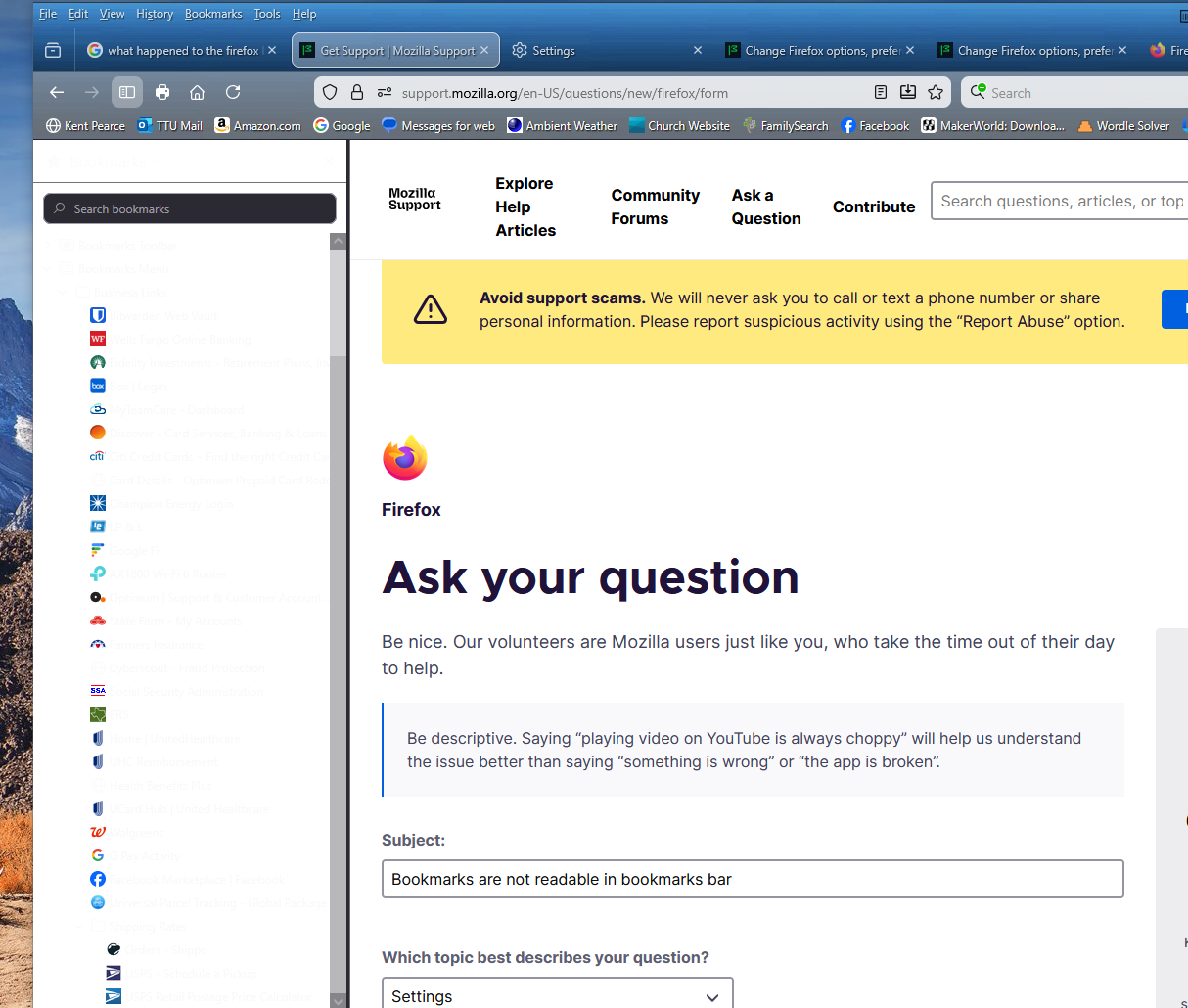
After the last Firefox update (146.0), my bookmarks bar only shows thumbnail images. The descriptive text which was previously black text on white back ground now appears to be white text on white background. (Whether my system is set to light theme or dark theme.) This happens on all of my Windows computers (both 10 and 11). How do I resolve this problem?
After the last Firefox update (146.0), my bookmarks bar only shows thumbnail images. The descriptive text which was previously black text on white back ground now appears to be white text on white background. (Whether my system is set to light theme or dark theme.) This happens on all of my Windows computers (both 10 and 11). How do I resolve this problem?