


The layout of the Thunderbird screen has changed with the pop-up page no longer showing

When I used to go in to the Thunderbird inbox screen there would be a page with instructions on such things as deleting a message etc. Now, the only way to delete a message is to use "rubbish bin" icon. I would like my "instructions" page back!
All Replies (3)
Can you show a (partly anonymised) screen shot of your "Inbox screen" without the "instructions page", whatever you mean with this expression?
we now have three of these. I am closing then as I find them, but the original poster appear to be replying by posting a new topic.
ray.omeara80 said
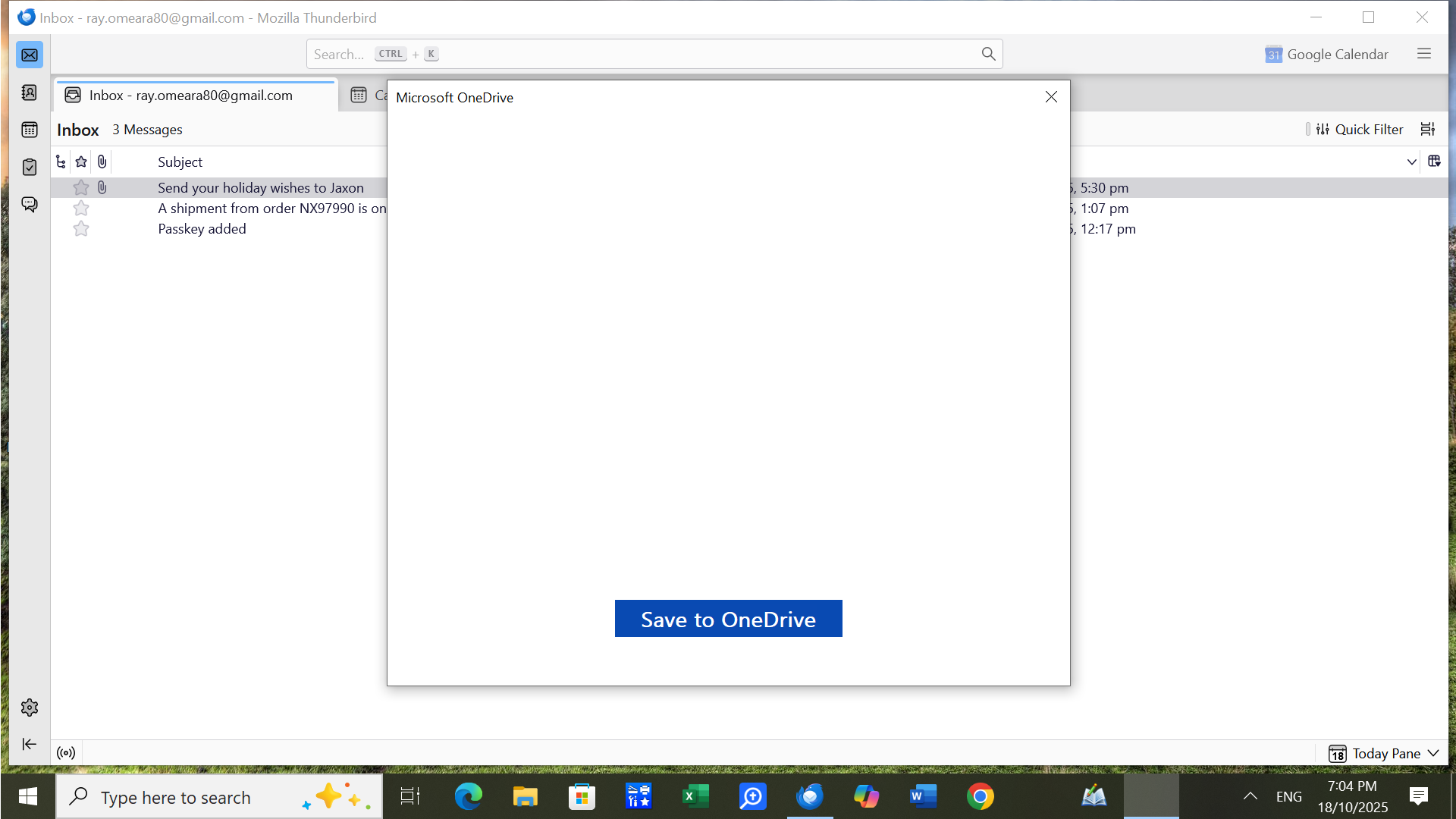
Further to my earlier I think I have managed to get a screenshot of my Thunderbird inbox page, below. I am not sure it will be of much help.
ray.omeara80 said
Before the problem started, there was normally an instructions box visible on the screen when in Thunderbird. This box included instructions such as open, close, delete etc files. Now that box (at least I recall it as a box) does not appear. Now, eg, to delete a file I must right click on the file and hit the "waste" bin. I would have added a screenshot of one of my in boxes but I cannot get the screenshot key (Prt Sc) to work. What it would show, if I was able to print it, is an inbox screen without any instructions box.
which I have now locked. Please continue the discussion in this topic going forward.
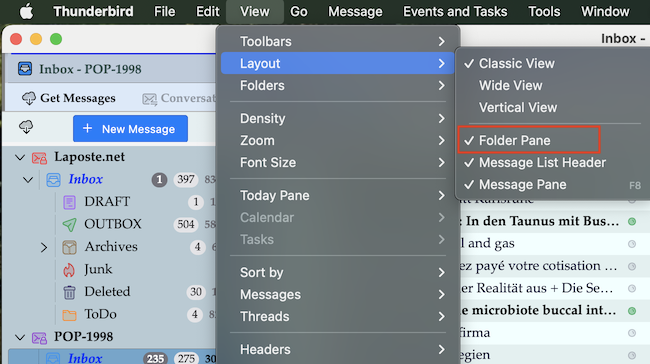
I don't know what exactly you are looking for. But compared with the standard (default) view of a Thunderbird main window yours is missing the Folder Pane in your screen shot.
Modified by Mapenzi