


Firefox icons on Windows11 taskbar
I have a Firefox icon on my Windows11 desktop, Start, and one on the taskbar. If I click one either the Firefox icon on the desktop or Start I will get another icon on the task bar and I can do this over and over on my personal desktop getting many Firefox icons.
I just purchased a new Dell Windows11 desktop and have installed Firefox. I set it up just like my personal desktop and have icons on the desktop, Start, and taskbar but every time I click the Firefox desktop or Start icon I don't get a separate icon in the taskbar but they pile up behind the original Firefox on the taskbar. If the cursor hovers over the Firefox icon then I can see the multiple Firefox homepages that I generated.
I have searched for an answer to this problem but have been unsuccessful. I would really appreciate some thoughts on this issue. Firefox has been my one and only browser for many years and I love it 99% of the time, just not this one time. :-) Thank you in advance. Chuck Hall
Chosen solution
I have tries every option on Personalization>Taskbar and am having no success so for now I am giving up. Thank you for your thoughts.
Read this answer in context 👍 0All Replies (9)

That's a Win setting. Press WinKey-i for Settings, then go to Personalization > Taskbar. The Task View option is what you want to enable or disable.
Thank you for your reply. I uploaded a pic of the Taskbar page you mentioned and none of these options on this page help.
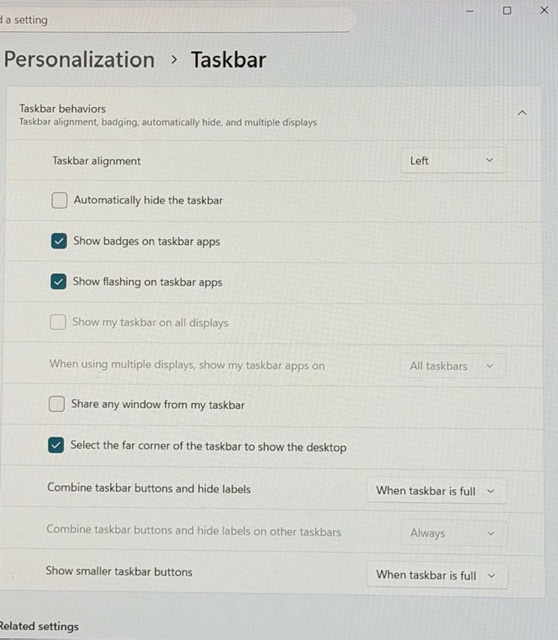
I think it's the "Combine taskbar buttons and hide labels" setting. You could test whether setting that to Never works the way you prefer.
Carlos said
Thank you for your reply. I uploaded a pic of the Taskbar page you mentioned and none of these options on this page help.
I may have first said Personalization > Taskbar > Taskbar behaviors and edited it, not sure. At any rate, it's at Personalization > Taskbar near the top.
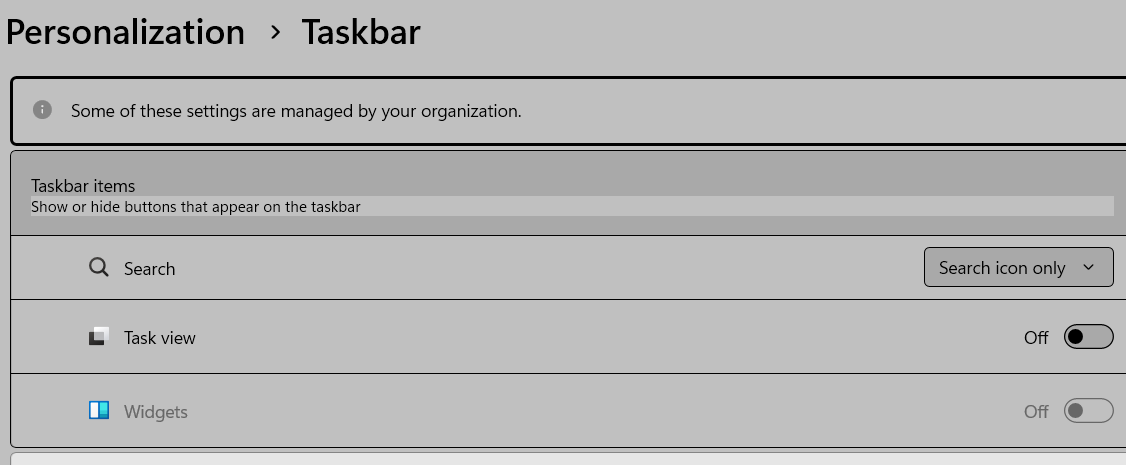
Chosen Solution
I have tries every option on Personalization>Taskbar and am having no success so for now I am giving up. Thank you for your thoughts.
You have to do what I mentioned last: Task view on. Then do what jscherr200 said except set it to Always, not Never.
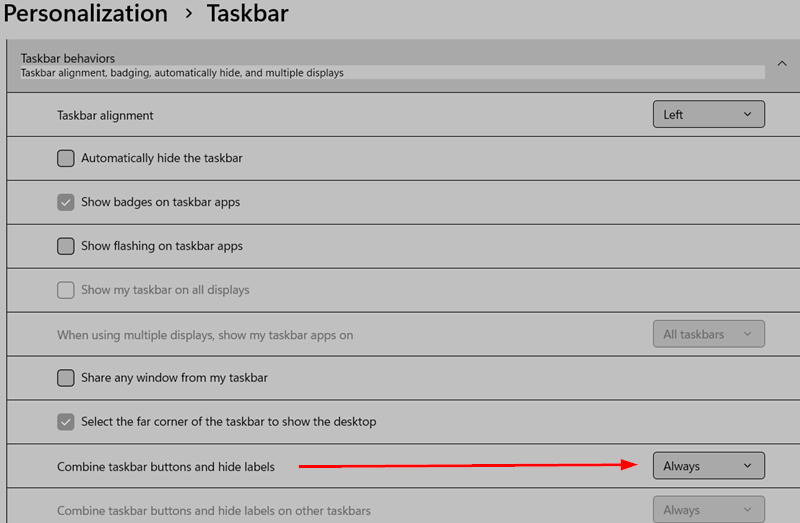
Modified by Ed

Didn't work. 1. Unpinned from taskbar 2. turned Task view off, then on. 3. turned Combine taskbar buttons and hide labels from always to Never to Always 4. Pinned Firefox from the Start menu 5. Result is generic white and blue icon pinned to taskbar.
I think it's a Windows 11 problem, because Edge has the same white and blue icon.
ylocrn said
I think it's a Windows 11 problem, because Edge has the same white and blue icon.
In older versions, there was a system-level icon cache you could clear. Not sure whether that is relevant these days.
Thank you for all of your thoughts on this matter. Have a Happy New Year.