


Calendar disabled after recent update

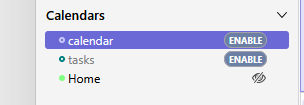
I have been very happy using Thunderbird to access the email account of my volunteer position, I have always used the Email, Calendar and Task feature. I have the automatic updates setup on Thunderbird and until recently had no issues at all, until the last update. When Thunderbird first started with the newest update the calendar details were visible and then Thunderbird disabled the Calendar and Task and no matter how many time I click the Enable button or edit the properties to say enable Thunderbird immeadiately sets it back to Disabled. I have uninstalled Thunderbird, and relinstalled an older version - problem there doesn't seem to be a profile to match, so I just kept manually updating Thunderbird to a newer update until the absolute latest, but there were issues with the profiles again. I then uninstalled and installed the latest version available directly from the website and was able to get another profile to work for my local folders - I had saved some docs locally to conserve disk space on the email server. But no matter what I cannot get the calendar to work at all. There are no posts that cover this particular situation. Any idea how to fix this???? Thank you to anyone that offers assistance with this issue.
Chosen solution
Thank you for all your advice and help. I was going through the process of getting you the information when I decided to try clicking the enable button again for Calendar and Task. This time they stayed active and I can view and edit the calendar. So sorry to bother you but it is all working now. Next time something like that happens I will give it a couple of days before I panic. Thanks again, just having some one to give advice was very helpful. Kind regards
Read this answer in context 👍 0All Replies (6)
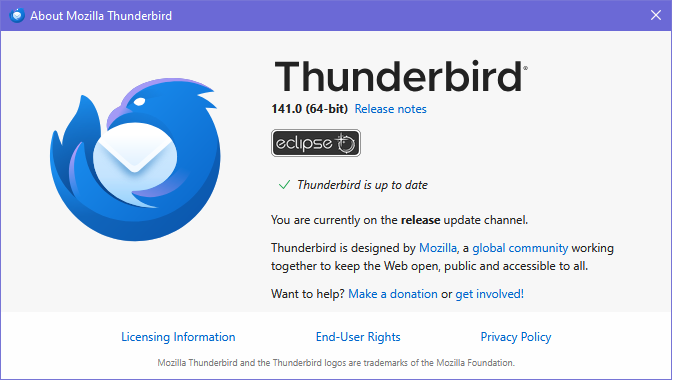
Since your calendar includes tasks, it suggests you're using the Provider add-on. Do you have the latest version for TB 141?
https://addons.thunderbird.net/en-US/thunderbird/addon/provider-for-google-calendar/
Thanks for that information, no I don't have the add on. But I am also not using a google calendar. Does this matter? I am not sure what O/S the email server is using but I connect using IMAP settings.
Who is the calendar provider, and how was it added to TB, i.e. CalDAV or via another add-on? The built-in CalDAV doesn't support tasks.
I am sorry I don't know who the calendar provider is. I have configured TB to access my email account on the organisations server I have tried to get details but the admin is not very helpful. Up until the last update I was able to access the calendar and tasks associated with this email account, I.e. up until yesterday (16th Aug) when TB did an automatic update.
If I turn off synchronisation I can see the calendar ok for a few seconds and then upon syncing the calendar and tasks get disabled.
It is late now so I will try the add on tomorrow and see if that helps.
If you right-click the calendar in the left pane of the Calendar tab, Properties, the Location URL will indicate the name of the calendar provider. If it's the same as the mail account provider, state the name.
Chosen Solution
Thank you for all your advice and help. I was going through the process of getting you the information when I decided to try clicking the enable button again for Calendar and Task. This time they stayed active and I can view and edit the calendar. So sorry to bother you but it is all working now. Next time something like that happens I will give it a couple of days before I panic. Thanks again, just having some one to give advice was very helpful. Kind regards