


password manager is covering up drop down options

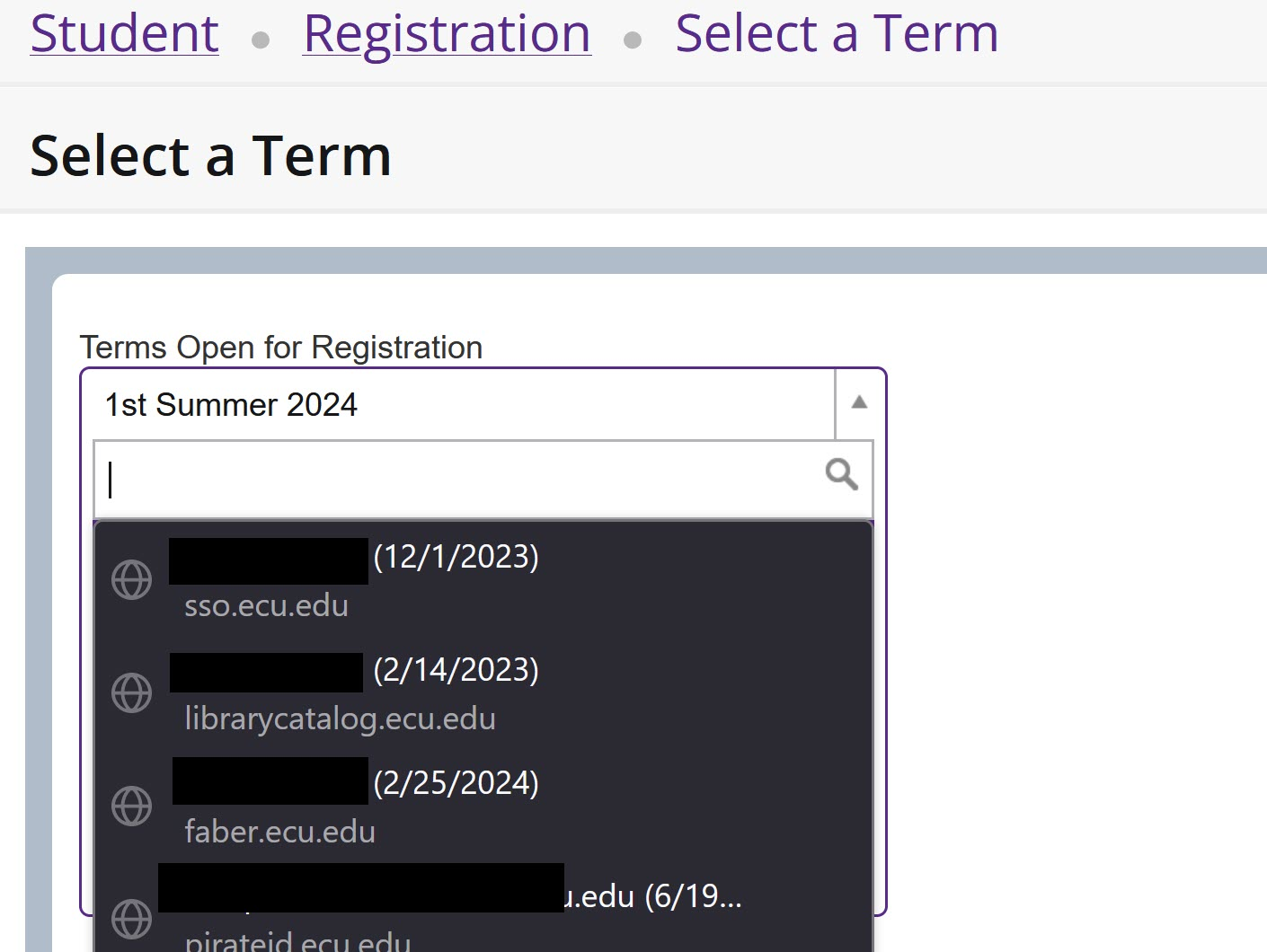
On some sites where the field allows you to start entering characters and it filters the drop down options, Firefox's password manager is covering up the drop down and I'm unable to select an option. If I try to use arrows or select some covered up option, it fills with a stored password and gives me an error that it is an invalid entry. How do I get the password manager to stop taking over these fields?
All Replies (3)
Try changing signon.usernameOnlyForm.enabled to false in about:config then restart the browser.
The drop-down should disappear if you tap the Esc key. But it will reappear if you start typing in the field, showing just the usernames that match.
On your example, I don't know why Firefox thinks that search field is a user name field. ??
Current Firefox releases include subdomains as a suggestion in the drop-down list. You can control this feature to show/hide subdomains via signon.includeOtherSubdomainsInLookup (true/false) in about:config.