


Can't sign in to sync

I was trying to get sync to work, I go to sign in and choose my google account, then I make my password for sync, when I press "Create Password" it just tells me "Unverified Session" in a red bar on top of my email, did I do something wrong?

Chosen solution
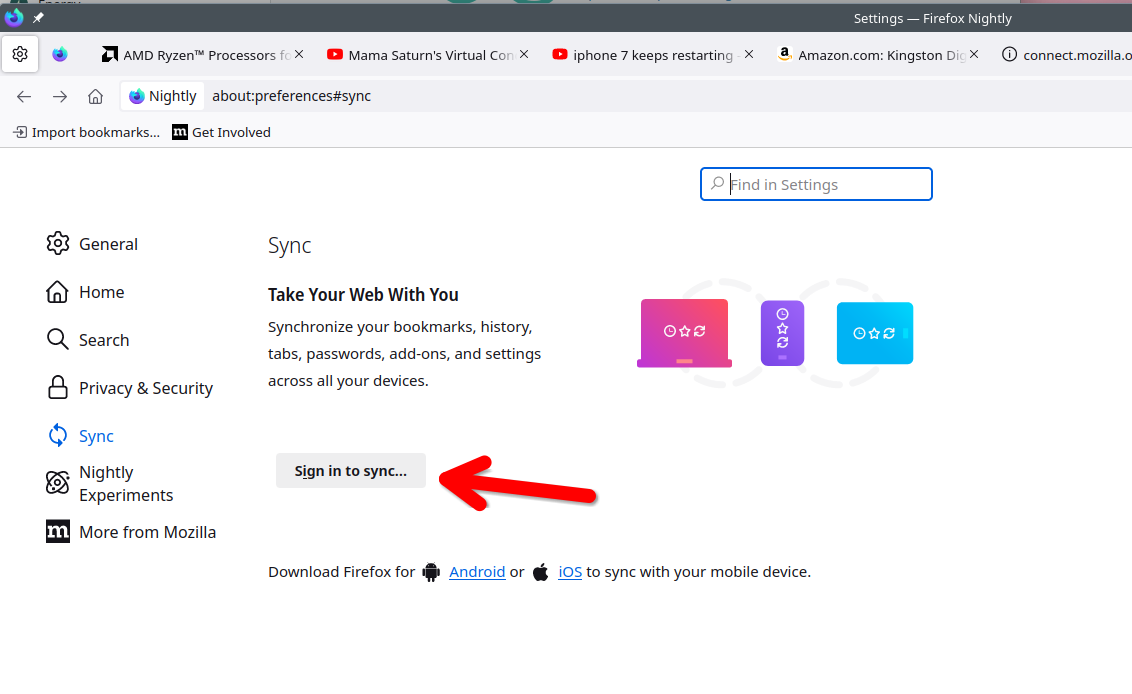
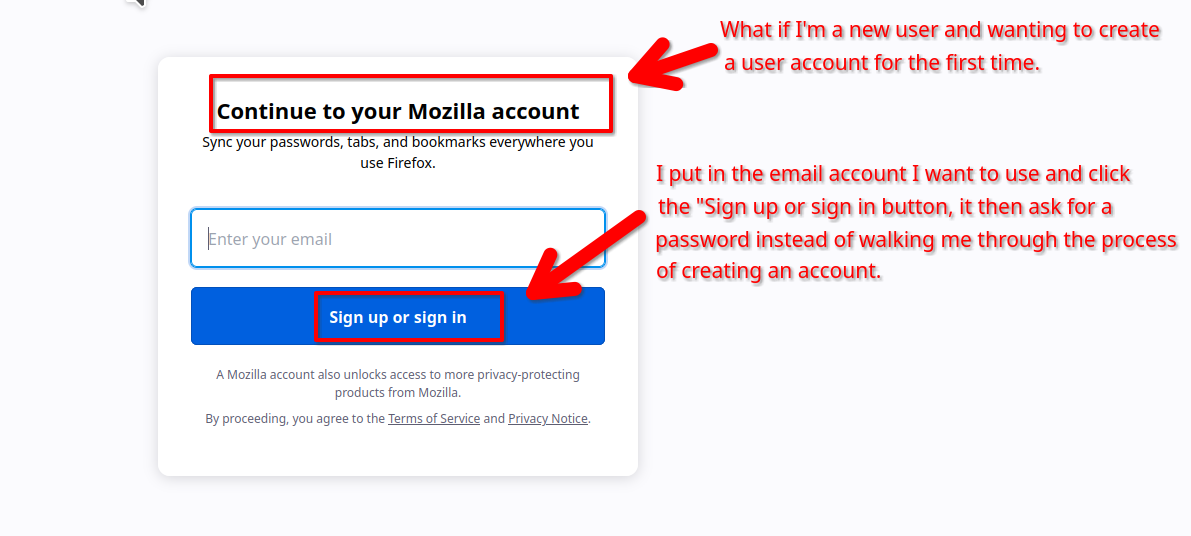
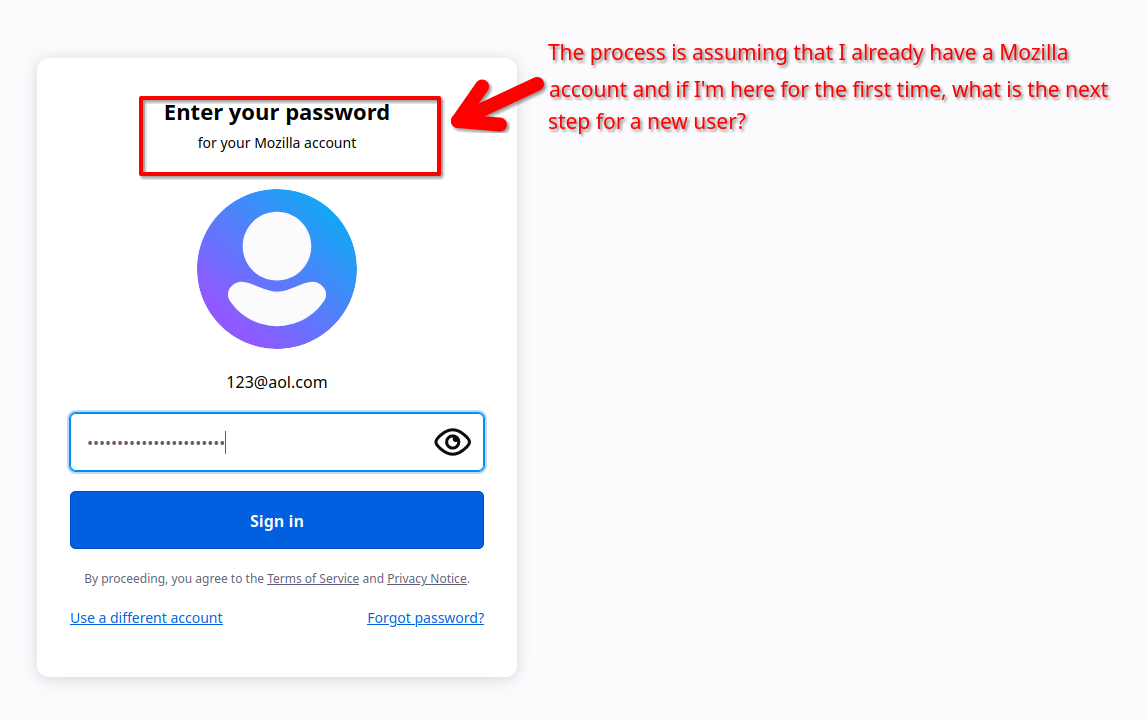
I do see the issue with the logic in the sync account process. In Nightly on this computer that is not signed into sync. I pretend that I'm new to the process and click Sync in the settings and then it takes me to a login page. It should instead take the user to page to create an account for the first time, but the process is assuming that I already have an account.
Read this answer in context 👍 1All Replies (2)
Chosen Solution
I do see the issue with the logic in the sync account process. In Nightly on this computer that is not signed into sync. I pretend that I'm new to the process and click Sync in the settings and then it takes me to a login page. It should instead take the user to page to create an account for the first time, but the process is assuming that I already have an account.
Modified by jonzn4SUSE
Yeah i think that was kind of the issue, I created a new account although i had one and it worked, Thanks!!