


Warm color in videos started several days ago

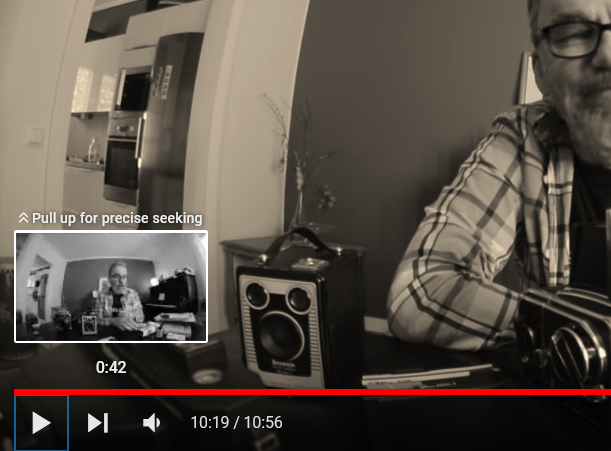
Last week, mid-day one day, videos on YouTube suddenly all had a warm cast --yellowish for color, cream/beige for B&W. I have researched the issue as I can. It is not my Windows night light; my drivers and PC are apparently all updated; everything is working fine. I checked to see if the same happened with Vimeo videos and it did. I'm running W10.
   Interestingly, the pop-up thumbnails one gets when hovering over the timeline as not affected; they look fine.
   One post by someone else was answered that it was a GPU driver issue; another said it's only with HD videos.
   I'm a B&W photographer and would really like to get back to normal again.
   Any ideas?
Chosen solution
Try to set gfx.color_management.native_srgb = true on the about:config page.
You can open the about:config page via the location/address bar. On the warning page, you can click "Accept the Risk and Continue" to open about:config.
Read this answer in context 👍 3All Replies (2)
Chosen Solution
Try to set gfx.color_management.native_srgb = true on the about:config page.
You can open the about:config page via the location/address bar. On the warning page, you can click "Accept the Risk and Continue" to open about:config.
Perfect! Thank you very much!