

This thread was closed and archived.
Please ask a new question if you need help.

Locked
Archived
ECH/ESNI doesn't work in FF Nightly

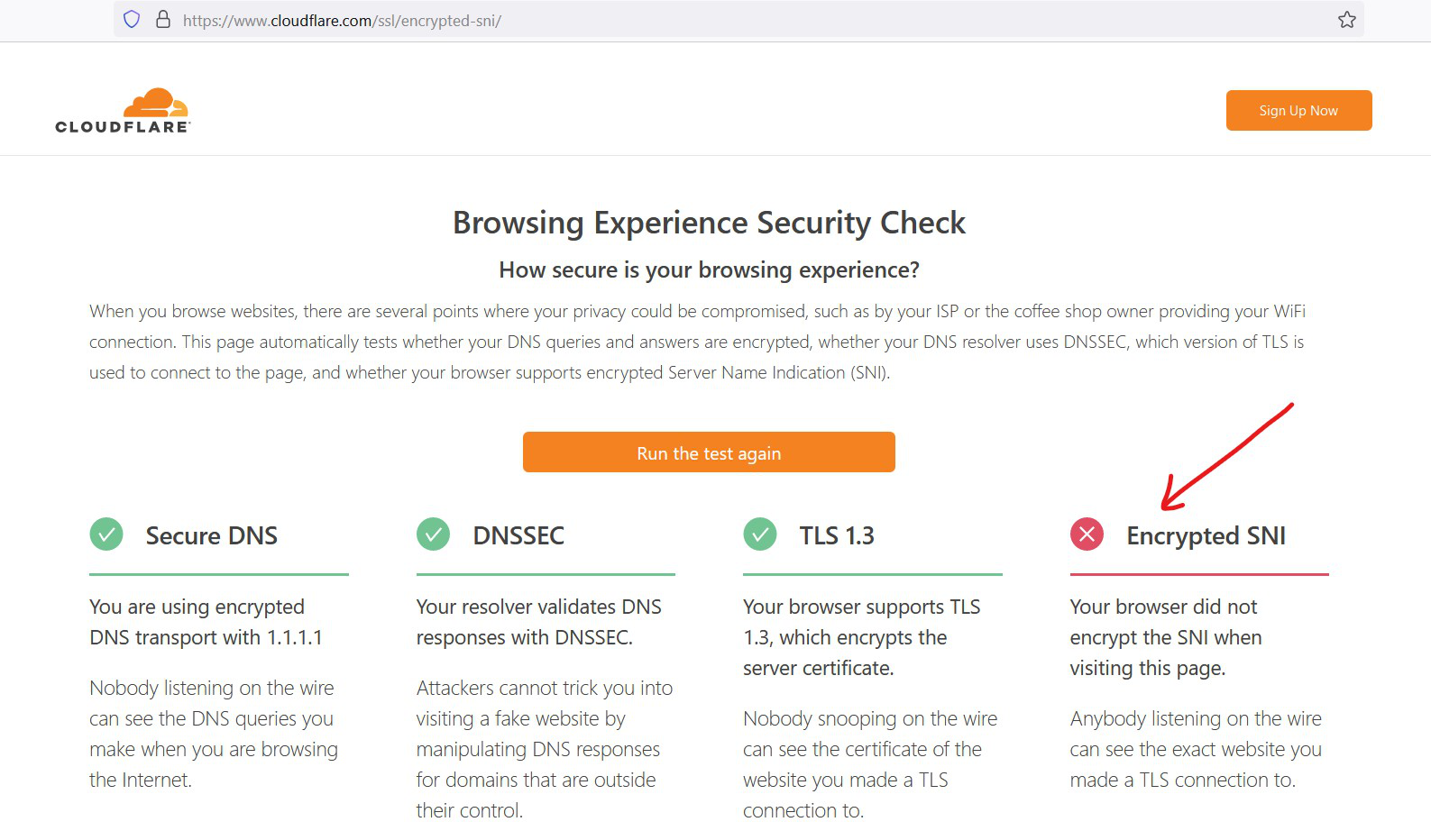
Looks like SNI settings via about:config in Nightly don't apply. Nightly version: 90.0a1 (2021-05-24) (64-bit) OS platform: Win 10 pro, 21H1 19043.985
1. network.security.esni.enabled ->true 2. network.dns.echconfig.enabled ->true 3. network.dns.use_https_rr_as_altsvc ->true 4. network.trr.mode -> 2 5. in Network settings DoH is enabled and Cloudflare (default) is selected 6. 1.1.1.1 with WARP is used
Looks like SNI settings via about:config in Nightly don't apply.
Nightly version: 90.0a1 (2021-05-24) (64-bit)
OS platform: Win 10 pro, 21H1 19043.985
1. network.security.esni.enabled ->true
2. network.dns.echconfig.enabled ->true
3. network.dns.use_https_rr_as_altsvc ->true
4. network.trr.mode -> 2
5. in Network settings DoH is enabled and Cloudflare (default) is selected
6. 1.1.1.1 with WARP is used
All Replies (1)

You can use Firefox Extended Support Release. After the version 85, Firefox does not support ESNI.
You can find more here: https://blog.mozilla.org/security/2021/01/07/encrypted-client-hello-the-future-of-esni-in-firefox/
Modified by niksor21