


Firefox desktop UI showing black boxes

Hi,
Firefox desktop UI (v 84.0) is showing black boxes in some portions of the screen (screenshots attached). This seems to go away once I switch tabs or resize the window. This is happening for any website and is pretty random. It does looks to me some UI glitch.
I have tried the below to resolve on my end without success: 1. Upgrading to the latest release 84.0.1. Downgrading to 83.0 didn't help either 2. Tried checking safe mode and browser refresh and also with and without add-ons enabled 3. Tried tweaking the config gfx.webrender.enabled = true
I am using the x64 version on an updated Windows 10 system with Nvidia 940MX card.
Appreciate your help in resolving this.
All Replies (1)
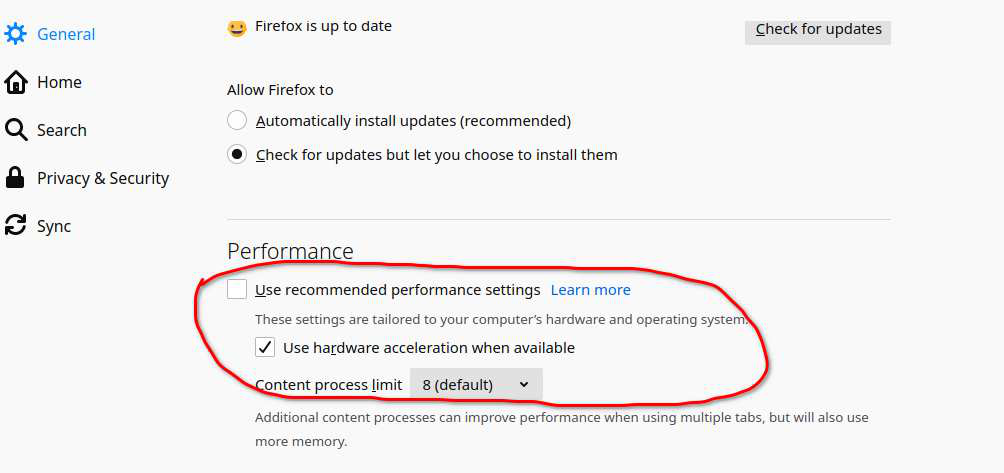
How about turning off this. see screenshot
This question has been locked because the original author has deleted their account. While you can no longer post new replies, the existing content remains available for reference.