


Firefox 83 loads blank page or page with false info
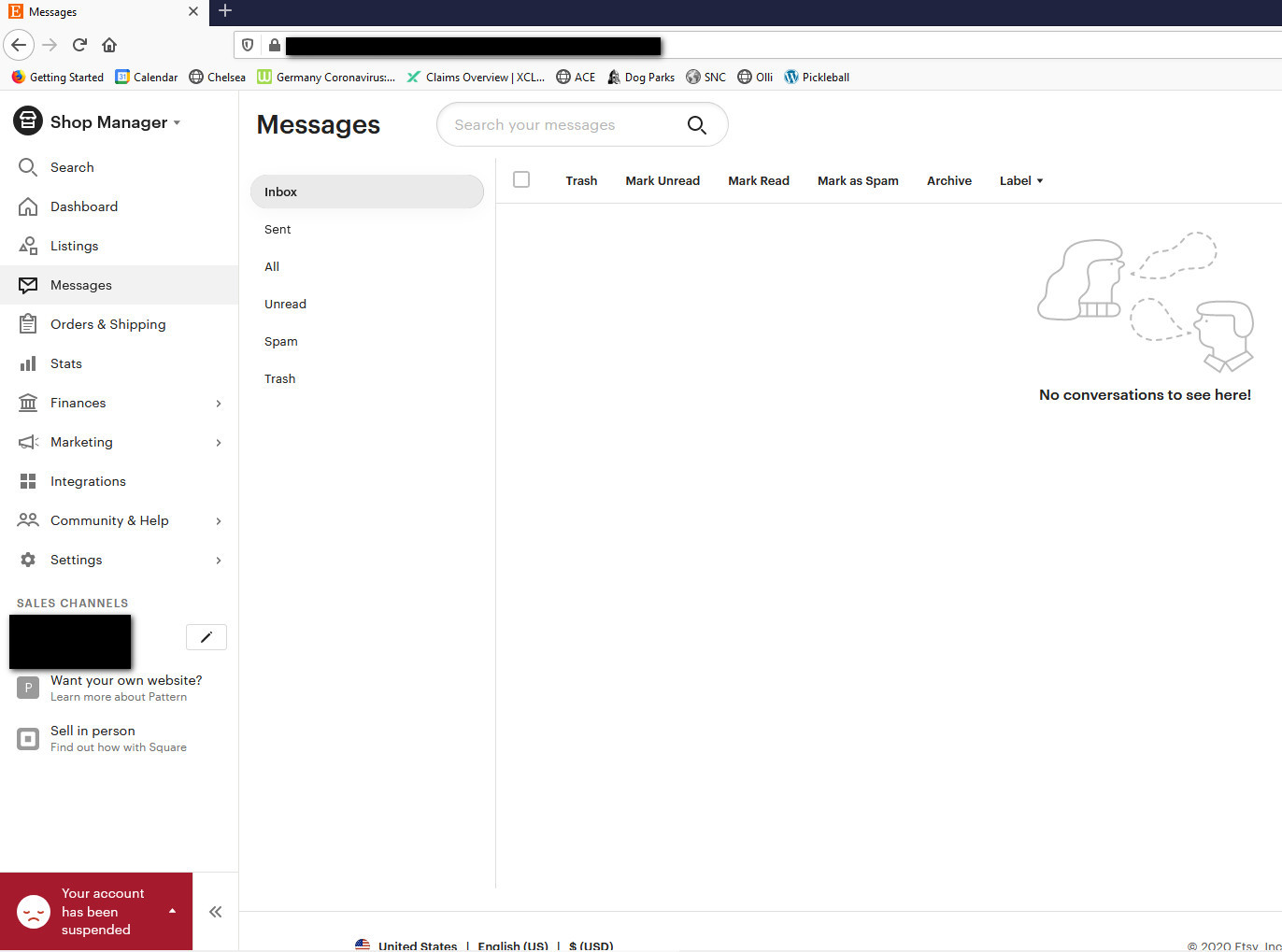
I opened my shop on an internet site and got the top bar, the content would not load in FF (Chrome yes, loads fine) and worse, a false message in the bottom left saying 'your account has been suspended'. NOT! I only had to try the same site page on 2 other browsers to find there is no problem.
I tried unchecking hardware acceleration and I cleared the cache. Same problem. I'm about to give up on Firefox if I can't find the solution because this is the 3rd problem I've had with this browser. Tired of constantly trying to solve problems just to use it.
Any and all suggestions appreciated.
All Replies (2)
Go to menu ≡ -> Web Developer -> Network.
Then refresh the page and check if every style and script has been loaded. Anything red on a list? Perhaps there is a reason of not loading it in the Transferred column.
You can remove all data stored in Firefox for a specific domain via "Forget About This Site" in the right-click context menu of an history entry ("History -> Show All History" or "View -> Sidebar -> History").
Using "Forget About This Site" will remove all data stored in Firefox for this domain like history and cookies and passwords and exceptions and cache, so be cautious. If you have a password or other data for that domain that you do not want to lose then make sure to backup this data or make a note.
You can't recover from this 'forget' unless you have a backup of involved files.
If you revisit a 'forgotten' website then data for that website will be saved once again.