


Remove an invalid email account

I entered an invalid email account name (without the @tiscali.co.uk) and I find I cannot get rid of it. I followed the instructions in the (now closed) thread at https://support.mozilla.org/en-US/questions/1155512, but fell at the third point. It says:
Click the "Account Actions" button on the bottom left and choose, "Remove Account".
The Remove Account option is there, but it is greyed out and unresponsive.
John
All Replies (7)

Is it the only account in your profile?
No I have two accounts in my Thunderbird profile, plus this extra one. One is a joint account at tiscali.co.uk and the other is my wife's account at talktalk.net. I was aiming to create a new account for myself at talktalk.net, but forgot to append the host.
John
You can't remove the Default account, so set another account as Default, in Account Actions, then Remove the first account.
This invalid account is not the default account.
In the other two accounts, the main valid one is the default account. The other valid one has options to make it the default and to delete.
John
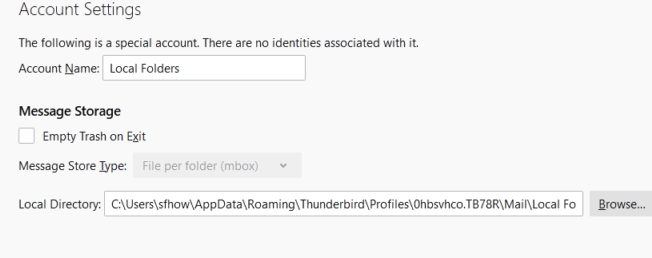
Maybe you are trying to remove Local Folders, which has been renamed? If you select this 'account' in the left pane of Tools/Account Settings, does it look like the attached picture? If it does, change the Account Name back to Local Folders; Local Folders cannot be removed.
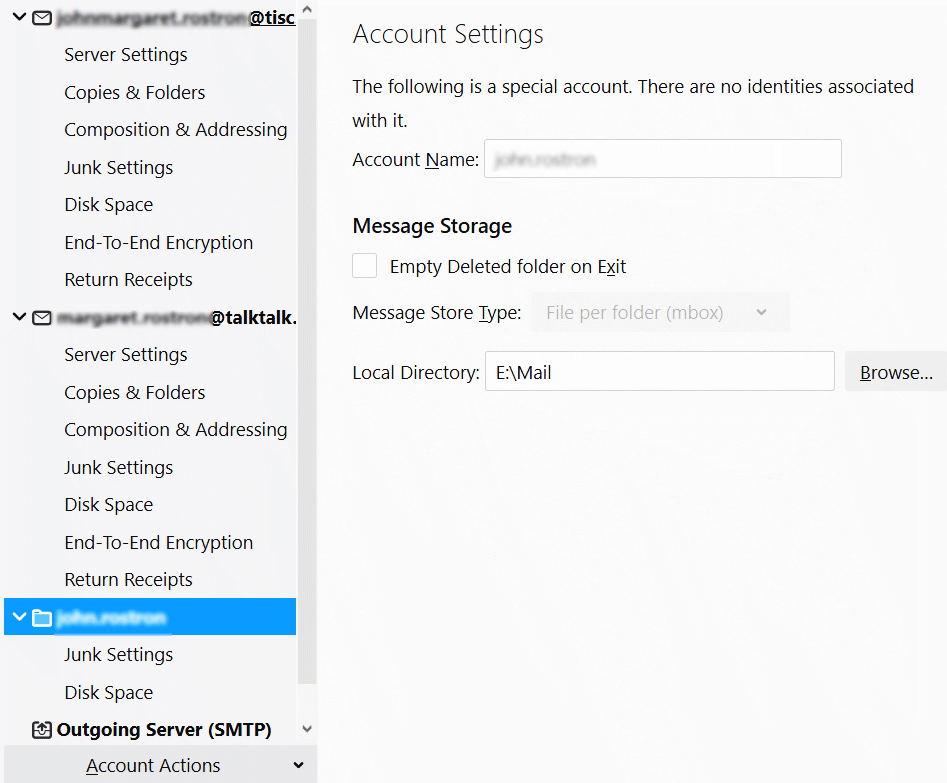
I attach an image of my Accounts Settings:
John
Modified by Chris Ilias
The selected account in your picture is actually Local Folders, so you should rename it as such.