


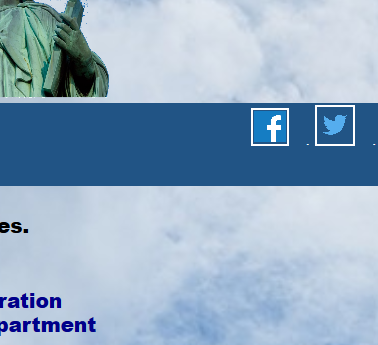
embedded image for Twitter not showing

See site https://freedom-press-alliance.us/
To the right of Facebook image is supposed to be a Twitter image
It is embedded in a <td><FindUs><a> which is in an embedded table
It works for all other browsers (IE, Edge, Chrome, Safari, Opera, SlimJet) I have tried.
I have even tried other Twitter images, - no luck
PS Please do not tell me to try Stack Overflow - they do not handle browser problems
Chosen Solution
Problem went away when I renamed image Have no idea why this worked
All Replies (4)
I see it. Have you tested in Firefox's Safe Mode? In its Safe Mode, Firefox temporarily deactivates extensions, hardware acceleration, any userChrome.css/userContent.css files, and some other advanced features to help you assess whether these are causing the problem.
If Firefox is not running: Hold down the Shift key when starting Firefox. (On Mac, hold down the option/alt key instead of the Shift key.)
If Firefox is running: You can restart Firefox in Safe Mode using either:
- "3-bar" menu button > "?" Help button > Restart with Add-ons Disabled
- (menu bar) Help menu > Restart with Add-ons Disabled
and OK the restart.
Both scenarios: A small dialog should appear. Click "Start in Safe Mode" (not Refresh).
Any improvement?
It's OK for me, too.
Chosen Solution
Problem went away when I renamed image Have no idea why this worked
Note that you can reload web page(s) and bypass the cache to refresh possibly outdated or corrupted files.
- hold down the Shift key and left-click the Reload button
- press "Ctrl + F5" or press "Ctrl + Shift + R" (Windows,Linux)
- press "Command + Shift + R" (Mac)