


Firefox is no longer compatable with Hulu or Fox news, why?

Hulu informed me that Firefox no longer supported them and to get another browser. Why would Firefox want to drive away users?
Chosen solution
Your original post has this info (next to your post on the right side: Question Details, More System Details):
- Shockwave Flash 25.0 r0
- Shockwave Flash 27.0 r0
So you need to rid of the older one. Two methods:
(1) Official method: use Adobe's uninstaller to scrub Flash from the system, then reinstall fresh. See: https://helpx.adobe.com/flash-player/kb/uninstall-flash-player-windows.html
(2) Unofficial method: delete the old file by hand. You can learn the location on disk using the About Plugins page -- type or paste about:plugins in the address bar, then check the listings for the older version and observe its path on disk and exact file name.
Usually it's in one of these two folders:
32-bit Firefox on 64-bit Windows:
C:\Windows\SysWOW64\Macromed\Flash
Other combinations:
C:\Windows\System32\Macromed\Flash
The folder contains numerous other files that may be used by other programs, so I suggest not removing anything except the unwanted file. Don't worry too much if you mess up because you always have option #1.
After you exit Firefox and restart it, it should recognize that the old file is missing and stop using it, resolving the "you need to update" issue.
Read this answer in context 👍 2All Replies (9)

Please show us that message.
In order to better assist you with your issue please provide us with a screenshot. If you need help to create a screenshot, please see How do I create a screenshot of my problem?
Once you've done this, attach the saved screenshot file to your forum post by clicking the Browse... button below the Post your reply box. This will help us to visualize the problem.
Thank you!
I have had an hour long phone call with Microsoft disabled person desk tech support as Hulu stopped working after their anniversary update push which forced me to use as it told me as of yesterday any older version was not going to be supported , however while on the phone I went back to older version and problem remained. I told tech I was sorry. I then had a hour long talk with a Hulu tech They told me the problem was very common with Firefox and it had to do with their flash player, and that Hulu in the very near future was not going to support Firefox at all, which shocked me as why would Firefox want to eliminate every person that had Hulu. The Hulu tech told me I maybe able to solve the problem by clearing out my cache and all my cookies, but was only a temp fix as Hulu was not going to support at all in the very near future. He did recommended I switch players. He also stated there was a chance Firefox people may work with Hulu to fix the bug that would prevent it from working with Hulu at all In the near future. I am letting the push go through now even though I feel it is a scam just to push their Edge and their Store products as their icon are now permanent residence on your desk top and it is sneaky in that it seems to switch to Edge and Bing when you have a question even though I had Firefox as my default browser.Unfortunately I will be using Edge in the future as Firefox will not work on Hulu, Fox News streaming clips or VUDU. It has not worked for Vudu for a long time but was not a big problem as I usually only access with my iPad or iPhone which uses it's own app to view.

PS, I would like to make Firefox aware of the major problem that is about to hit I suspect a good portion of their users but unfortunately Hulu does not have a way to contact them directly or they hide it so well I could not find it, so I was forced to post this in forums with the hope, someone from Hulu monitors it.
Try to set the Flash plugin to always activate to see if that has effect.
Hi McCloud1, we'll see what Hulu does. I don't think think Firefox is going to change how Flash works now, which is that sites need individual permission to use it.
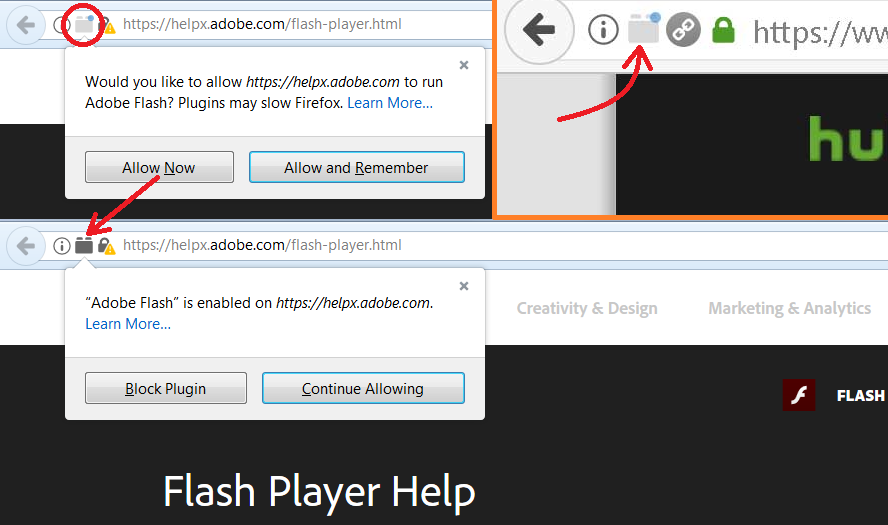
In your screenshot, do you see the pale gray "Lego block" icon toward the left end of the address bar with the blue dot on it? That blue dot pulses to try to get your attention but it's a rather small dot so that apparently didn't work. That icon indicates that the page wants to use Flash but doesn't currently have permission. After you grant permission, the icon turns dark and the dot is gone. Usually the page takes it from there, but sometimes you need to reload (Ctrl+r).
Could you click it and take a look? I'm attaching a screenshot in case my description is too ambiguous.
Added: Support article link: Why do I have to click to activate plugins?
Modified by jscher2000 - Support Volunteer
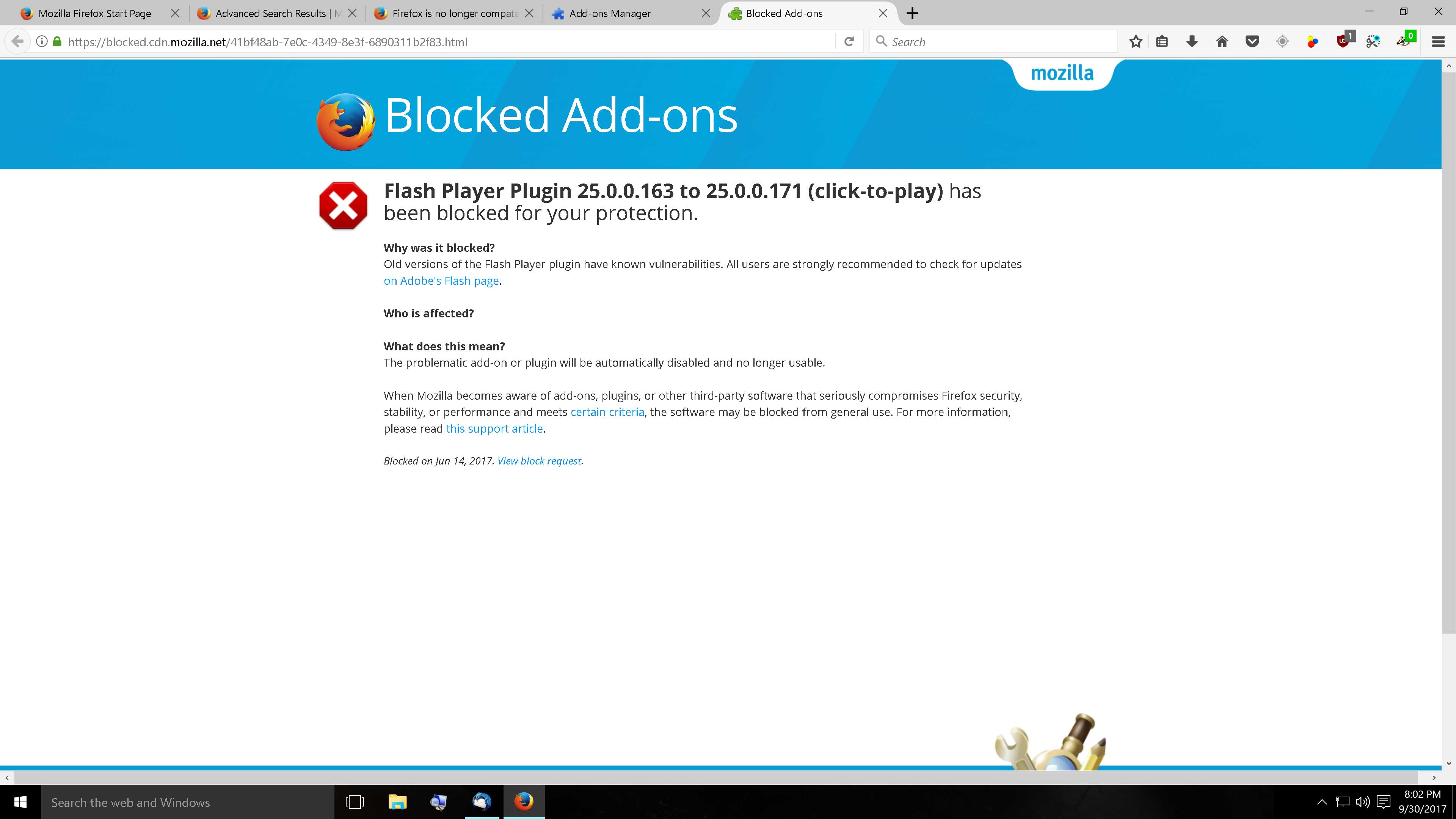
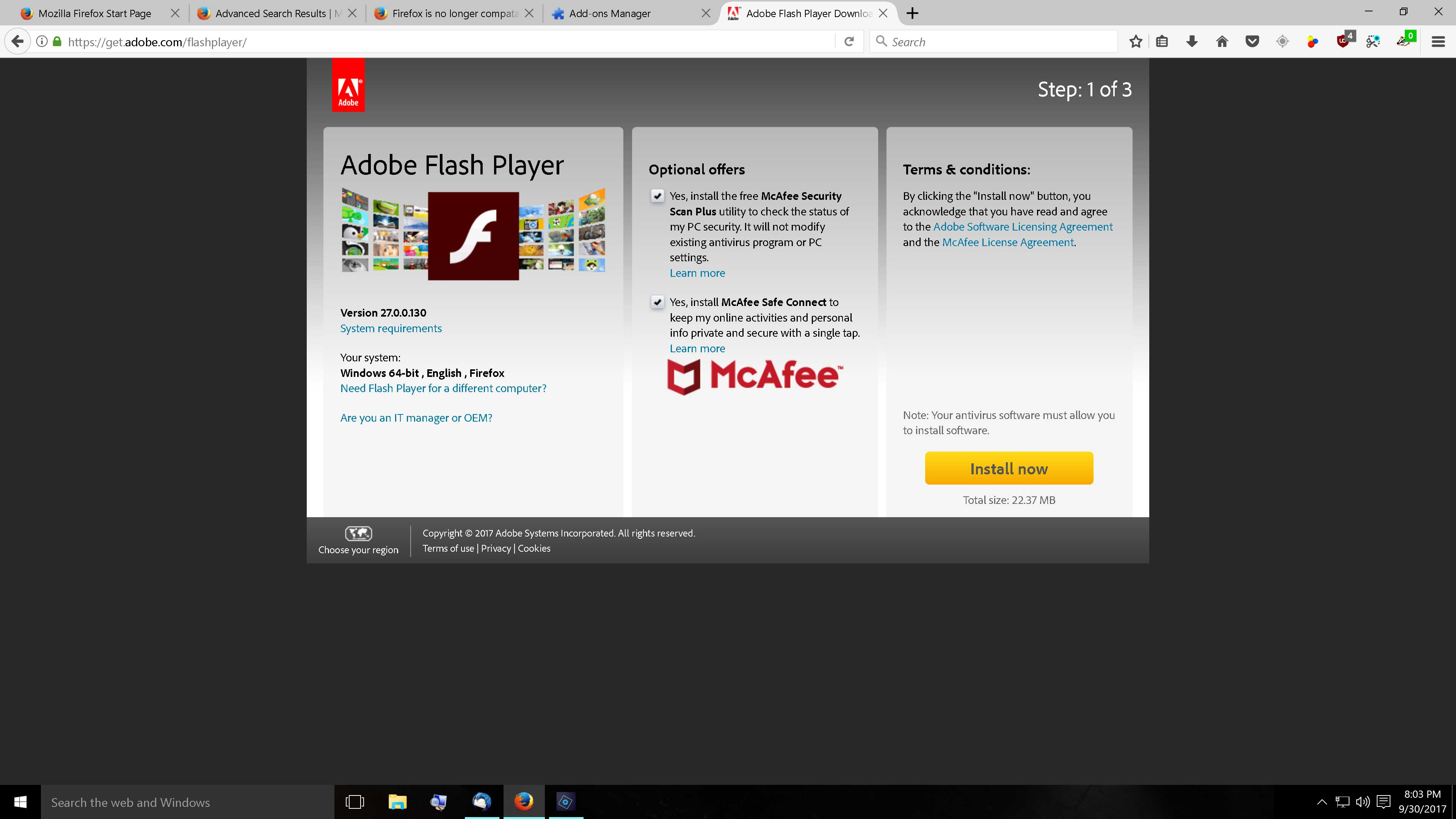
Thank you to those who have responded. I could not find "Flash plugin to always activate" anywhere. I did find that the Flash Player was out of date, however when I attempted to update, Firefox blocked it (see screen shot) saying the update was unsafe. I went to the Flash web site (see screen shot) and I saw the current flash version is way past the version Firefox is blocking. I tried multiple times to install the current version of Flash and each time Adobe says the installation was successful, but each time when I reopened Firefox it still shows the old version. As of today I have had other problems with Adobe with my photo elements program, my best guess is Adobe is charging a fee to license their newer version of flash and Firefox chose not to pay Adobe's ransom price. I bet Adobe is squeezing them by making the older versions not compatible with the newer versions. Not sure if this is right but I bet it is, unfortunately, I will be making a switch, that I did not want to make. Heck I have been with them since they were Netscape in the days of DOS computers.
PS I looked and I had no blue dot. I did hover over all the icons I one said I had given permission.
Chosen Solution
Your original post has this info (next to your post on the right side: Question Details, More System Details):
- Shockwave Flash 25.0 r0
- Shockwave Flash 27.0 r0
So you need to rid of the older one. Two methods:
(1) Official method: use Adobe's uninstaller to scrub Flash from the system, then reinstall fresh. See: https://helpx.adobe.com/flash-player/kb/uninstall-flash-player-windows.html
(2) Unofficial method: delete the old file by hand. You can learn the location on disk using the About Plugins page -- type or paste about:plugins in the address bar, then check the listings for the older version and observe its path on disk and exact file name.
Usually it's in one of these two folders:
32-bit Firefox on 64-bit Windows:
C:\Windows\SysWOW64\Macromed\Flash
Other combinations:
C:\Windows\System32\Macromed\Flash
The folder contains numerous other files that may be used by other programs, so I suggest not removing anything except the unwanted file. Don't worry too much if you mess up because you always have option #1.
After you exit Firefox and restart it, it should recognize that the old file is missing and stop using it, resolving the "you need to update" issue.
Yay! used the Flash uninstaller and Firefox now shows I have no Flash player but Hulu now plays