


Login in automatically to a site
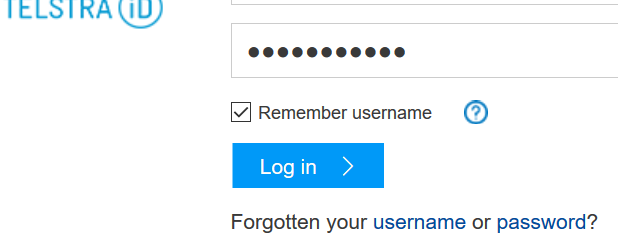
This site doesn`t have "remember" for password only for username (attached) and doesn`t login in automatically and even won`t login auto with "Last Pass" like all of my sites on the computer. Is there a fix for this please?
All Replies (3)
cor-el said
A detail like a website remembering you (log you in automatically) is stored in a cookie. You can use these steps to make a website recognize and remember you:Let the cookies expire when Firefox is closed to make them session cookies instead of using "Clear history when Firefox closes" to clear the cookies. .
- You can create a cookie "Allow" exception to keep specific cookies, especially in case of secure websites and when cookies expire when Firefox is closed.
- Options/Preferences -> Privacy -> "Use custom settings for history" -> Cookies: Exceptions
You can create a cookie "Allow" exception to keep specific cookies.
- Firefox/Options/Preferences -> Privacy -> "Use custom settings for history" -> Cookies: Keep until: "I close Firefox"
The Idle login add on for Firefox is going great, so simple. Terry
I sent guigs information to LastPass. see below. For that particular website, the javascript in the page actually runs and clears anything that has been autofilled: From the sso telstra portal I got this: document.getElementById("pswd").style.display='none'; I took the code from https://portalids.telstrainternationa.../sso?id=PortalLogin&sid=0&option=credential&sid=0
An extension like Saved Password Editor might be able to create an entry for the Password Manager.