


How do I hide the weekend days?

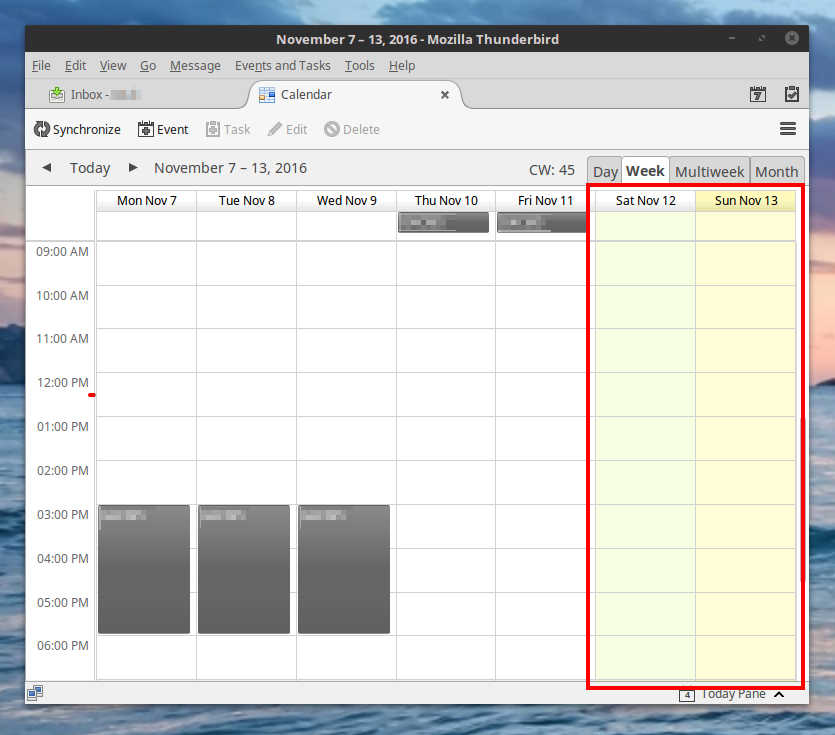
I have configured my week start day and the weekend days, but they are still displayed in the week planner with a shaded green background.
Can I hide the weekend days altogether?
I have configured my week start day and the weekend days, but they are still displayed in the week planner with a shaded green background.
Can I hide the weekend days altogether?
Chosen solution
In Lightning, switch to the calendar tab and enable menu View > Calendar > Current View > Workweek days only. The workweek days can be configured in menu Tools > Options > Lightning > View.
Read this answer in context 👍 2All Replies (2)
Chosen Solution
In Lightning, switch to the calendar tab and enable menu View > Calendar > Current View > Workweek days only. The workweek days can be configured in menu Tools > Options > Lightning > View.
Thanks a lot! How could I miss that option?