


Enigmail doesn't want to be installed

Hi everybody
I have installed Thunderbird 45.2.0 on a Windows 8.1. It works and I can send and receive emails (I am using my Google account). I have also installed GPG4Win-2.3.2, I guess it has installed because it asked me to restart my computer and when I search for GPG it shows unistall opetion in the list.
I opened Thunderbird and went to Add-ons, searched for Enigmail and clicked on "Install", then it says Enigmail will be installed after you restarted Thunderbird I have done this step several times and restarted Thunderbird everytime, but Enigmail does not appear on Thundermail menu (GPG either does not appear on the menu).
Appreciate all kind of advice.
Thanks
Modified by Medes71
All Replies (17)
Does Enigmail appear in the menu on the Write window? Or under Tools|Add-ons|Extensions?
Zenos said
Does Enigmail appear in the menu on the Write window? Or under Tools|Add-ons|Extensions?Hi Zenos, Thanks, No I cannot find Engimail anywhere in Thunderbird. The extensions is empty.
Modified by Medes71

Please post your Troubleshooting Information.
At the top right of the Thunderbird window, click the menu button  , then select Help > Troubleshooting Information.
Press the Copy text to clipboard button and paste the information into your reply.
, then select Help > Troubleshooting Information.
Press the Copy text to clipboard button and paste the information into your reply.
here you are:
Application Basics
   Name: Thunderbird
   Version: 45.2.0
   User Agent: Mozilla/5.0 (Windows NT 6.3; WOW64; rv:45.0) Gecko/20100101 Thunderbird/45.2.0
   Profile Folder: Show Folder
             (Local drive)
   Application Build ID: 20160630070546
   Enabled Plugins: about:plugins
   Build Configuration: about:buildconfig
   Memory Use: about:memory
 Mail and News Accounts
   account2:
     INCOMING: account2, , (none) Local Folders, plain, passwordCleartext
   account3:
     INCOMING: account3, , (imap) imap-mail.outlook.com:993, SSL, passwordCleartext
     OUTGOING: , smtp-mail.outlook.com:587, alwaysSTARTTLS, passwordCleartext, true
Crash Reports
Extensions
Important Modified Preferences
Name: Value
     browser.cache.disk.capacity: 358400
     browser.cache.disk.filesystem_reported: 1
     browser.cache.disk.smart_size_cached_value: 358400
     browser.cache.disk.smart_size.first_run: false
     browser.cache.disk.smart_size.use_old_max: false
     dom.apps.reset-permissions: true
     extensions.lastAppVersion: 45.2.0
     font.name.monospace.el: Consolas
     font.name.monospace.x-cyrillic: Consolas
     font.name.monospace.x-unicode: Consolas
     font.name.monospace.x-western: Consolas
     font.name.sans-serif.el: Calibri
     font.name.sans-serif.x-cyrillic: Calibri
     font.name.sans-serif.x-unicode: Calibri
     font.name.sans-serif.x-western: Calibri
     font.name.serif.el: Cambria
     font.name.serif.x-cyrillic: Cambria
     font.name.serif.x-unicode: Cambria
     font.name.serif.x-western: Cambria
     font.size.fixed.el: 14
     font.size.fixed.x-cyrillic: 14
     font.size.fixed.x-unicode: 14
     font.size.fixed.x-western: 14
     font.size.variable.el: 17
     font.size.variable.x-cyrillic: 17
     font.size.variable.x-unicode: 17
     font.size.variable.x-western: 17
     mail.openMessageBehavior.version: 1
     mail.winsearch.firstRunDone: true
     mailnews.database.global.datastore.id: c5839993-b446-478a-8986-e7ce3f9cfa2
     network.cookie.cookieBehavior: 2
     network.cookie.prefsMigrated: true
     network.predictor.cleaned-up: true
     places.database.lastMaintenance: 1469131639
     places.history.enabled: false
     places.history.expiration.transient_current_max_pages: 104858
     plugin.importedState: true
Graphics
     Adapter Description: Intel(R) HD Graphics 4600
     Vendor ID: 0x8086
     Device ID: 0x0416
     Adapter RAM: Unknown
     Adapter Drivers: igdumdim64 igd10iumd64 igd10iumd64 igdumdim32 igd10iumd32 igd10iumd32
     Driver Version: 10.18.10.3871
     Driver Date: 7-22-2014
     Adapter Description (GPU #2): NVIDIA Quadro K4100M
     Vendor ID (GPU #2): 0x10de
     Device ID (GPU #2): 0x11b7
     Adapter RAM (GPU #2): 4095
     Adapter Drivers (GPU #2): nvd3dumx,nvwgf2umx,nvwgf2umx nvd3dum,nvwgf2um,nvwgf2um
     Driver Version (GPU #2): 9.18.13.3356
     Driver Date (GPU #2): 8-28-2014
     Direct2D Enabled: false
     DirectWrite Enabled: false (6.3.9600.18123)
     ClearType Parameters: ClearType parameters not found
     WebGL Renderer: Google Inc. -- ANGLE (Intel(R) HD Graphics 4600 Direct3D11 vs_5_0 ps_5_0) -- OpenGL ES 2.0 (ANGLE 2.1.0.316930d51ea9)
     GPU Accelerated Windows: 0
     AzureCanvasBackend: skia
     AzureSkiaAccelerated: 0
     AzureFallbackCanvasBackend: cairo
     AzureContentBackend: cairo
JavaScript
Incremental GC: 1
Accessibility
   Activated: 0
   Prevent Accessibility: 0
Library Versions
     Expected minimum version
     Version in use
     NSPR
     4.12
     4.12
     NSS
     3.21.1 Basic ECC
     3.21.1 Basic ECC
     NSS Util
     3.21.1
     3.21.1
     NSS SSL
     3.21.1 Basic ECC
     3.21.1 Basic ECC
     NSS S/MIME
     3.21.1 Basic ECC
     3.21.1 Basic ECC
Enigmail isn't installed. See http://xenos-email-notes.simplesite.com/416814616
Yes, I know that Enigmail isn't installed, but why? I have tried all methods in your link but I still have same prolem. I think it must be something with my machine, anti-virus or firewall.
Please post a screenshot of the Add-ons Manager window with the entry for Enigmail visible. http://support.mozilla.org/en-US/kb/how-do-i-create-screenshot-my-problem
here you are.
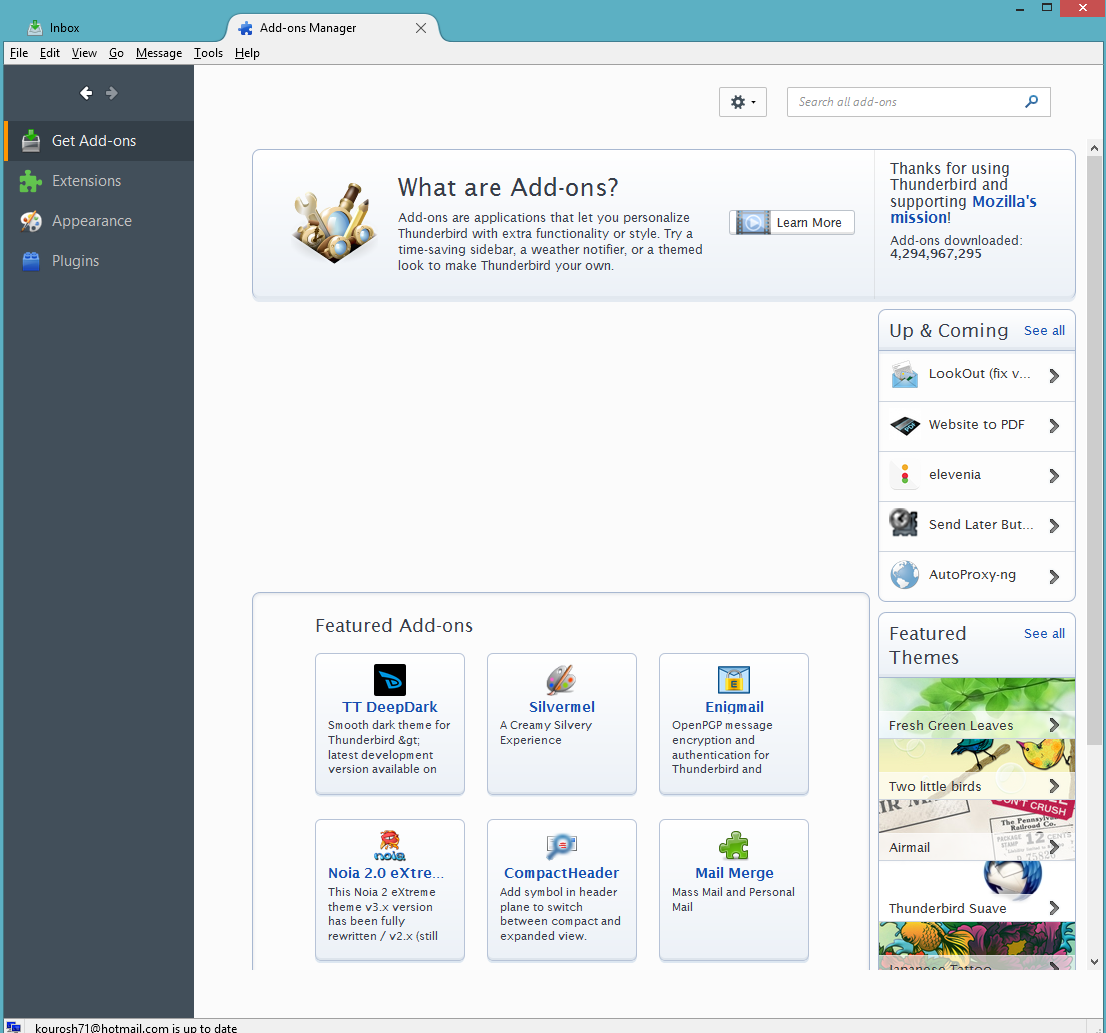
That's useless. What's needed is 'Extensions' in the left pane.
this is extensions.
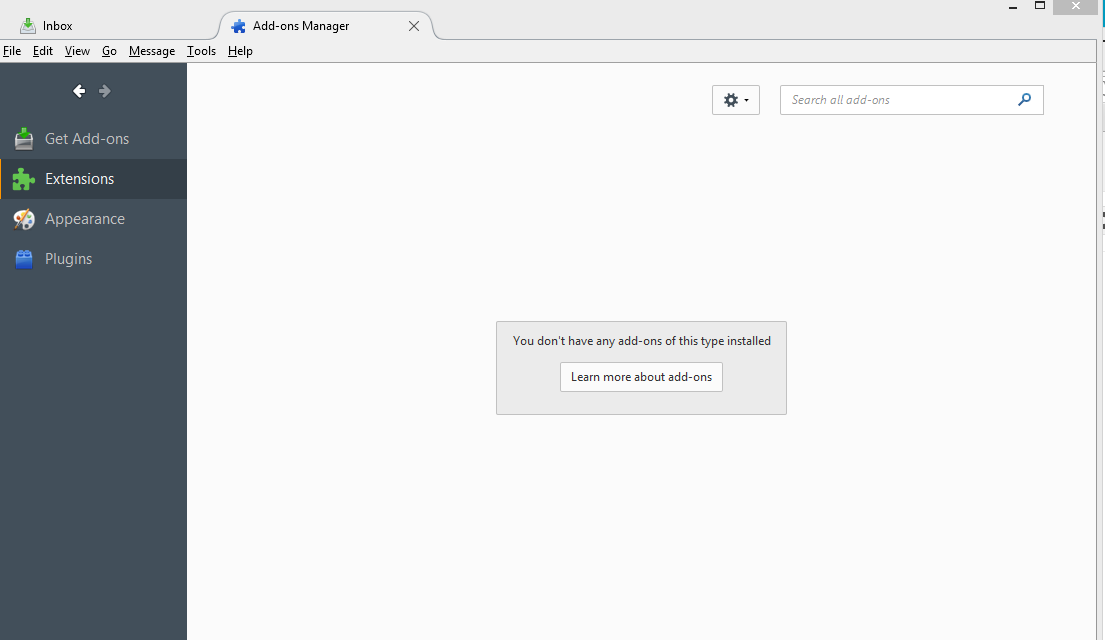
Ok, but there is nothing to see, which matches the Troubleshooting Information. Please explain in detail what you do when attempting to install Enigmail. Also please post a new screenshot of the Add-ons Manager (Extensions) with Enigmail visible after such a install attempt.
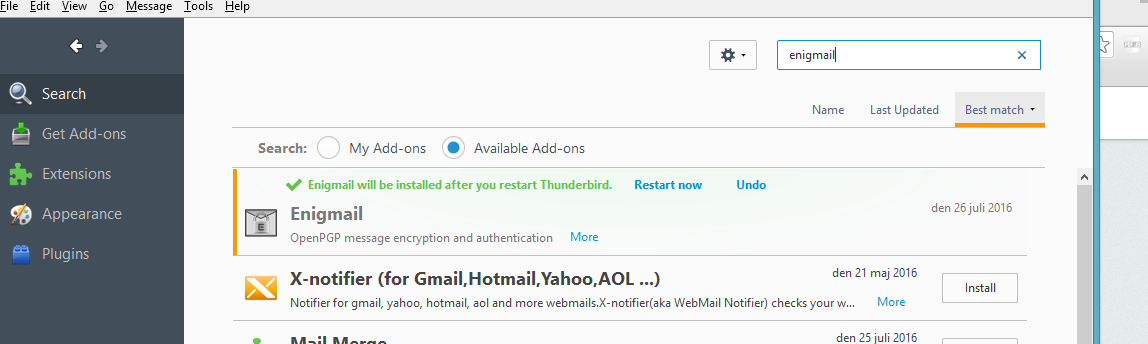
Yes, as I said from the beginning, I have tried to install Enigmail, I have tried by searching it in the Add-ons manager and I have tried by using the install manaully by going to the file (which I have downloaded), every time it does something and after a short time it says "Enigmail will be installed after you restart Thunderbird". And I click on restart link and when it restarts nothing happend. I think it must be something with my antivirus or firewall.
every time it does something and after a short time it says "Enigmail will be installed after you restart Thunderbird".
Please post a screenshot of that.
sorry about my mistake, "something" I meant after I clicked on install after 3 seconds it says restart thunderbird as following image.
Try to start Windows in safe mode with networking enabled. - Win10 http://windows.microsoft.com/en-us/windows-10/change-startup-settings-in-windows-10#v1h=tab01 - Win8 http://windows.microsoft.com/en-us/windows-8/windows-startup-settings-safe-mode# - Win7 http://windows.microsoft.com/en-US/windows7/Start-your-computer-in-safe-mode
Start Thunderbird and try again to install Enigmail.
I followed exact all steps under the link for Windows 8.1 and tried to install Enigmail both by search and from file. but it is same and it didn't install.
Locate your profile folder:
Please post your Troubleshooting Information.
At the top right of the Thunderbird window, click the menu button , then select Help > Troubleshooting Information > Profile Folder > Open Folder.
This will open your profile folder in Windows Explorer.
Close Thunderbird.
In Windows Explorer navigate to the 'extensions' folder.
Do you see a sub-folder 'staged'? If so, delete it.
Start Thunderbird and try again to install Enigmail while still in Windows safe mode.