


Invisible or transparent drop-menus in firefox 38.0 beta

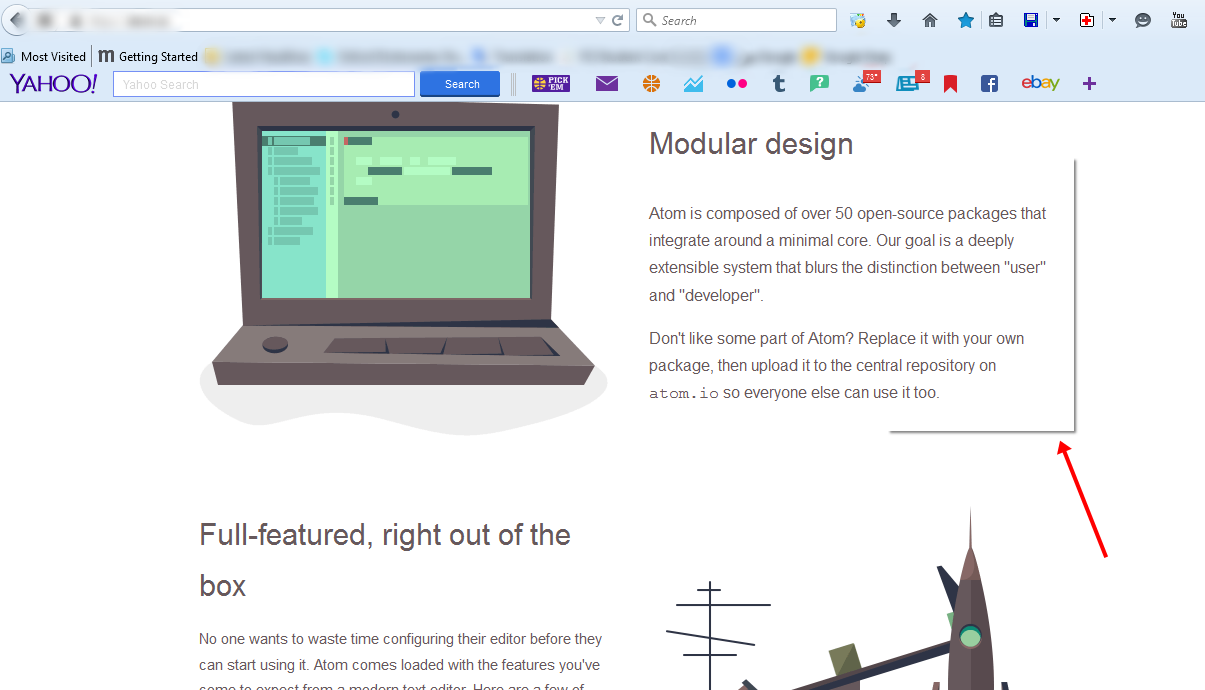
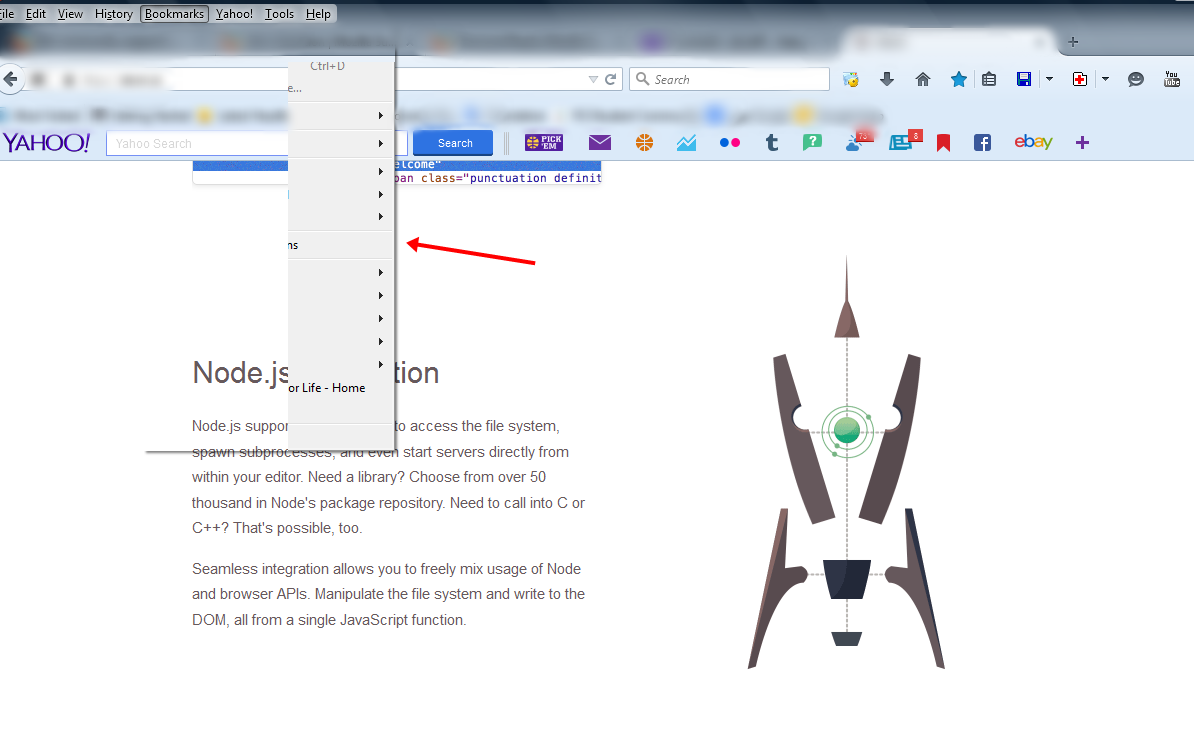
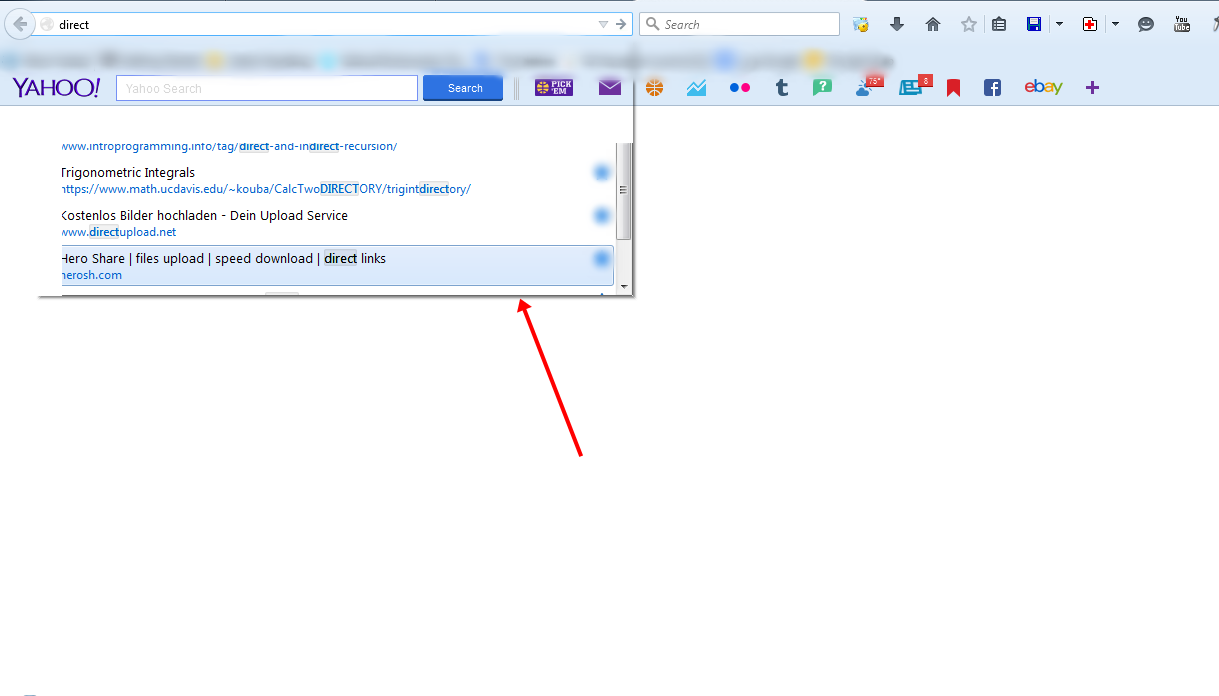
Hello, Firefox community i'm facing a problem with the last update of firefox browser related to the drop-menus all the menus became invisible, i can barely see the borders only but no content. i'm using firefox 38.0 on Vista SP2 below are some screenshots depicting my problem ..
1 - Right click context menu 2 - Toolbar menus 3 - Address bar menu
How to fix this? any suggestions ..
All Replies (2)
Chosen Solution
hello Ultim4t3, maybe that's an issue with hardware acceleration - please try updating your graphics driver or in case there is no new version available at the moment or this doesn't solve the issue, disable hardware acceleration in the firefox menu ≡ > options > advanced > general (that setting will take a restart of the browser to take effect).
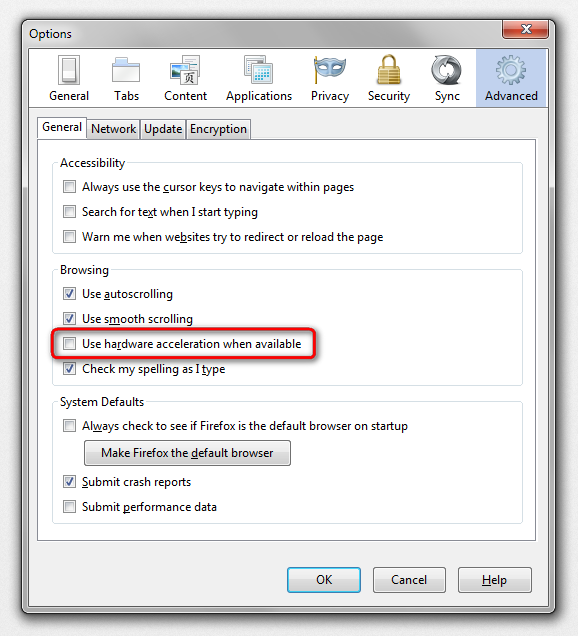
thanks philipp, i tired your suggestion of disabling the hardware acceleration and it worked! i'll keep this for now, till i find another way to do it =) !