


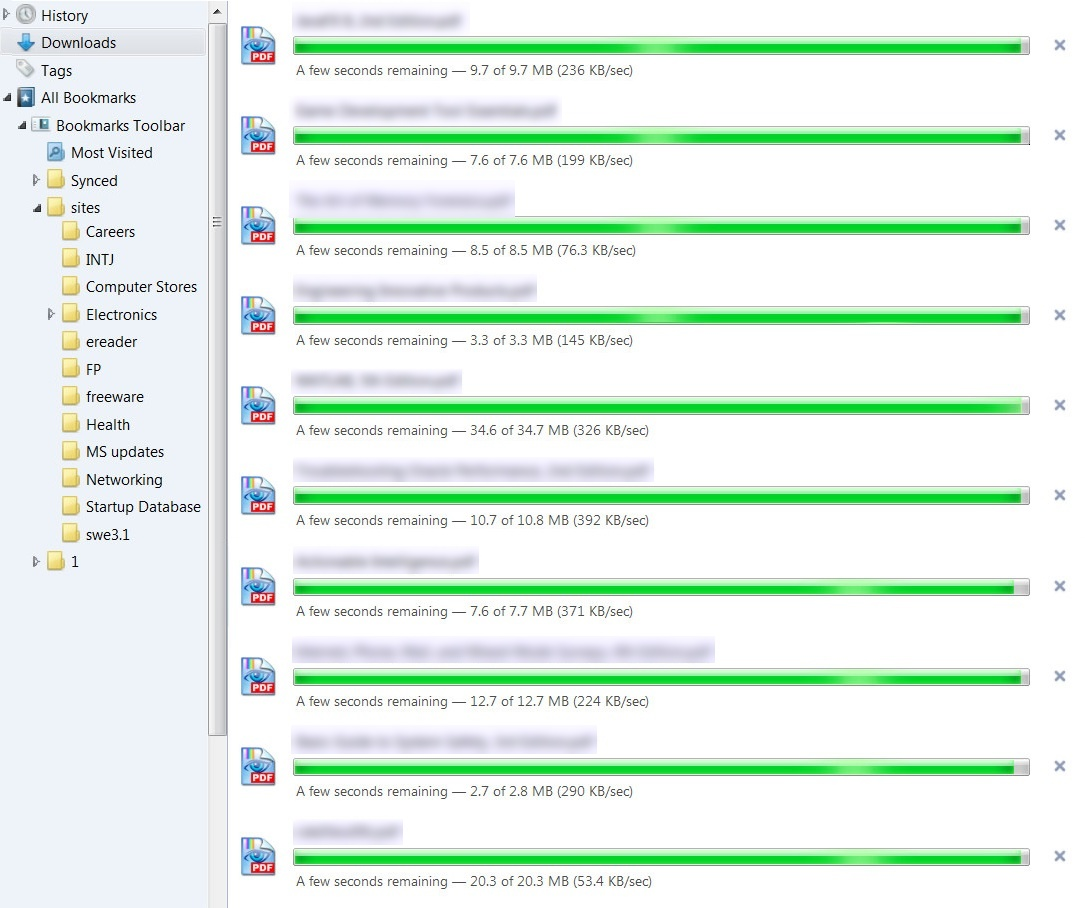
On FF 32 download panel freezes all downlaods at "wait a few more seconds" but they are done.

This started about a week ago. I upgraded to 32.0b8 to no avail. I close and FF it tries again to re-download all previous download entries...
My add-ins are Download Helper and ABP. My AV is MSE. My PC is a 6gig core i5 Lenovo on Win7-64bit.
This has me puzzled, I run a tight configuration with no malware or toolbars etc.. and I have a good Cisco router with all DNS requests routed through OpenDNS family shield.
Note - After closing FF, I check Process Explorer to make sure it closed right and then run CCleaner. I restart FF and it immediately wants to re-download all files previously in the list... Even though before closing, i verified all files (some PDF's) were downloaded and intact. Also, the X icon in the download panel does nothing now... so after rebooting FF I can select a pending download and hit the delete key and that works... However this is getting old very quickly.. ;-)
All Replies (3)
This is what the panel looks like...
Chosen Solution
hello muzak24h, this appears to be a reproducible bug in the latest 32 beta 9 version.
a workaround for the moment would be to enter about:config into the firefox address bar (confirm the info message in case it shows up), right-click somewhere on the page and create a new string setting with the name browser.safebrowsing.appRepURL and value https://sb-ssl.google.com/safebrowsing/clientreport/download?key=%GOOGLE_API_KEY%
for reference see bug #1057764 (please don't post in bug reports, but vote for the bug if you want to see it fixed)
Thank You Philipp, that worked right away.