

This thread was archived.
Please ask a new question if you need help.

Solved
Archived
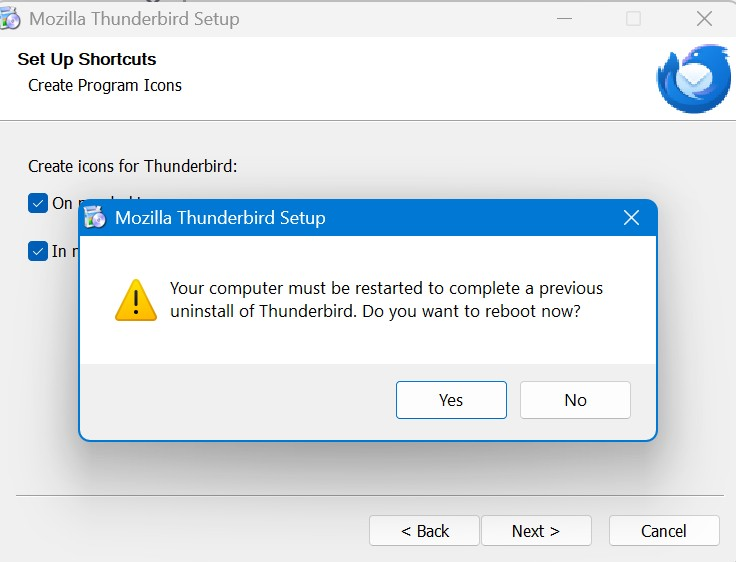
Cannot install ver 139 release - Error message "Your computer must be restarted..." (ESR128toRelease)

Receiving error message indicated in screen shot. numerous system restarts and still receive this error message Thanks
Receiving error message indicated in screen shot. numerous system restarts and still receive this error message
Thanks
Modified by Wayne Mery
All Replies (7)
Chosen Solution
Please delete the program directory (for Windows at "c:\Program Files\Mozilla Thunderbird” or c:\Program Files (x86)\Mozilla Thunderbird”), and reinstall.
Modified by Wayne Mery
Sorry. Where do I find the "program directory" and how do I reinstall? Thanks
The location will be either "c:\Program Files\Mozilla Thunderbird” or c:\Program Files (x86)\Mozilla Thunderbird”
thanks
That worked...Many Thanks again.... Randy
RDM,
From which version did you update to 139? 128? Or 138?
updated from version 128