Windows 10 reached EOS (end of support) on October 14, 2025. If you are on Windows 10, see this article.

Search Support

Avoid support scams. We will never ask you to call or text a phone number or share personal information. Please report suspicious activity using the “Report Abuse” option.

Learn More
Archived

Suddenly I cannot send or receive emails

lancebb

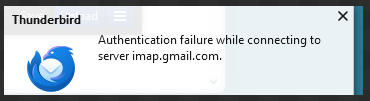
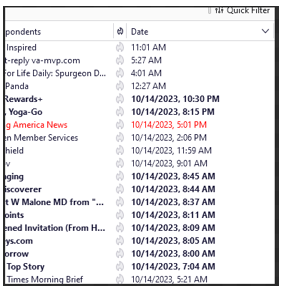
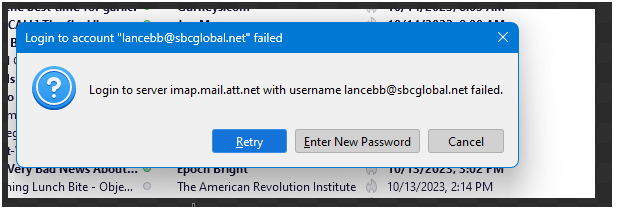
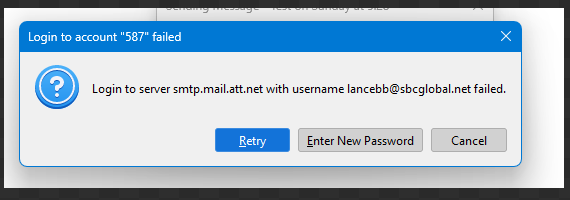
I am using a PC with WIN 11 OS, Thunderbird version 115.3.2 Before 11:01 today Thunderbird was working without an issue. However after 11:01 today I am unable to receive emails. (see attach 1 - history). There are new emails on the Yahoo/ATT server - they are not downloading. (see attach 2 - imap). I worked through several articles in this forum and nothing worked. I found a checklist and went through it: > configured correctly - YES > Not blocked by filter - No blockage > Yes it was working until 11:01 today - no problems prior to this > No other problems (initially) > Exceeding email limits - NO When I tried to send an email, this error message appeared (attch 3 - smtp). Finally, about 20 minutes after that this error message appeared. (attach 4 - authentication) I am at a standstill. I use Thunderbird to manage my business emails. Please help me.
I am using a PC with WIN 11 OS, Thunderbird version 115.3.2 Before 11:01 today Thunderbird was working without an issue. However after 11:01 today I am unable to receive emails. (see attach 1 - history). There are new emails on the Yahoo/ATT server - they are not downloading. (see attach 2 - imap). I worked through several articles in this forum and nothing worked. I found a checklist and went through it: > configured correctly - YES > Not blocked by filter - No blockage > Yes it was working until 11:01 today - no problems prior to this > No other problems (initially) > Exceeding email limits - NO When I tried to send an email, this error message appeared (attch 3 - smtp). Finally, about 20 minutes after that this error message appeared. (attach 4 - authentication) I am at a standstill. I use Thunderbird to manage my business emails. Please help me.
Attached screenshots

All Replies (1)

For the AT&T account, check for a corrupted message:

https://support.mozilla.org/en-US/questions/1301414

Are you using a secure mail key?

What is the authentication method on the gmail account? It should be OAuth2.

Any changes to antivirus app or VPN status?