Open
Spell check language cannot be changed from "English (United Kingdom)"

The British have colonized my spell check somehow and I'm completely at a loss on how to evict them.
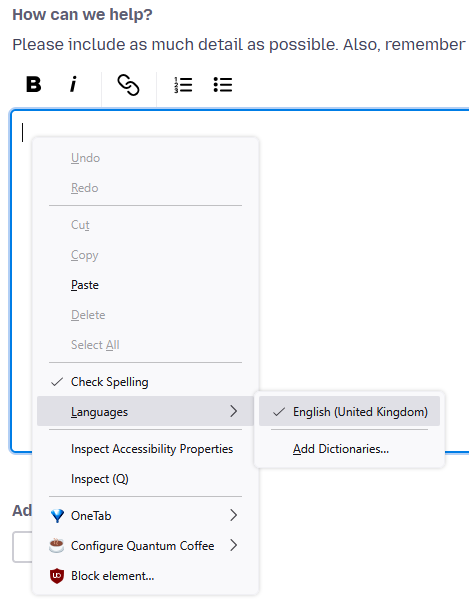
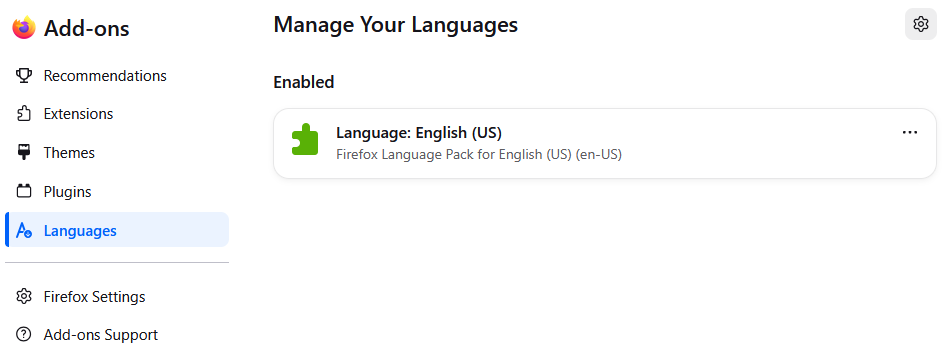
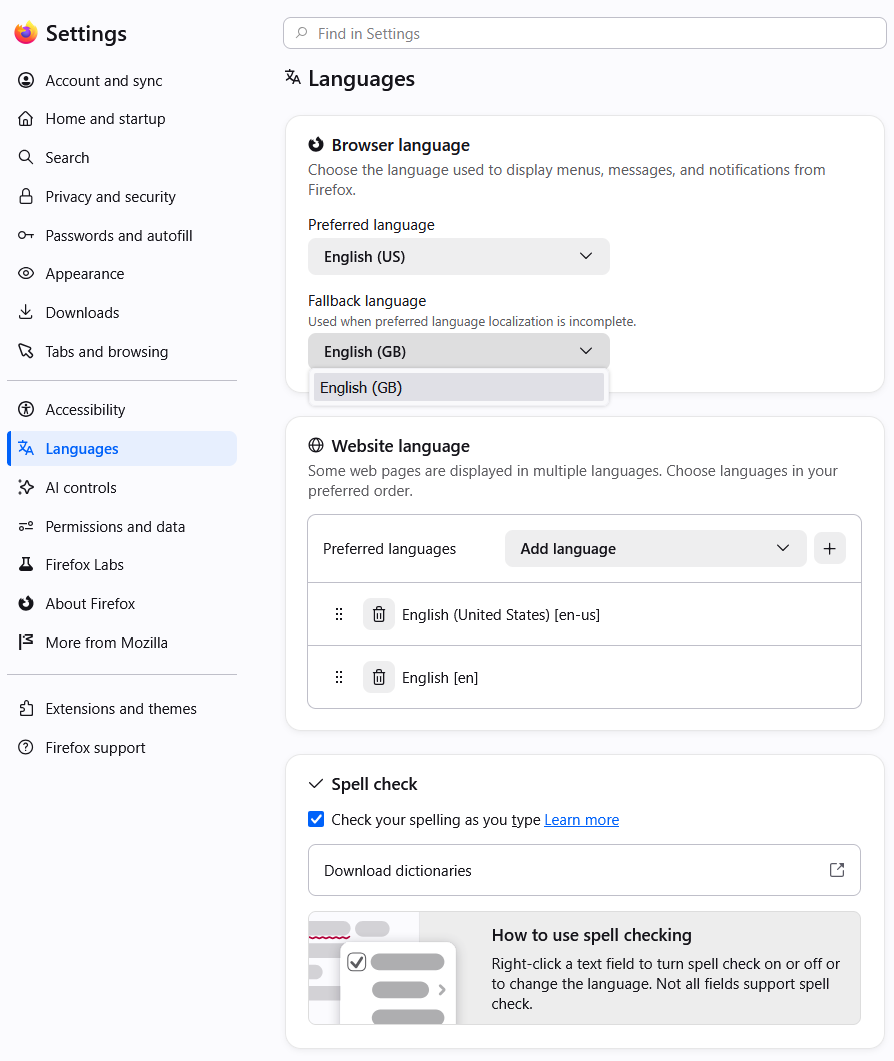
When I right-click to change my spell check language, the only option I have is "English (United Kingdom)", while the only Dictionary that I have installed is "English (US)". In my language settings, while I can set any preferred language, my only Fallback Language option is "English (GB)".
I would like my Spell Check to properly reflect the dumb language that I speak, please. I'm on Version 156, but this has persisted for several months.
Steps already taken: - Scoured the settings for a misconfiguration - Rebooted my computer - Cleared the Startup Cache - Opened Firefox in Troubleshooting Mode - Refreshing Firefox
The British have colonized my spell check somehow and I'm completely at a loss on how to evict them.
When I right-click to change my spell check language, the only option I have is "English (United Kingdom)", while the only Dictionary that I have installed is "English (US)". In my language settings, while I can set any preferred language, my only Fallback Language option is "English (GB)".
I would like my Spell Check to properly reflect the dumb language that I speak, please. I'm on Version 156, but this has persisted for several months.
Steps already taken:
- Scoured the settings for a misconfiguration
- Rebooted my computer
- Cleared the Startup Cache
- Opened Firefox in Troubleshooting Mode
- Refreshing Firefox