How do I put emails in my inbox back into chronological order

Hi, I was trying to find a particular email and was playing with a couple of filters. I ended up with all of my inbox in alphabetical order. In other words, all the senders' names starting with A are at the top, and conversely all the Z' s are at the bottom. How do I put them back in the order received please? Many thanks, John.
All Replies (9)

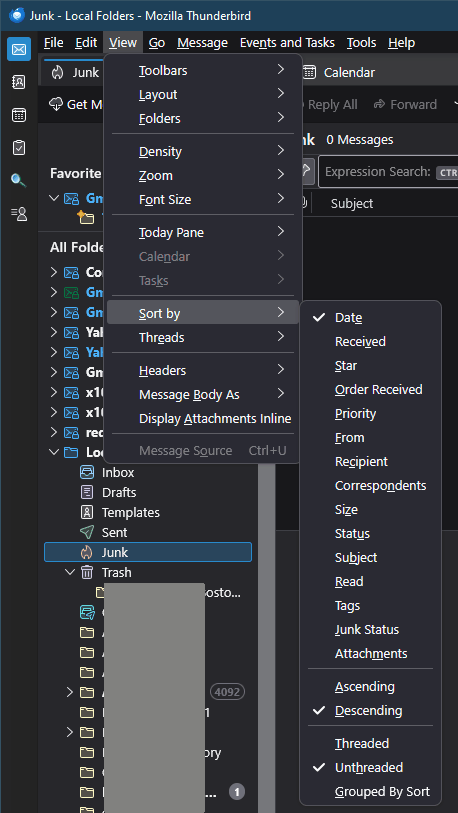
See the menu option <View | Sort by | Date>. If the menu is hidden, press <Alt> or <F10> to reveal it.
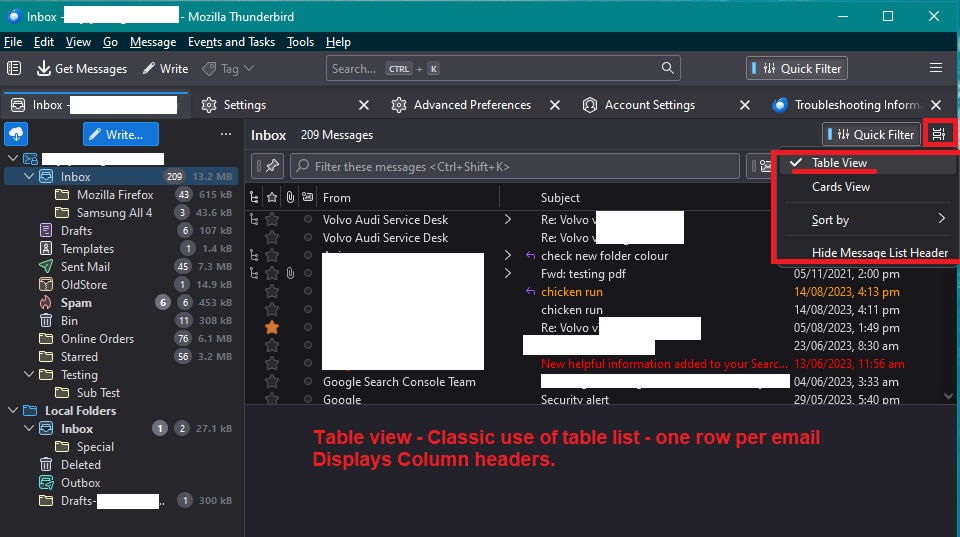
If you're message list is using Table View rather then Cards View, you can click on the column header to sort by that column.
Hi Lin, thanks for answering my question, however when I click on "view" I only get Toolbars, Layout and Folders. No sorting option.
Look again. It's there. See the attached image. Make sure you have selected a folder in the Folders List first.
Boy, I have no idea of what's going on here Lin, but I do not have all those options at the top of my page. In fact, I have none of them. Your version looks completely different to mine. I will try real hard to do a screen shot and send it to you, cheers.
I think your menu is hidden. As I mentioned, press <Alt> or <F10> to reveal it.
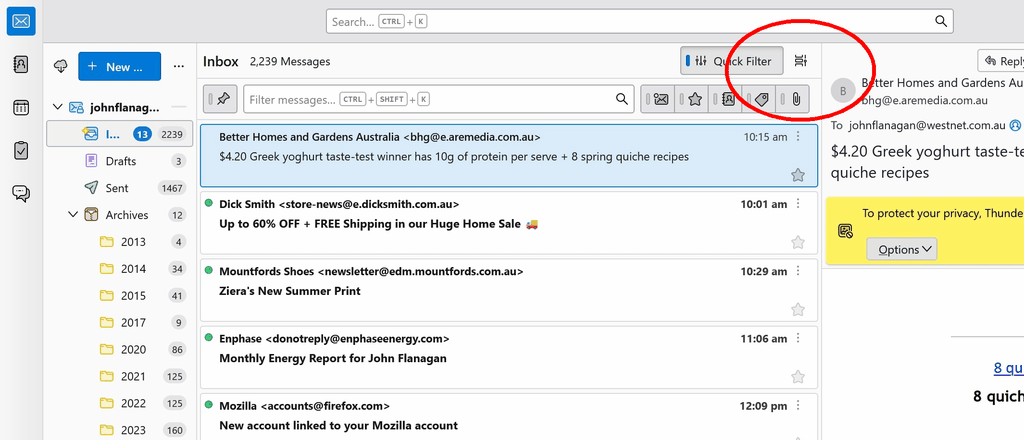
There's also a secondary menu under the little "card view" icon that shows similar options. See attached image...
Yes, I do have some things moved around compared to how Thunderbird comes out of the box, but all the elements are are there.
Modified by Lin
Finally ! Thanks very much Lin. I was trying F10 and nothing happened. I tried ALT + F10 and nothing happened. Just now I pressed ALT only and up came that top menu you have on your screen. I got the rest sorted out by using "sort by" as you showed me earlier. Back to where I was, and I have learned a little bit. Thankyou Lin, I'm an old bastard (77) so tech stuff is getting harder by the day to keep up with. It's good to know you're out there, Cheers.
Lin said
I think your menu is hidden. As I mentioned, press <Alt> or <F10> to reveal it.
Every windows user who is using a profile created in about the last 10 years has had their windows menu bar hidden by default. All the while Linux and Apple OS have it displayed.
I wrote a blog about the topic in 2012 and the idea was all windows versions after XP at that point in time.
I think after a quick Bugzilla search that it landed in V17 in bug 650170 and the default for new profiles was simply changed.
@John, if you right click on any "blank space on the menu bar or tab bar you will be offered a small menu with the menu bar listed. Selecting it gives it a tick and it is permanently visible from that point on.
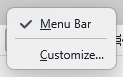
If you click on a tab instead of a blank space you do not get that menu you get
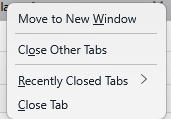
So make sure to find a blank space
Thanks so much Mark, that worked a treat. Best regards, John.
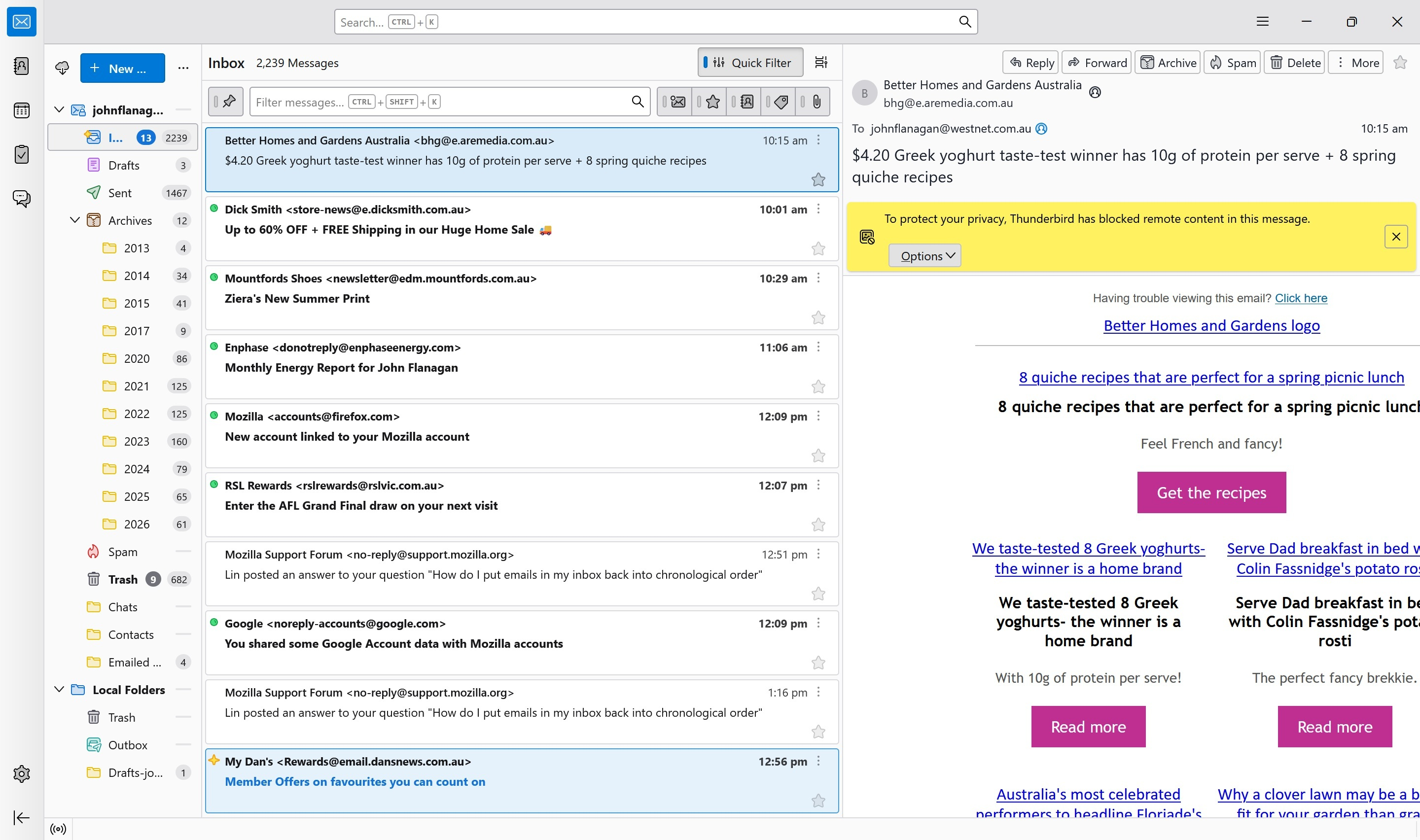
I see you are using the 'Cards View'.
If you used the 'Table View' - A classic table view using column headers and only one line per email in list. You can click on : for example - the 'Date' column header to quickly sort by date. If you want to alter direction of date sort, click on Date column header again to reverse the current order. When using Table View, you may find it better to have the Message Pane below the table. 'View' > 'Layout' > 'Classic view'
Changing the sort is easier in Table View, as you can sort by eg: Subject and when done sort by Date, simply by clicking on the column headers.
How to change to 'Table View' Click on the icon located to the right of the 'Quick Filter' button see attached image below as guide.
Default settings for some settings can be set up here:
- Settings > Appearance
Thought I would just let you know there are more choices in Thunderbird, so you can check it out and see what suits you best.