


Messages between different gmail accounts

Could somebody please tell me what settings I did not make ....
I have four gmail accounts, say A, B, C and D. A is the default.
If I send a message from B to an outside email address, the reply routing is returned to the A address and not the B sending address.
If I send a message from B to C then the message is not received anywhere, it simply disappears.
If I open a browser and send a message from B to C then the message is delivered. So I know that the problem is with Thunderbird and not the email service.
Please tell me what I need to change in the settings ....
All Replies (5)
Suggestion: compare the email address for each account (on server settings pane) with its associated SMTP server settings pane. When there are multiple email accounts with the same domain, these sometimes get set incorrectly. I included a screenshot to show where to locate them.
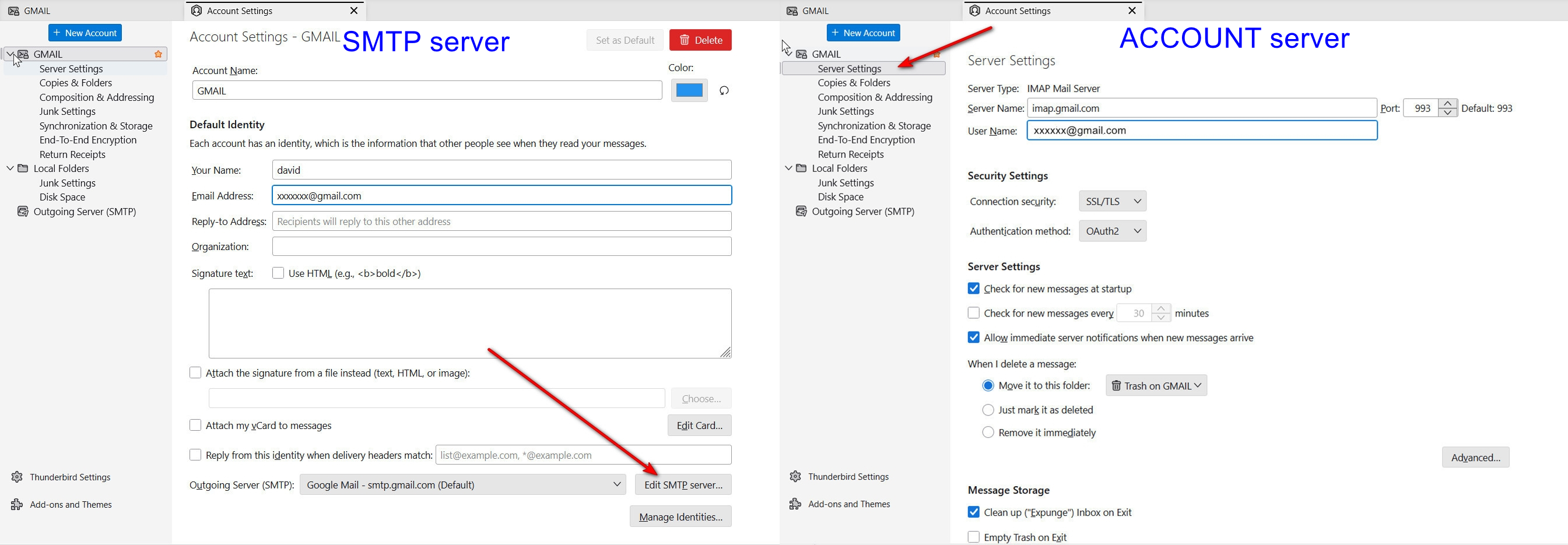
Thank you for the reply David. Perhaps you could point out the obvious but this is what I have been using / assuming ...
The SMTP server settings are only from a single account, the default 'A' email account. I have never set up separate SMTP credentials for the individual accounts. I guess you are about to tell me this is wrong? So should I set up separate SMTP login credentials (presumably that is just changing the stated User Name address?
You need to set up separate SMTP servers for each account. The email address must match. That is likely your problem. In your case, they would all be identical except for email address. To reduce confusion,I suggest putting the email address also in the SMTP server setting's Description field. After setting them up, be sure to recheck by clicking the account settings pane and clicking the SMTP server' link in bottom right (see attached screenshot).
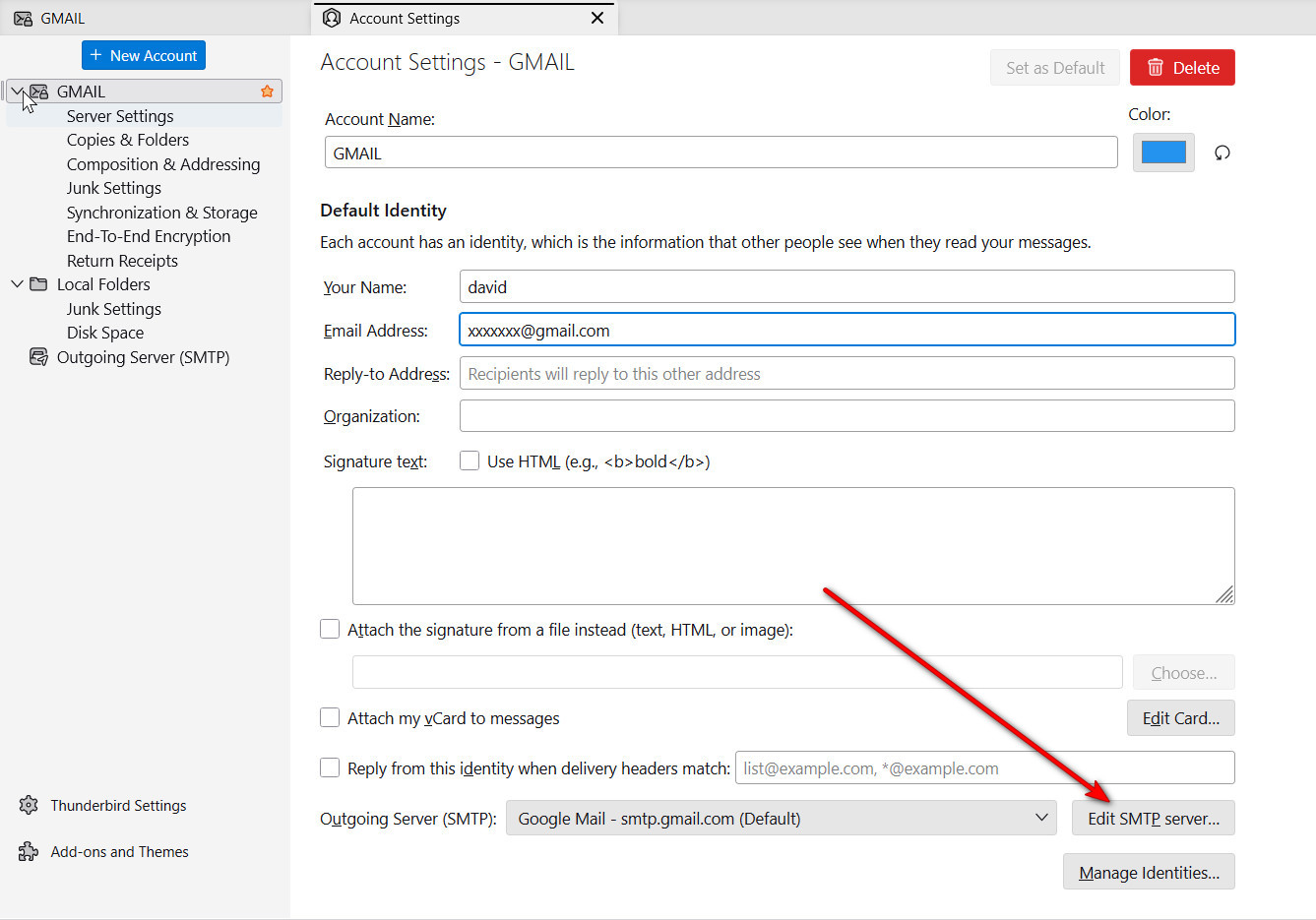
Hi David, well, with your help I may have got this working. Tomorrow I will test properly.
I had to use some minor variation to get things working though. To edit the smtp server user name impacts every account using that SMTP server identity. So no go ...
The way round this is to go to the bottom of the Account Settings menu and select 'Outgoing Server' and there add a new server for every account. Then when you go to the individual account settings you can select the SMTP account you just created and all appears to be good.
Who ever would have thought that you needed to set this up ....
Tomorrow is another day for testing but right now all looks good. Thank you.
When it appears that changing one name affects all, it indicates you are viewing from the wrong place. If you change anything in one SMTP server pane and it also appears for a different account, that is confirmation that you are using the same one for more than one account. When that happens, that is your clue to create a separate SMTP server setup for that account.