


STILL GETTING FIREFOX RUNNING BUT NOT RESPONDING
In support.mozilla.org/questions/1598971 it's still not clear how you're getting this. You seem to be posting this question from a perfectly running Firefox so it apparently starts up and works fine on its own.
It sounds it's related to your Windows desktop shortcuts, or their exact target perhaps — however without knowing their content (destination or commands run) there's not much more to do here.
If you have anything new to add to the questions in the thread above, please post in that original thread so anyone trying to help understands what this pertains to. WELL LIKE I SAID I HAVE HAD THE SAME DESKTOP ITEMS FOREVER EVEN BACK ON WINDOWS 7 AND THIS HAS ONLY HAPPENED ONCE WHEN I FIRST STARTED WITH FIREFOX AND WAS TOLD THEN HOW R TO STOP IT AND BY THE WAY IT IIS NOT A NORMAL STARTING FIREFOX I GET IT WHEN I CLICK ON TH S THDESKTOP ITEM THERE ASWELL HOW COME ALL THIESES YRS HAVE HAD THE SAME DESKTOP ICOND S AND THIS ONLY STARTED ON THE 154.0 AND STILL ON THA 154.1 AND NOT BEFORE AND ITS ME NO I THINK IT IS A FIREFOX ISSUE . i HAVE Y USE THGE SAME DESKTOP AND FIREFOX SESKT OP FOR YRS AND NOTHING AND NOW IT HAPPENS WHY IS IT ME AND NOT FIREFOX//
All Replies (17)
excuseme sorry for the cap s or yelling again o am not trying to yell
Please get familiar with the support forum features, esp. in terms of using threads, editing posts etc. — you're currently doing everything to hamper anyone's attempts to assist you, by spreading your issue across almost a dozen questions already.
According to "Mozilla Support rules and guidelines" https://support.mozilla.org/en-US/kb/mozilla-support-rules-guidelines#w_posting-support-requests
Posting support requests: Create one thread and only one thread for each subject or Mozilla product you need help with.
soory i uess i do not understand thanks for being kind i apparently should not post here any more it is just i am frustrated and thanks again sorry for th misunderstanding
so now i will not get help again sorry i guess i do not understand and thanks
In case you're the last one in the question thread, and want to add or change some of the information, please just use the "Edit this post" functionality that's available under the "three dots" ••• icon on every single post. You can keep documenting your train of thought in the existing thread so that it's all kept in one place.
ok Iam adding this you claim that Firefox s opening correctly nope this is what i get when i click on the desk top i con. Please let me know ow else to open Firefox with out the icon o the desktop so here is why it is not opening correctly when i click the Firefox icon on desktop and it always did up until the last updated version. of firefox and your other asps with out the browser and desktop icons
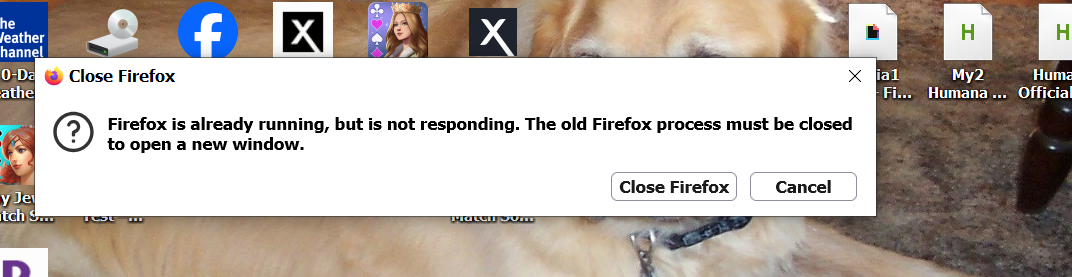
thank you I did look for edit but not there thanks
If you can't open Firefox, how did you post this question? It appears as coming from Firefox 154 that's running and signed into your account just fine.
While I can't advice about your existing desktop icons, what happens when you drag one new shortcut e.g. for this support site to your desktop and try opening that new one. Does it exhibit the same?
yes i can get in to Firefox only after i have t say it is running but not i can not get directly in to Firefox yes i get it everytime i try ye eventually i get in after i go t task manager and delete every firebox i see ao as for the icon desktop i have told you all along i have had them with Firefox for years for years and nd never had this problem before. it does not open automatically i have that is running and not responding almost the entire time so yes i eventually get in but after multiple attempts it appears you are not listening i have had the same icons with Firefox for years as far back as windows 7 and never had this problem before . i was always able to pen the icon and app with out seeing Firefox is running n but not re responding so you are saying to get rid of the desktop icons and not attach them to my browser correct then why is it not happening in Chrome and edge all the same icons work there as a matter of fact all the desktop icon were not loaded with Firefox they were all loaded with IE so most of them are from IE which there is no more of so they are not from Firefox they were all loaded and pit on the desk top from IE and maybe 4 are actually loaded from Firefox so it is a Firefox problem what t i am sending you is a IE icon not a Firefox icon and it always opened before with no problem not now so now what it is not a Firefox icon but it always opened with any browser with saying that as of this version so why then do they all poen with out saying what ever like chrome is running but not responding i do not get that in Chrome or edge so why does it work with them but not firefox
Modified by Mary
While I can't advice about your existing desktop icons, what happens when you drag one new shortcut e.g. for this support site to your desktop and try opening that new one. Does it exhibit the same?
so if it is not Firefox why then did i go to Firefox address bar and click on the open in chrome and it opened with out saying its running and not responding the same add on that i have on the desktop funnily huh opened up the first time in chrome with no problem and why not i n Firefox and its not a Firefox problem well i do not believe it i also used the same desk top icon and ope it in Edge and did not se running but not responding so that seems odd to me huh i am sending yo what i got from the Firefox address bar the open with chrome addon and i opened it o in chrome with the same add on huh can you explain that why is that but you all sear it it is not Firefox problem Photo from Chrome browser and again it is an original IE desktop icon explain please and tell me why
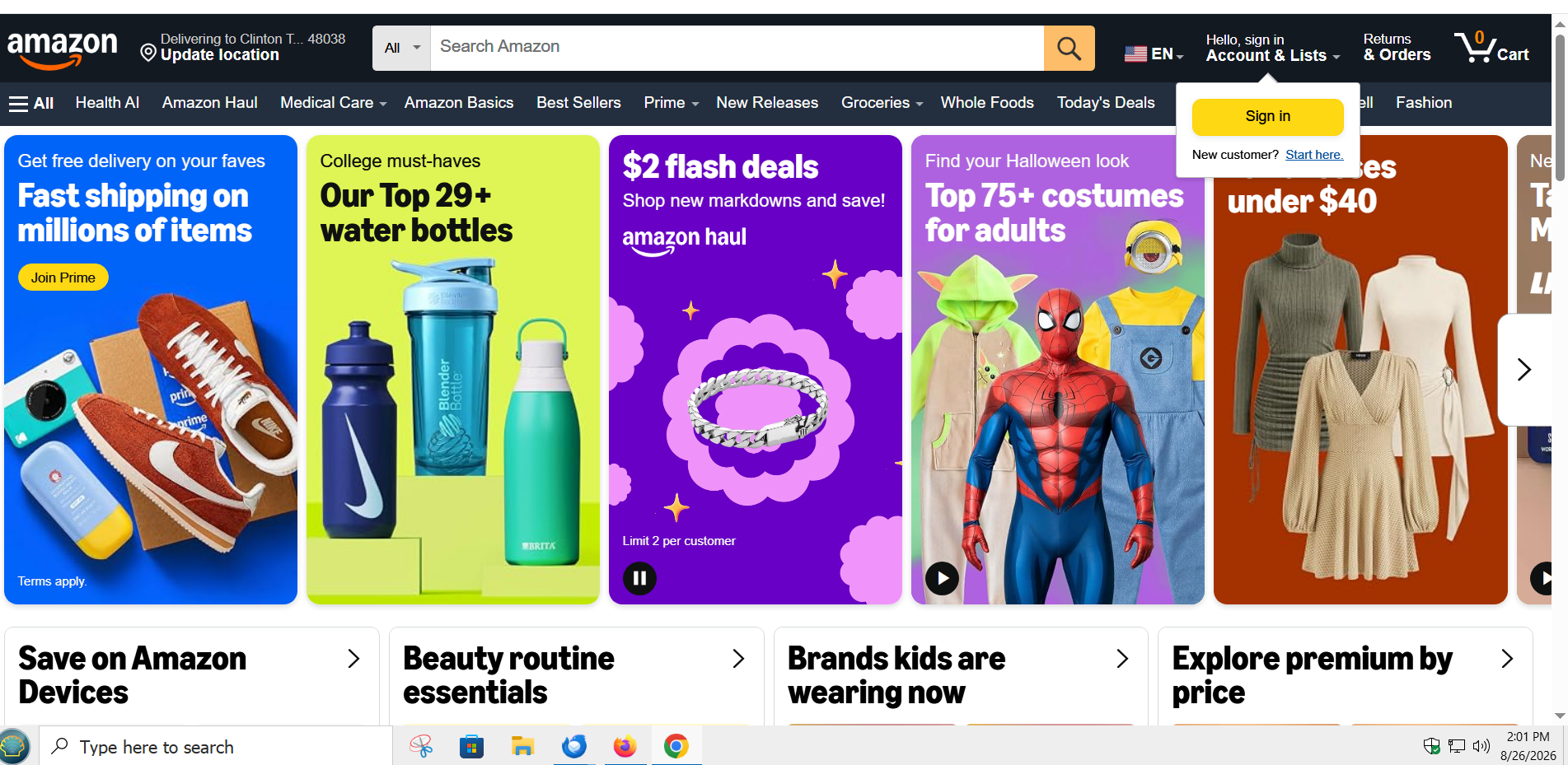
Modified by Mary
ut is the same icon i use for Firefox and chrome and edge why on those two and not Firefox i have not received an answer or how to fix the problem i do not use tose 2 as my default becuse i like the addon that firefox has and just firefox generally but now i may be moving to chrome and tek ling anyone that uses Firefox tio change as well
yes it does i have a Faceboook from firefox that i have opened and i get the same thing running but not responding-yes have a youtube icon from Firefox that i put on the desktop not from I e from Firefox and i still get it so yes i h get it on firefox icon ie icon chrome icons edge icons and clickon on the does all the same things so then why is it only happening in Firefox and no other browsers you need a browser to get a desktop i con correct other wise how do i get one?
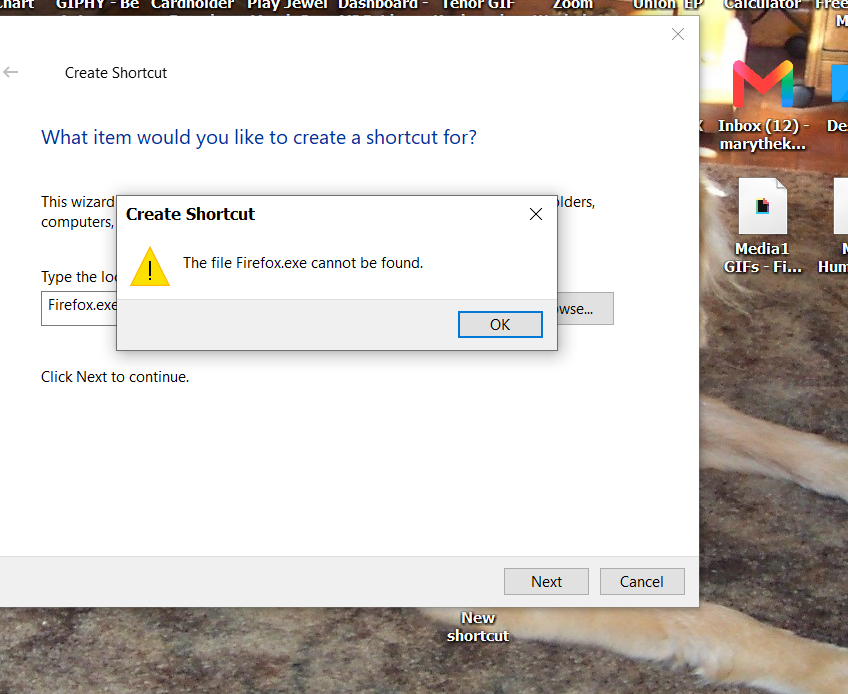
ok tried to make a short cut on desktop and this is what i got did it with Firefox,com Facebook.com and the one i am sending you
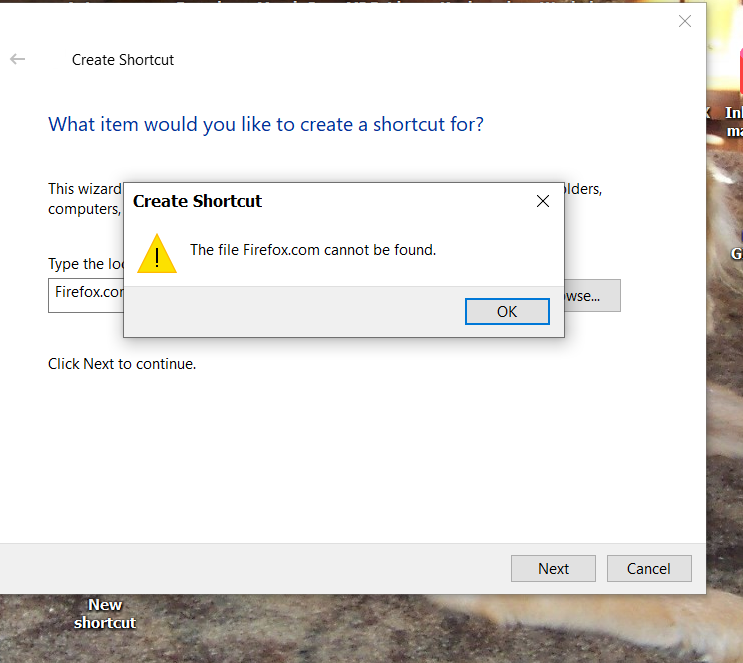
the file is [firefox.exe] in windows
C:\Program Files\Mozilla Firefox\firefox.exe
dot com is for a website
Modified by amoun
hee is what i got
Hi
I am going to close this thread as it appears to be a duplicate of: