


When I try to use the website search engines for products in Home Depot and Lowes, it says access denied on this server. Why:

Certain websites can be reached and displayed, however when using their page search, it says access denied on this server. I've tried using another browser but the same message comes up. However, on my phone, and tablets, I have no problem.
All Replies (10)
Hello
These similar discussions https://support.mozilla.org/en-US/questions/1568447
Maybe, if you wish to try, the potential workaround, User Agent Switcher https://addons.mozilla.org/firefox/addon/uaswitcher
They unfortunately don't seem to support Windows 7 devices, intentionally or not, through their delivery vendor. The longer read is e.g. in: https://support.mozilla.org/en-US/questions/1566664#answer-1801619
As for me, with my subscription plan, Kaspersky Plus, https://support.kaspersky.com/help/Kaspersky/Win21.25/fr-FR/87342.htm, the vpn is available, illustration, here https://support.mozilla.org/en-US/questions/1579167#answer-1814856
To continue, this dicussion https://support.mozilla.org/en-US/questions/1568447#answer-1830508, and you, your security programs (hypothesis) vpn available and running?
Modified by Agent virtuel
Actually, Kathy — one thing to verify though: Are you really running Windows 8 — or some other version? It's plausible you're on newer Windows and just using its "Compatibility Mode" that makes you appear as coming from an older system. See support.mozilla.org/questions/1571459
Yeah as the UserAgent you used to post this thread is Mozilla/5.0 (Windows NT 6.2; Win64; x64; rv:109.0) Gecko/20100101 Firefox/115.0
NT 6.2 is Windows 8.
Normally it is NT 6.1 for Windows 7 or NT 6.3 for 8.1. The vast majority of times when it says NT 6.2 for Windows 8 it was a user running Firefox on Windows 10/11 in Windows 8 compatibility mode for some odd reason.
If you are using Windows 10 or 11 then see https://www.minitool.com/news/how-to-run-a-program-in-compatibility-mode.html on how to disable running Firefox in Windows 8 compatibility mode.
However if you are actually using Windows 8 then in order to use Firefox 116.0 or later you need to either use Windows 10/11 or dual boot with a current Linux distro.
Hello
Windows10 an experience performed
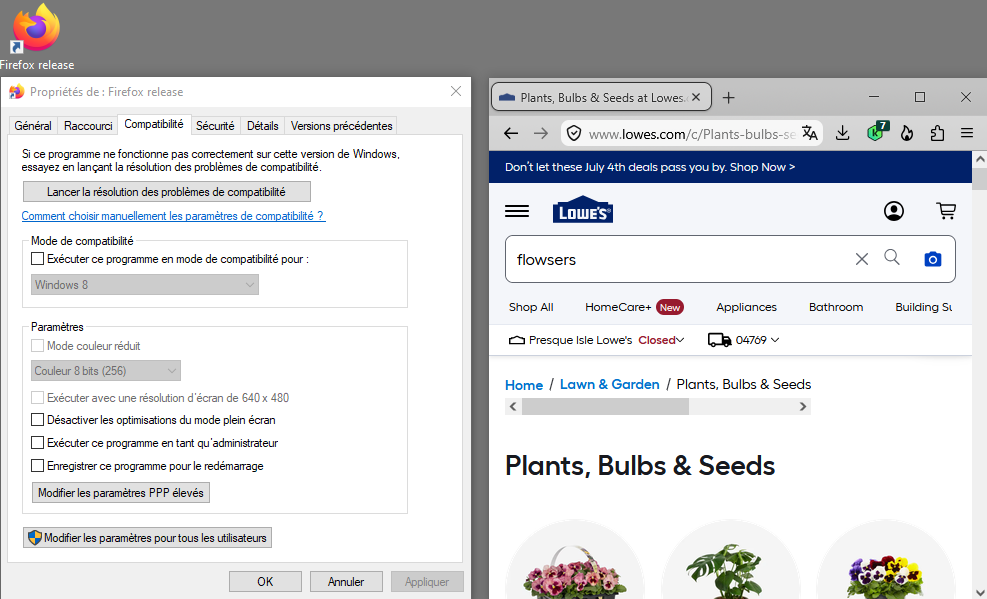
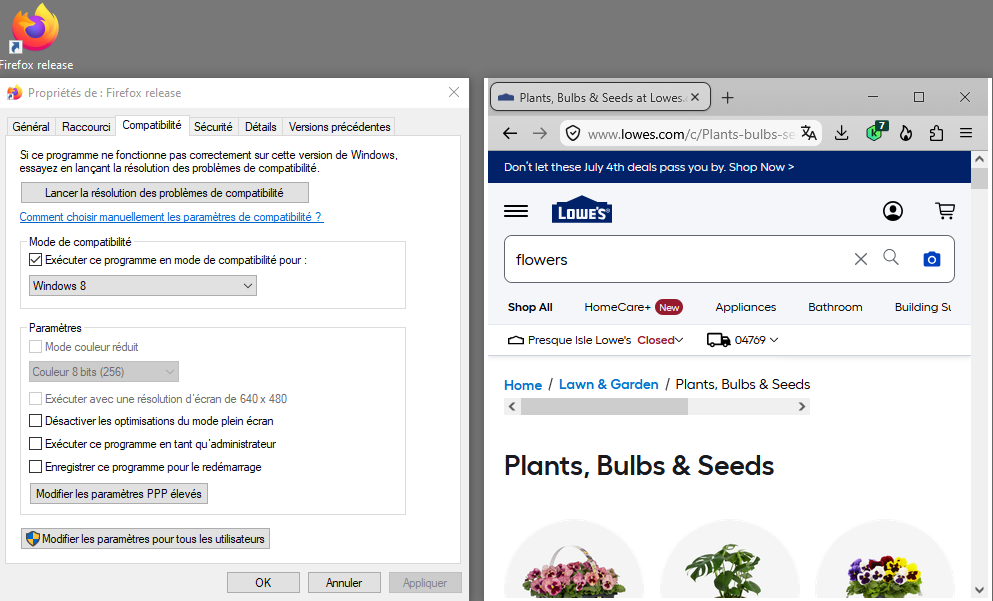
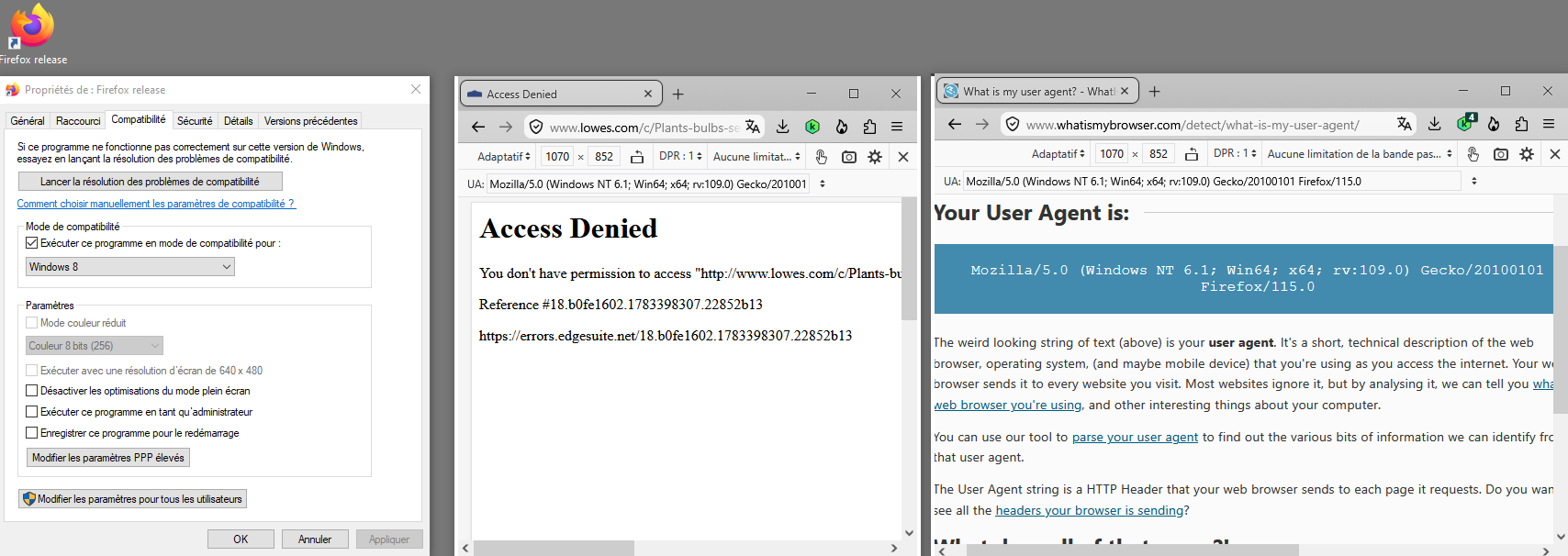
Screenshot 1 - compatibility mode is disabled Screenshot 2 - compatibility mode is enabled Windows8 Screenshot 3 - compatibility mode is enabled Windows8 and with the help of Responsive Design Mode https://firefox-source-docs.mozilla.org/devtools-user/responsive_design_mode User Agent String
Mozilla/5.0 (Windows NT 6.1; Win64; x64; rv:109.0) Gecko/20100101 Firefox/115.0
Modified by Agent virtuel
delete
Modified by Agent virtuel
Currently, at this moment, compatibility mode is enabled Windows8 and with the help of Responsive Design Mode User Agent String : Mozilla/5.0 (Windows NT 6.1; Win64; x64; rv:109.0) Gecko/20100101 Firefox/115.0
What is my user agent
To take a look one last look
Currently, at this moment, compatibility mode is enabled Windows8 and with the help of Responsive Design Mode User Agent String : Mozilla/5.0 (Windows NT 6.2; Win64; x64; rv:109.0) Gecko/20100101 Firefox/115.0
What is my user agent