


Changing the position of attachments in a message

Hello, I’ve just started using Thunderbird and I really like it so far.
I have one question regarding attachments. In emails that include attachments, is it possible to change how the attachment area is displayed? Currently, it appears as a single line at the bottom of the message. Ideally, I’d like to have it displayed more prominently, preferably at the top of the message, similar to how it appears in Outlook.
So far, the only adjustment I’ve made is setting mailnews.attachments.display.start_expanded to always show attachments expanded. Are there any other settings or methods to further customize the attachment view or position?
Thank you in advance.
All Replies (4)
There is no setting in Thunderbird to do this. The only way to move the attachment bar to the top is to put a little bit of CSS code in a userChrome.css file in the Thunderbird profile folder (see image)
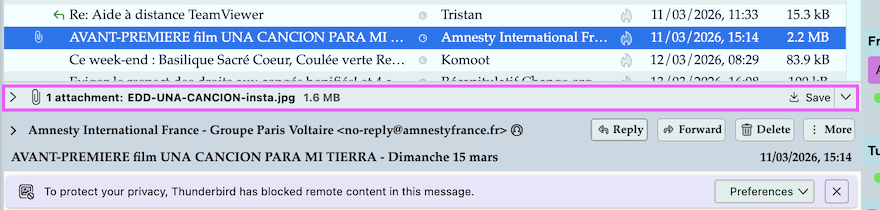
@Konstadinos, are you interested in the little css "tweak" solution I mentioned in my first reply? In this case I'll give you detailed instructions...
@Mapenzi
Thank you very much for your reply. I think I will stick with the default one (To be honest I am afraid of changing any files that has to do with the application) I have a talent for breaking things that were working perfectly fine ;)