


problem saving images

I'm suddenly having a problem where images don't save as .jpg unless I add that myself. At first, it wanted to save images as WebP, but I was able to fix that in the about:config. Now when I go to save an image, it wants to save as Chrome HTML document and I have to click all files and then add .jpg.
All Replies (4)
Steps to replicate would be helpful. I'm not seeing an issue on this site. see screenshot https://www.netcarshow.com/lexus/2018-ls_500_f_sport/#pic-41
Are you running any security software besides MS Defender? Did you try with Firefox in Troubleshoot Mode? https://support.mozilla.org/en-US/kb/diagnose-firefox-issues-using-troubleshoot-mode#w_how-to-start-firefox-in-4troubleshoot-modesf5safe-modesf
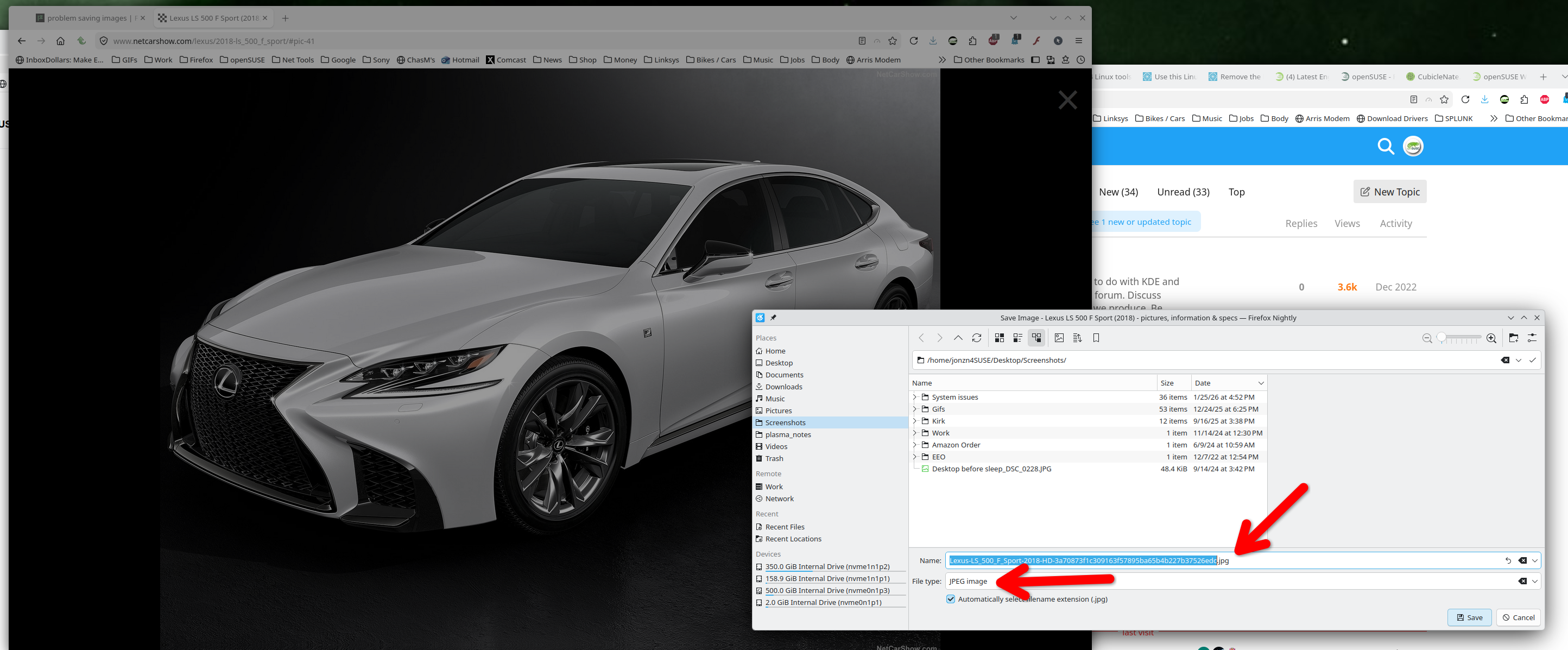
Modified by jonzn4SUSE
I don't have other security software and starting in troubleshooting mode didn't do anything.
I just open the image in a new tab and this happens.
Checking other files I have saved, it looks like March 11 was the last time I saved an image before this problem started happening. Photos from bluesky were always automatically saved as jpeg before that. Nothing on my computer has changed since then.
Steps to replicate would be helpful.
This question has been locked because the original author has deleted their account. While you can no longer post new replies, the existing content remains available for reference.